
A multicast IPTV encoder converts video sources into network streams for multiple receivers, making it a practical fit for hotels, campuses, and other managed LANs. The encoder belongs in broadcast equipment systems that carry video audio over an ethernet lan. It can also support wireless video workflows when the network and receivers allow them.
IGMP snooping is a switch function that reads IGMP membership messages and forwards multicast traffic only to ports with subscribed receivers. A working setup matches the source inputs, network, stream protocol, and receiving devices. That match matters when screens need the same channel without separate streams from the encoder.
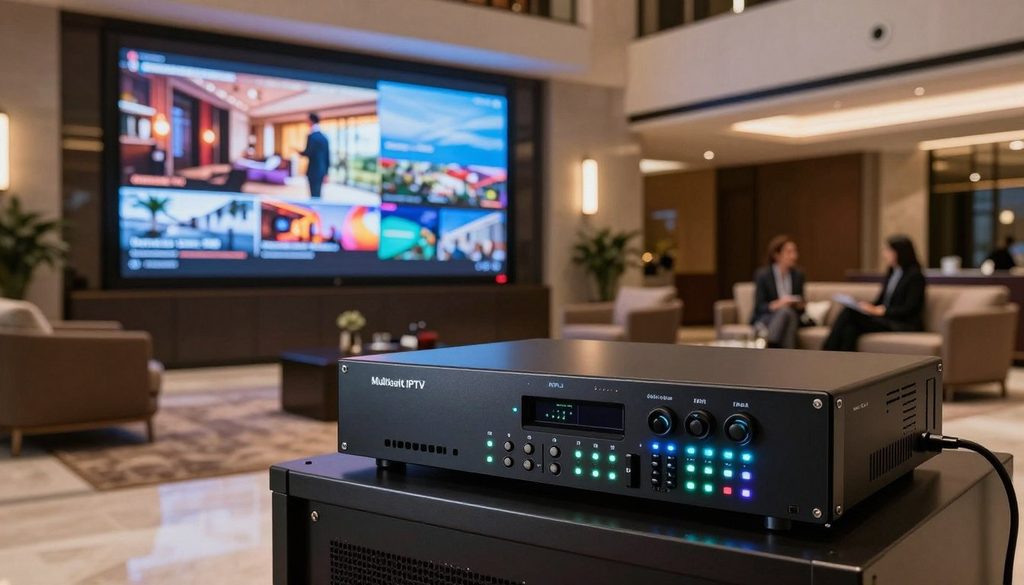
multicast iptv encoder
This page outlines the decisions that shape a usable system, from source signals to playback endpoints. A suitable setup begins with the source format and the devices that need to play the stream.
Key Takeaways
- Match encoder inputs to the source connectors and signal formats.
- Count independent program feeds, not just television screens.
- Check switch capacity and the slowest Ethernet interface.
- Use multicast for shared viewing on a managed wired LAN.
- Test each receiver before expanding the installation.
What Does a Multicast IPTV Encoder Do?
An encoder compresses a video input into a network stream, then sends it to a multicast group rather than making a separate copy for every viewer. One stream can serve many receivers that join that group.
IP multicast uses addresses from 224.0.0.0 to 239.255.255.255. The sender transmits video data to a group address, and network equipment forwards the stream to joined receivers. This can reduce repeated sender transmissions when many viewers watch the same source.
The signal path starts with a camera, media player, or other video source. The encoder compresses that signal in real time, using a format such as H.264, H.265, or MPEG-2. It then sends the encoded stream through the LAN.
Encoding turns a source signal into compressed video data; decoding turns that stream back into a picture and sound.
An IPTV video encoder does not perform the same job as a receiver. A compatible IP set-top box decodes the network stream and sends video and audio to a television.
RF modulation is different again: it prepares signals for radio-frequency cable or antenna systems. UDP RTP multicast is a network delivery choice, not a video compression format. A UDP RTP stream carries packets over the LAN, while RTP adds timing information for supported players.
Unicast multicast describes two different delivery patterns. Unicast sends a stream to one receiver, while multicast sends one stream to a group. Confirm that the receiving device supports both the stream protocol and the encoded video format.
Which Inputs and Channel Capacity Fit Your Setup?
The right encoder matches the source connectors and covers every independent program feed. Count feeds first, since screens can share a channel while separate source signals need separate encoding paths.
The source and encoder must accept compatible interfaces. HDMI and SDI encoders take those direct inputs, while RF systems often use a gateway to turn tuned channels into IP streams.
Match the encoder to HDMI, SDI, or RF sources
Video encoders HDMI models suit devices with HDMI outputs, such as media players or cable receivers. Check the HDMI inputs and their supported signal formats before choosing a channel HDMI design. A signal format converter may be needed when a source and encoder do not match.
SDI sources, often used in production, need SDI inputs. RF workflows use an ATSC or QAM gateway with tuners. An IRD STB may decode satellite or cable programming before an encoder takes its video output. Satellite CATV paths can therefore involve several devices, not just one encoder.
| Source type | Example device or path | Channel detail | Network output |
| HDMI | H-HDPerformux-24 | 24 sources | Multicast TS UDP |
| SDI | H-4HD-EMS | 4-channel model | IPTV and ASI outputs |
| RF | ATSC or QAM gateway | 8- or 16-tuner gateway | UDP unicast or multicast |
Size the system for channels and receiver locations
The H-HDPerformux-24 encodes 24 HDMI sources as 24 multicast TS UDP streams. In a hotel example, 476 TVs need 24 program channels and one hotel information channel. IP-to-HDMI receivers at the TVs decode those streams for display.
That design needs 25 independent feeds if each program and information channel has its own source. It does not need 476 encoder channels. Similar system designs start with feeds, then map the rooms or other viewing locations that need each one.
Use this checklist before comparing equipment:
- Source connector: HDMI, SDI, or RF path.
- Number of independent channels.
- Required output format.
- Number of viewing locations.
Count source feeds, not just screens, because one encoded channel can serve multiple subscribed receivers.
How Should You Plan the LAN for IPTV Multicast?
A reliable IPTV LAN needs working Ethernet links and enough capacity for the combined streams. Aggregate bandwidth matters more than trying to amplify an IP signal.
A CAT5 Ethernet run has a maximum length of 100m. The switch should show a link when the cable and ports connect properly. A link light confirms the physical connection, not that the full path has enough capacity.
Check copper Ethernet links and switch capacity
Add the stream rates to estimate traffic on shared links. One example estimates 16 streams at approximately 160Mbps. A Gigabit Ethernet encoder interface can carry that load, but an H-STB-IP interface rated 100base-T has a lower link rate.
Switch capacity also depends on the ports and links that carry traffic between network areas. A path can slow down at a 100base-T receiver connection, even when the encoder sends through Gigabit Ethernet. Check the link rate shown for each device.
Use fiber when the path exceeds copper limits
A switch placed partway along the route can create another Ethernet link. Point-to-point fiber optic transceivers can also extend Ethernet for many km, depending on the equipment and optical path.
Fiber optic extenders convert the link for an optical cable run, then return it to Ethernet at the far end. Some extenders Ethernet LAN designs use paired transceivers rather than an intermediate switch. Audio extenders Ethernet products may carry other signals, so their listed purpose should match the system.
PoE supplies power to compatible devices, such as access points, but it does not extend Ethernet range. Power delivery and data distance are separate limits. Check the slowest interface on the full path, since a faster encoder port cannot raise a 100base-T receiver port’s link rate.
How to Configure IGMP Snooping for IPTV Multicast
IGMP snooping keeps IPTV multicast streams off switch ports without subscribed receivers. Membership reports tell the switch which ports need each group.
A working querier must send recurring IGMP queries so group tables can stay current. A router with an IGMP querier or proxy function is needed for snooping to work as expected. Snooping learns group membership by monitoring messages between multicast routers and hosts.
Without snooping, IPTV multicast traffic can flood every switch port, even ports that do not need a stream. With snooping enabled, the switch forwards streams only to ports that requested them.
A TP-Link example uses VLAN 10. Host ports 1/0/1–1/0/2 are untagged, while router port 1/0/4 is tagged. The example sets PVID 10 on host ports 1/0/1–1/0/2.
It enables IGMP snooping globally, on VLAN 10, and on ports 1/0/1–1/0/2 and 1/0/4. The example selects IGMP version 3, which can process messages of all versions. IGMPv3 also adds source-specific filtering.
Use this configuration checklist:
- Confirm querier or proxy support.
- Identify the IPTV VLAN.
- Assign tagged and untagged ports.
- Enable snooping globally, on the VLAN, and on needed ports.
Choose an IGMP version that matches the network and endpoints. Verify that a querier is active, because snooping tables need recurring queries to stay current.
Which Streaming Protocol Fits Each Use?
UDP or RTP multicast suits many receivers watching the same program on a managed LAN. Player support determines which stream a receiver can use.
Encoder protocol support does not guarantee that every player can decode the output. The encoder, network, and receiver must support compatible delivery and playback formats.
Use UDP or RTP for managed LAN multicast
UDP multicast sends one stream to a group, while RTP multicast adds timing data to packets. Receivers must join the right group or be set to the stream address and port. These choices work best when network equipment handles multicast traffic correctly.
The H-SPARTAN-4 supports UDP/RTP unicast and multicast, along with HLS, RTMP, and HTTP. The VeCASTER-HD-H264 lists UDP, RTP, RTSP, RTMP, M3U8, HLS, and HTTP, plus two simultaneous encoded versions. These are model features, not promises that every player supports them.
Use RTMP, HLS, or HTTP for wider playback
HTTP-based delivery options such as HLS support compatible players and wider delivery workflows. RTMP may fit a streaming server or platform that accepts it. A video switchers signal chain can include a stream output, but its format must still fit the next device.
RTSP RTMP and other protocol labels describe different ways to deliver or request a stream. They do not tell a buyer whether a phone app or television can play it. Check actual support for the encoder output and the selected endpoint.
| Protocol option | Delivery pattern | Typical setting | Receiver requirement |
| UDP multicast | One stream to a group | Managed LAN | Multicast-capable player |
| RTP multicast | One stream to a group | Managed LAN | RTP-compatible player |
| HLS or RTMP | Server or platform delivery | Internet-facing playback | Compatible app or service |
Choose by checking the full path from encoder output through network to the specific player.
How Can You Test and Troubleshoot the Stream?
Test the stream on a wired PC before troubleshooting every set-top box or television. One receiver at a time helps locate the point where playback fails.
Check the encoder, switch, and receiver in that order. First connect the encoder to the switch and confirm that it produces the expected stream.
Use VLC or TS Reader on a PC to test UDP multicast. Example VLC addresses include udp://@224.2.2.2:2234 and udp://@224.2.2.4:10004. TS Reader accepts UDP multicast streams.
For the PC test, join the correct group and use the stream’s port. A deployment example with 120 STBs needs DHCP from a router and IGMP enabled on switches. One requested stream in that example is about 8Mbps.
Check whether the receiver has an IP address from DHCP, then inspect the switch port’s IGMP membership. The port should receive the expected traffic for one stream, not every IPTV channel. This can help separate a stream problem from a receiver problem.
Follow this test order:
- Verify encoder output.
- Join the multicast group from a PC.
- Check DHCP and IGMP membership.
- Test one receiver before scaling.
Signal format converters, SDI switchers, HDMI input settings, and digital audio paths can also affect a test when they sit before the encoder. Add receivers one at a time so a failure can be tied to a specific port or device.
When Should a System Use Multicast or Unicast?
Multicast is the better starting point for the same channel on many wired LAN receivers, while unicast suits an individually addressed destination. Viewer count and network type shape that choice.
Multicast sends one stream to a group; unicast sends a separate stream to each destination. Shared wired viewing can use multicast without making the encoder send repeated copies to each receiver.
Unicast multicast choices matter when a player requests a stream for itself or a system has only one destination. In the described setup, the unicast destination must be reachable on the encoder’s data subnet. Compatible addressing lets packets reach the intended receiver.
Wireless video transport needs extra care. Multicast behavior over Wi-Fi depends on the access point and client, so wired performance does not prove wireless playback will work well.
Wireless video can also vary with the access point’s handling of multicast and the client’s network behavior. A test with the actual devices is more useful than assuming a wired stream will behave the same way over Wi-Fi. This is especially relevant for IPTV video on phones or tablets.
OTT STB satellite systems may combine managed headend feeds with different receiver types. A wired IP set-top box and a wireless mobile client may need different delivery settings, even when they show the same program.
Test the actual wireless access points and clients before choosing multicast for a Wi-Fi audience.
How Can Viewers Watch on TVs, PCs, and Phones?
A television without network playback needs an IP set-top box or another compatible decoder between the LAN and its HDMI input. The decoder converts a network stream into a picture the TV can show.
Each endpoint must support the stream’s codec and protocol. An H-STB-IP is an IP-to-HDMI decoder that can feed a compatible television.
A computer can use software such as VLC to decode common UDP/RTP streams. The player still needs the right stream address and a network path that allows playback. Check those details on one computer before setting up more screens.
Phones often need a different workflow. A video server can receive the encoder’s multicast UDP stream and deliver HLS to a compatible mobile app. Wowza is one example of a video server used for that conversion.
A phone app alone does not convert multicast UDP into a mobile-friendly stream. The server handles the change to HLS, while the phone player decodes the resulting stream. That distinction matters for wireless video playback on mobile devices.
Use this endpoint checklist:
- Input and output compatibility.
- Supported codec.
- Supported protocol.
- Wired or wireless network path.
Audio extenders may carry other signals in a larger system, but they do not replace a decoder. Confirm the exact stream URL and format in the chosen player before deploying the same setup to every screen.
Perfect Player IPTV: Complete Setup Guide for 2026
Perfect Player can play an M3U playlist on supported Android devices when the IPTV provider supplies compatible stream details. Guide data also depends on what the provider supplies.
Perfect Player supports M3U playlists and basic EPG data when the provider supplies guide information. The app can be installed on Android TV, Android phones, and Android tablets.
Install the app on a supported device, then add the playlist through its available settings. The provider needs to supply a usable M3U playlist, which lists channels and their stream details. For guide listings, the provider must also supply EPG information.
Check that the provider’s stream type works with the player and the device. An IPTV OTT service may offer formats for different hardware, but a playlist alone does not ensure playback on every screen.
App installation does not turn a multicast UDP feed into HLS. That conversion needs a video server that can provide HLS to a compatible player. This matters when the viewing device is a phone or another endpoint that cannot play the original stream.
After setup, test a channel with clear video and audio. Then check whether the guide data appears and matches the program listings. A short check can reveal a bad playlist address or missing guide feed before a full import.
Test one channel and its guide data before importing a full playlist.
Best IPTV Encoder Box 2026: Improve Streaming Quality & Reduce Lag
For a two-source HDMI LAN installation, the Thunder-2 is the closest fit among these examples, while mixed-input and higher-density systems call for different models. Input count and output needs set the shortlist.
Perceived lag depends on the full capture, encoding, network, buffering, and decoding path. A product name alone cannot show how quickly a particular stream will play.
The Thunder-2 has two HDMI inputs and accepts resolutions up to 1080p/60. Depending on the model, it supports MPEG-2 or H.264 and outputs UDP/RTP multicast or unicast. The H-SPARTAN-4 suits a four-input HDMI/CVBS mix and accepts video up to 1080p/60.
High-density buyers can compare the H-HDPerformux-24, which encodes 24 HDMI sources as multicast TS UDP streams. A broadcast equipment sale or used broadcast equipment listing still needs a check of inputs, codec, and output support for the planned system.
| Model | Input and channel fit | Listed stream capability |
| Thunder-2 | 2 HDMI inputs | UDP/RTP multicast or unicast |
| H-SPARTAN-4 | 4 HDMI/CVBS inputs | UDP/RTP, HLS, RTMP, HTTP |
| H-HDPerformux-24 | 24 HDMI sources | Multicast TS UDP |
H.265 may suit a system when verified HEVC-capable endpoints support it and testing shows a useful benefit. Running H.264 and H.265 versions adds encoder resources, monitoring, and catalogue upkeep.
Buyers comparing IPTV video encoders should count those support costs alongside any measured change in stream performance. Avoid assuming that a codec change will improve every device or every network.
Pilot H.265 only after verifying every endpoint and measuring a benefit that justifies added operating complexity.
That test should include the actual source, receiver, and network path, not just a local encoder preview.
ChromaIPTV, Gogo IPTV, and Free IPTV Trials in the US
A free IPTV trial is useful only when its playlist, channels, and playback rules match the buyer’s intended setup. Written terms and a real device test help reveal the fit.
Channel carriage requires agreements with the rights holders. An IPTV service supplies content access, while encoder hardware and a distribution headend handle separate parts of the system.
For Gogo IPTV features and benefits in the US, buyers can ask direct questions about channel availability and supported devices. They can also check whether the provider supplies a playlist and EPG information.
Trial length and restrictions should be clear before testing. Buyers can also ask about renewal and cancellation terms, plus the rights to distribute the content. Those details describe the service, not the encoder or headend.
A free trial should run on the intended receiver and network. Check that its playlist format works with the chosen player and that the channels play on the actual device. A successful test on one screen does not establish rights for a commercial channel package.
A headend may need IRDs, conditional access, set-top boxes, and a distribution network. These parts can prepare and deliver authorized channels to viewers. A provider’s service and the equipment that carries its streams remain distinct.
ChromaIPTV and Gogo IPTV should be assessed using the same buyer checks, without assuming service features or terms. Verify content rights and written service terms before building a commercial channel package around any provider.
Conclusion
A reliable multicast IPTV setup starts with a matched source, managed network, and compatible receiver. Each part must support the chosen stream format and delivery method.
Document the source inputs, channel count, network limits, and endpoint types before settling the design. That list gives an integrator or provider concrete details for a system quote or trial configuration.
A multicast IPTV encoder can serve many receivers efficiently when the ethernet lan forwards streams to the right destinations. UDP RTP multicast, compatible decoding, and a sound network path all shape the result.
Write down the source formats, channel count, switch capabilities, and endpoint types before asking a provider or integrator to confirm the design.
FAQ
Can multicast IPTV work across different VLANs?
Yes, multicast IPTV can cross VLANs when the network has multicast routing between those subnets. Local IGMP snooping only controls forwarding within its switching environment; it does not route traffic between VLANs. The network also needs working membership handling so routers can learn which groups have receivers. Without multicast routing, a receiver in another subnet may not receive the stream.
Does a PoE switch extend a CAT5 Ethernet run?
No, a PoE switch supplies power to compatible devices but does not extend the CAT5 Ethernet limit. A CAT5 run has a maximum length of 100m. For a longer path, add an intermediate switch or use a suitable fiber link with compatible transceivers. Check the distance of each cable segment rather than treating power delivery as a range feature.
Can a smart TV receive a UDP multicast stream without a set-top box?
Yes, but only when the TV and its installed player support the stream’s codec, protocol, and network behavior. Some televisions lack a player that can join a UDP multicast group, even when the network delivers it. If the TV cannot decode the stream, an IP set-top box or another compatible decoder can convert it for HDMI playback.
Can an IPTV encoder stream directly to a phone over Wi-Fi?
Not as a general mobile delivery method when the encoder sends multicast UDP. Wi-Fi multicast behavior depends on the access point and client, and many phone players do not support the required stream. A video server can take the multicast feed and provide HLS to a compatible phone app. The app alone does not convert the stream format.
Does H.265 always reduce the bandwidth needed for IPTV?
No, H.265 does not always reduce bandwidth in a useful way for every IPTV system. The encoder and receiving devices must support the codec, and testing must show a real benefit. A pilot can compare the result with H.264 on the actual endpoints. Operating both versions also adds encoder resources, monitoring, and catalogue maintenance.
Can Perfect Player create an EPG from an M3U playlist?
No, an M3U playlist alone does not create the provider’s electronic program guide. Perfect Player can show basic EPG data when the IPTV provider supplies that information in a compatible form. The playlist tells the app where streams are, while guide data provides program details. Test one channel and its guide entry before importing a large playlist.

