
ChromaIPTV channel availability in Belgium should be confirmed against its current Belgium-specific lineup, not inferred from the IPTV Fox name. A Belgian viewer should check the exact channel, the device it will play on, and lawful access before paying.
Channel names can look familiar while feeds, languages, and rights differ by country. A channel may appear in an app or playlist without being licensed for Belgian viewers. The safest check is a current written listing for Belgium, followed by a playback test on the intended device.
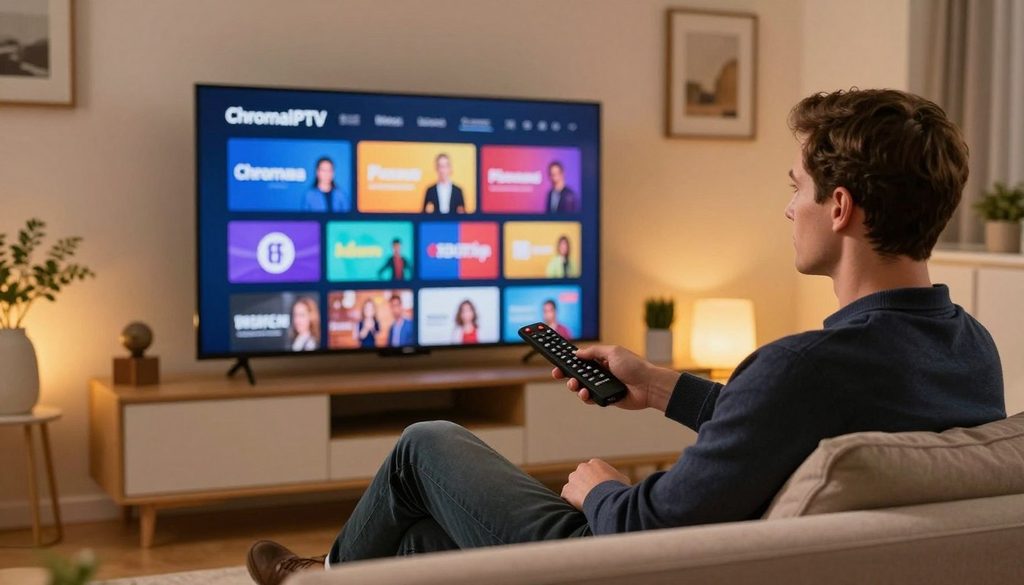
iptv fox
Some viewers also want to get free access to news, entertainment, or live sports. Official broadcaster platforms may offer free programs, but that does not prove a particular channel is free. A channel appearing in a player is not proof that its distribution is authorized.
Key Takeaways
- Check ChromaIPTV’s current Belgian lineup for the exact channel and feed.
- Confirm that the service has rights to distribute the channel in Belgium.
- Distinguish a channel service from an IPTV player app.
- Test the intended device and stream before choosing a subscription.
- Use official Belgian broadcaster platforms for their authorized content.
What Does “IPTV Fox” Refer To?
IPTV THE FOX names a subscription service, while Fox IPTV Player and FoxAPP are playback applications. The names are similar, but only a content service may include channels; a player needs a separate media source.
An M3U playlist is a file or URL that gives a compatible player access to a list of media streams. A playlist or app name does not prove that a channel is licensed for Belgium. Each product also has its own platform and payment model.
| Product | Category | Stated platform or connection | Supplies media? |
| IPTV THE FOX | Subscription service | Service access details | Presented as yes |
| Fox IPTV Player | Playback app | Android devices | No |
| FoxAPP | Playback app | Samsung Tizen and LG webOS TVs | No |
IPTV THE FOX as a service
IPTV THE FOX is presented as a subscription service, rather than only a playback tool. A buyer should still inspect what its plan includes, which channels it lists, and whether access covers Belgium.
The IPTV Fox worldwide service identity does not establish Belgian channel rights. A service may offer different channel lineups by location, and its name alone cannot show which feeds are available.
Fox IPTV Player as an app
Fox IPTV Player is an Android app used to play compatible content. It does not become a channel provider simply because a viewer enters a playlist or login.
Before installing it, a viewer should confirm the app’s exact name and developer in the official marketplace. A similarly named download from an unfamiliar site may not be the same product.
FoxAPP and other player names
FoxAPP is designed for Samsung Tizen and LG webOS televisions. Its activation is separate from paying an IPTV service for channels, so device activation alone does not supply a lineup.
A player handles playback; a separate provider controls the media source and its channel rights.
That distinction helps prevent an app charge from being mistaken for a channel subscription. Before entering payment details, confirm whether the checkout is for channels or only for an app activation.
IPTV Fox in Belgium: How to Verify Channel Availability
A Belgian viewer can confirm a channel by matching its exact name in the service’s Belgium-specific lineup and checking its rights and playback access. Country and feed matter: channel lineups and distribution rights can differ by country.
Check the channel name, language feed, territorial rights, and playback on the intended device. A listing for an international channel may refer to a different feed or language than the one a viewer expects.
VRT MAX and RTBF Auvio are Belgian broadcaster platforms, not IPTV players. Their apps provide a separate way to access content offered by those broadcasters, subject to each platform’s current terms.
Is Fox on IPTV? A compatible service may carry a Fox-branded feed only where it has the rights and lists that feed. The brand name does not confirm that a Belgian viewer can watch it.
- Search the service’s channel list for Belgium.
- Match the exact channel name and language feed.
- Check territorial rights and geographic access.
- Test playback on the device the viewer plans to use.
A channel listed for another country may not play in Belgium, even if the same service works elsewhere. Save a copy of the provider’s written channel list before subscribing.
How Can Viewers Check ChromaIPTV Channels in Belgium?
The most reliable ChromaIPTV check is a current written listing that names the desired feed and Belgium explicitly. A brand name is not a channel list, and a regional gap should not be read as confirmed access.
Look for a specific channel and Belgian coverage in writing. A broadcaster’s own service or a Belgian TV operator can offer a separate route to programs, but each controls its own listing.
| Listing route | Who controls the listing | What to verify | Main limitation |
| ChromaIPTV written lineup | ChromaIPTV | Channel, feed, Belgium access | Lineup can change |
| Broadcaster platform | Relevant broadcaster | Programs and access terms | May not include every live channel |
| Belgian TV operator | Selected TV operator | Package and channel coverage | Packages differ by operator |
Compare the written lineup with the channel’s own access options. A program guide may show schedules, but a guide does not prove that the service can deliver the stream.
- Exact channel name and feed
- Coverage for Belgium
- Live viewing versus on-demand access
- Compatibility with the intended device
- Written confirmation of current availability
If a regional listing is missing, that absence is not confirmation of access. Keep the provider’s response with the subscription records in case the lineup changes.
Can Fox Sports Stream Through IPTV in Belgium?
A Fox Sports feed can stream through IPTV only if the selected service provides that feed for Belgium and has the necessary rights. Sports rights are specific, and a channel brand can have different feeds or rights across territories.
An M3U playlist or Xtream Codes login is a connection method, not a channel license. Fox Sports IPTV M3U playlists only provide access to feeds the provider actually lists.
Channel access and event rights are separate questions. A service might list a sports channel without carrying every match, league, or event a viewer expects.
Before paying, match the exact feed name to the Belgian lineup and check which sports events it covers. A vague listing such as “sports” does not identify a particular broadcast.
Live sports can also depend on the time and territory of a particular event. Confirm the event itself as well as the channel, since a channel listing does not guarantee every sports broadcast.
How Should Viewers Evaluate Free IPTV Trials?
A useful free IPTV trial is long enough to test the exact channels and device the viewer plans to use. Test the real use case, not just whether an app opens or a sample stream plays.
A free IPTV trial tests access, not legality. IPTVORE advertises a 24-hour trial with no credit card required and says it supports Amazon Fire TV Sticks.
That offer belongs to IPTVORE, not IPTV THE FOX or ChromaIPTV. The IPTV THE FOX free trial terms should be confirmed directly before a viewer enters personal or payment details.
Check the trial’s length and payment requirements
Check the start and end time, whether a payment card is required, and whether the trial changes into a paid plan. A trial that starts at signup may end sooner than a viewer expects.
Record the renewal date and the steps for ending the trial. The checkout page should state the price and billing period after any free access ends.
Test the channels and streams that matter
Try the named live channels the viewer plans to watch, including the right language feed. Check the same device and internet connection planned for regular use.
Watch for repeated buffering, frozen video, and missing audio during the test. One working channel does not show that every part of a lineup will play well.
Confirm cancellation and device limits
Check how many devices can connect at once and whether the trial allows the intended player. Some services may limit simultaneous streams or supported devices.
- Trial length, required payment details, and renewal date
- Named channels, feed quality, and stream stability
- Cancellation steps, renewal terms, and device limits
Keep a record of the terms shown during signup. End the trial before any stated renewal deadline if the service is not a fit.
What Should Buyers Check Before Choosing an IPTV Service?
A buyer should prioritize documented channel rights, clear billing terms, and compatibility over a provider’s channel-count claim. Proof matters more than a large number of channels or a “best IPTV” slogan.
Check rights, availability, billing, device support, privacy details, and a real support contact. These points help separate a usable subscription from a claim that may not match the service delivered.
A written lineup should name the channels and the territory covered. Subscription terms should explain the price, renewal period, and how a customer can cancel.
Device support includes both the service and the IPTV player. A service may offer one connection method while a viewer’s app expects another format or login.
Privacy information should identify the operator and explain how it handles account details. A working support contact also matters when a stream stops or billing needs attention.
“Best IPTV” claims and high channel counts do not prove lawful rights or reliable access. A channel’s rights holder or a Belgian authority can help clarify legal status when it remains unclear.
Compare the written terms before sharing payment details, especially for a long plan. Do not pay for a long subscription until the essential channel and renewal terms are in writing.
Can Viewers Watch IPTV for Free in Belgium?
IPTV viewing can be free when the stream is offered by an authorized broadcaster or service without charge. Free access can be lawful, but its limits may differ from a paid live-TV package.
A free trial is temporary access, not permission to use an unauthorized feed. VRT MAX and RTBF Auvio are examples of official Belgian broadcaster platforms.
Each platform sets its own access conditions, which can apply to programs, live viewing, or geographic access. Viewers should check those terms before relying on a stream.
Some free-to-view programs may be available without a paid subscription, while other content sits inside paid packages. A Fox channel is not automatically free in Belgium because another region offers it without charge.
Can I watch IPTV for free? Yes, when an authorized broadcaster or service offers the stream at no cost. Check the platform’s own terms before relying on free access for a live event.
What Does Belgian IPTV Enforcement Mean for Viewers?
Illegal IPTV use in Belgium can lead to a fine of up to €800,000 and imprisonment for up to five years. Unauthorized access carries real risk, even when a service looks like a normal streaming app.
Copyrighted content needs permission for distribution. Belgium’s enforcement can also affect stream availability through website blocks and investigations into resellers.
| Measure | Figure or timeframe | Enforcement context |
| Penalties | Up to €800,000; up to five years | Illegal access to copyrighted content |
| Website blocking | 147 sites; 19 intermediaries acted within 48 hours to one week | Copyrighted films, series, or sports broadcasts |
| Reseller investigations | 15 investigations; about 3,500 decoders seized | Illegal streaming resellers |
Possible penalties for illegal IPTV use
The stated fine and prison term apply to illegal IPTV use in Belgium. A cheap subscription or an app that plays channels does not establish permission to distribute them.
Viewers should judge the service by its rights and content access, not by how familiar its interface looks. Sports, movies, and TV channels remain protected content when rights apply.
Website blocking and intermediaries
Belgium blocked 147 websites distributing copyrighted films, TV series, or sports broadcasts during the year after the FPS Economy’s Anti-Piracy service launched. Nineteen intermediaries took requested action within 48 hours to one week.
A website block limits access to a site; it is not, by itself, a court ruling about an individual viewer. A block can still make an illegal stream or service unavailable.
Investigations and judicial mandates
The FPS Economy opened 15 investigations into illegal streaming resellers, leading to the seizure of about 3,500 decoders. Since June 2024, Belgian judicial authorities have issued two mandates to block illegal streaming sites.
The first blocking action took an average of six working days. A July 2026 European Parliament study describes Belgium’s approach as a hybrid judicial-administrative model, combining court orders with administrative action.
That model allows authorities and intermediaries to take defined steps against illegal streaming sites. Choose a service whose rights and channel access can be verified rather than trying to bypass a blocked stream.
GSE Smart IPTV Setup Guide for 2026 on iOS, Android, and Fire TV
GSE Smart IPTV setup begins with confirming that the app is available for the specific device and that the viewer has an authorized playlist. Store availability comes first, since processor support does not mean an app appears in every store.
Install only from an official store or a verified developer source. GSE SMART IPTV’s built-in player supports ARMV7A, ARM64, Intel X86, and x86_64 devices.
Prepare the device and lawful playlist
On iOS, check the official Apple app store for a current GSE listing and review the supported device version. On Android, use the official app marketplace when the app is listed.
Fire TV devices use Fire TV software, so a listing for an Android phone does not guarantee a Fire TV version. Check the Amazon Appstore for compatible player options before choosing another installation route.
Add the playlist and EPG
An EPG, or electronic program guide, adds program names and times when the playlist supports it. The viewer needs playlist details from a provider authorized to supply the streams.
Do not treat a sample list or a working URL as proof of rights. Keep the M3U playlist and EPG details private because they may provide access to an account.
Test playback and troubleshoot compatibility
Use this five-step setup path:
- Install a compatible player from an official source.
- Obtain an authorized playlist from the service.
- Add the M3U playlist or EPG details in the player.
- Check the device and player compatibility.
- Test a live channel that the service lists for Belgium.
Architecture support describes processor types the built-in player can handle. It does not establish app-store availability or confirm that a device has a supported app version.
If the player is unavailable on a Fire TV device, choose a compatible player rather than installing an unverified app package.
Which Playlists, EPG Files, and Streams Does GSE Support?
GSE SMART IPTV accepts M3U playlists and XMLTV program guides, but it does not supply a channel subscription. Users provide the content, and the files or streams must come from a lawful provider.
The app includes sample playlists only. A sample is useful for testing a player, but it is not a paid channel package or a source of ongoing media.
| Supported format | Use | Compatibility check |
| M3U playlist; XMLTV in XML | Channel list and program guide | Confirm provider format and URL |
| XMLTV in ZIP or GZ | Compressed electronic program guide | Check archive support and valid file |
| HTTP, HSL, M3U8, MMS, RTSP, RTMP | Live-stream protocols | Confirm stream protocol with provider |
M3U is the playlist format; XMLTV is a guide format that can show program details. The guide may not match every channel if the provider supplies incomplete data.
GSE SMART IPTV supports live streams through HTTP, HSL, M3U8, MMS, RTSP, and RTMP. The service and device must also support the chosen format for playback to work.
Xtream Codes is a separate login method offered by some providers, not a media license or a promise of compatibility with every app. Check the playlist provider’s format before importing it, since a valid file extension does not guarantee a working stream.
How to Install IPTV on Firestick in 2026: The Complete Step-by-Step Guide
A Firestick setup needs both a compatible player and login details from a service authorized to provide the chosen channels. Each part has a separate role: the player handles playback, and the service supplies access.
Use the Amazon Appstore for Fire TV apps when the compatible player is listed there. Amazon Fire TV Stick devices use Fire TV software, and the Amazon Appstore is its official app marketplace.
Follow these steps for an authorized service:
- Connect the Fire TV Stick to the internet.
- Install a compatible player from the Amazon Appstore when available.
- Get service credentials from a lawful provider.
- Enter the supported login or playlist details in the player.
- Test the channels the viewer plans to watch.
A player may accept a login, but that does not prove that the service has rights to its channels. Sideloading an app proves neither legitimacy nor compatibility.
Check that the selected player supports the service’s connection method before entering credentials. If the app fails to load, note the error before changing the account or playlist.
Remove an app that requests unnecessary device permissions or cannot identify its content provider.
How Do Fox IPTV Player, FoxAPP, and IPTV Services Differ?
Fox IPTV Player is playback software, while the channel source and subscription come from a separate provider. The app does not include channels, even when it accepts a service login or playlist.
Fox IPTV Player supports several connection methods, but users must supply lawful content. Its features help manage playback; they do not replace a channel service.
Fox IPTV Player connections and features
Fox IPTV Player runs on Android phones, tablets, and Android TV. It supports M3U, Xtream Codes API, and MAC/Portal/Stalker connections.
The app includes an EPG and parental controls. Those tools help organize program listings and restrict viewing, but the app still needs media from a separate provider.
A connection option only describes how a player receives access details. A compatible login does not confirm that a provider can legally distribute the channels.
FoxAPP on Samsung and LG TVs
FoxAPP is optimized for Samsung Tizen and LG webOS televisions. It charges a one-time activation per device, which is different from an IPTV service subscription.
One activation applies to a device, while a service plan pays for access to media. A buyer should read the checkout details to see which product and payment are involved.
What a player does not provide
The phrase IPTV Fox IPTV player refers to an app-related product, not proof of a bundled channel service. An IPTV player can organize streams and guide data supplied by another party.
Users need a lawful source for any channels or movies they add. Confirm the exact app name and payment purpose before activating a device.
Is IPTV Safe Without a VPN?
A VPN is not required to watch IPTV, and it cannot make an unauthorized stream legal. Legality and privacy are separate: the service’s rights do not depend on whether the viewer uses a VPN.
A VPN protects one part of the connection, not the whole account. It encrypts traffic between a device and a VPN server, while shifting some visibility from the internet provider to the VPN operator.
WireGuard and OpenVPN are examples of VPN protocols. Their presence does not show that a VPN provider is trustworthy or that a streaming service has distribution rights.
Without a VPN, IPTV can still work through a normal internet connection. Viewers should keep devices updated, use strong account passwords, and choose a service with clear terms.
A VPN operator may handle connection data under its own privacy rules. Secure the device and account first, then treat a VPN as a privacy tool with its own provider trust tradeoffs.
Can IPTV Activity Be Tracked?
IPTV activity can be tracked by different parties, depending on which service, app, network, and privacy tools are involved. Visibility depends on the connection, as well as each operator’s logging practices.
An IP address can be linked with an internet connection. Account details and device identifiers can also count as personal data when they identify a person.
The IPTV service may see account and playback details, while an app may collect data through its own functions. An internet provider can see network traffic, though encryption affects what it can read.
A VPN operator may see connection information routed through its servers. The exact details depend on the service, app, network, and privacy tools in use.
The EU General Data Protection Regulation applies to personal-data processing in the European Union. It sets duties for data handling, but it does not prevent every form of tracking.
Review privacy policies, limit app permissions, use unique passwords, and avoid unknown APK downloads. Do not share payment or identity information until the service’s privacy terms and operator are clear.
What Should Viewers Do Before Logging In or Troubleshooting an Outage?
A login failure or frozen stream should be checked against the network, player, credentials, and provider status before any app is reinstalled. Start with the cause, since a local network problem can look like a service outage.
Download an IPTV Fox APK only from an official app store or the developer’s verified channel. Android and Fire TV have official app marketplaces, while an unknown download may be unsafe.
For an IPTV Fox login problem, check the correct service credentials, account status, playlist URL, and device clock. M3U and Xtream Codes are separate connection methods, so the chosen method must match the account.
An IPTV THE FOX service outage should be checked through the provider’s official status or support channel. A local internet fault or player issue can affect one device without affecting the service.
Use this checklist before contacting support:
- Confirm the internet connection on the affected device.
- Check whether the player needs an update.
- Recheck the service credentials and account status.
- Confirm the playlist or Xtream Codes option is selected correctly.
- Use the provider’s official support contact.
Never send a password or playlist URL to an unofficial support account.
Record the error message and when it began, since those details can help identify the cause. Never send a password or playlist URL to an unofficial support account.
Conclusion
A Belgian viewer should choose a service only after confirming the exact channel, territorial access, and lawful distribution. A player is not a service: the app handles playback, while a separate provider supplies the streams.
Check ChromaIPTV’s current Belgium-specific lineup and rights before paying. Ask for written confirmation that names the channel and the Belgian feed, then keep that reply with the subscription details.
Request written confirmation of the channel and Belgium coverage before starting a subscription.
FAQ
Is Fox on IPTV?
Some IPTV services may carry Fox-branded feeds, but availability in Belgium depends on the exact channel, provider lineup, and distribution rights. A channel name alone does not prove that a service can legally provide it. Viewers should compare the Belgian lineup with the feed they want and check whether the service offers access on their device.
Can I stream Fox for free?
Fox content is free only where an authorized broadcaster or service offers it without charge. A free trial gives temporary access and does not guarantee a Fox feed or make an unauthorized stream legal. Viewers should check the broadcaster’s Belgian access terms and the specific program rights before relying on a free stream.
How can I stream Fox TV?
Check Fox’s official Belgian access options first, then use a licensed service and compatible app. The channel, feed, and program rights can differ by territory, so a listing from another country may not apply in Belgium. A playback app also needs a separate service or authorized media source to show channels.
Can I watch IPTV for free?
Yes, viewers can watch IPTV for free when an authorized broadcaster or service offers free streams. VRT MAX and RTBF Auvio are official Belgian platforms, though access rules can vary by program. A free playlist from an unknown provider is not proof of permission. Check each platform’s terms, especially for live events and geographic limits.
Can IPTV be tracked?
Potentially, IPTV activity may be visible to services, apps, internet providers, and VPN operators. Each may see different account, device, or connection data, depending on the setup and its logging practices. An IP address can be linked to an internet connection. Privacy rules apply to personal-data processing in the EU, but they do not prevent all tracking.
Is IPTV safe without VPN?
Yes, IPTV can be used without a VPN, but a VPN is not proof that a stream is authorized. It encrypts traffic between a device and VPN server, while shifting some visibility to the VPN operator. Viewers should secure accounts and devices, and choose a service with clear rights and privacy terms.
Is it illegal to use IPTV services?
IPTV technology is legal, but accessing copyrighted content without authorization can be punished in Belgium. The stated penalties can reach fines of €800,000 and imprisonment for up to five years. The key issue is not the player or the streaming format. It is whether the service has permission to distribute the content being watched.
Is there a free VPN for IPTV?
Yes, some VPN providers offer free plans, but those plans may have data limits or fewer device options. Viewers should read the privacy terms and check whether the plan supports the devices they use. Live streaming can need steady bandwidth, so a free plan may not suit long events or high-quality video.

