
ChromaIPTV may suit US viewers looking for British live television and on-demand entertainment, provided its channel access, licensing, and terms match their needs. British IPTV can be useful for households seeking familiar programs, but a large catalog alone does not prove that specific shows are available.
For a viewer in the United States, the practical questions are whether the service works with existing devices and whether the desired programs have authorized access. This review helps buyers assess the offer before paying, including its content, terms, and technical fit. Buyers should check channel availability, licensing, device fit, and trial terms before subscribing.
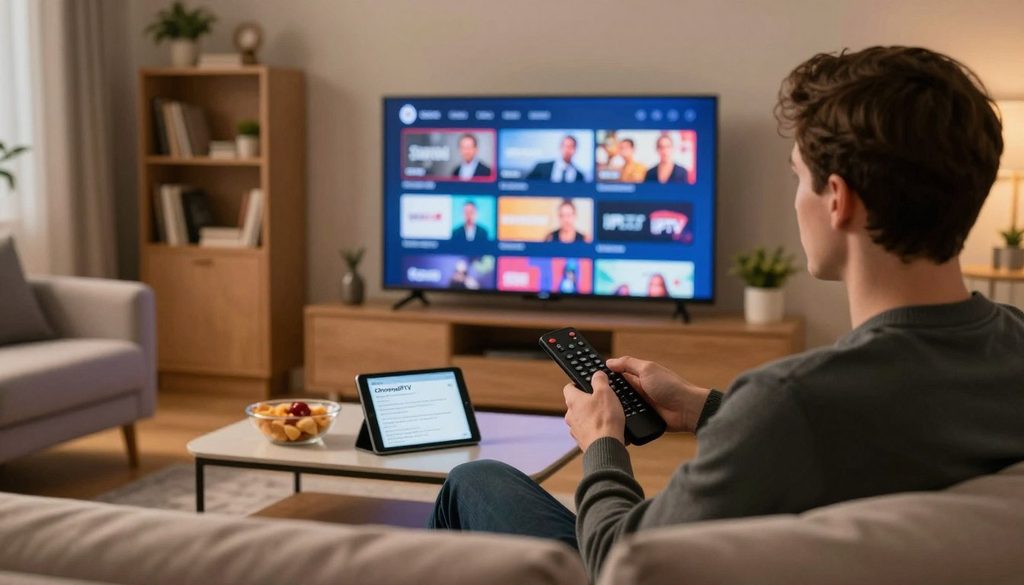
british iptv
Key Takeaways
- ChromaIPTV lists live channels and on-demand titles, but individual availability can differ.
- Its listed monthly price is in pounds, so buyers should check billing terms.
- US sports access depends on rights for the event and territory.
- Device support does not confirm a specific app or login method.
- Connection quality, household use, and Wi-Fi can affect playback.
- Check program rights and subscription conditions before entering payment details.
A careful check of the viewing rights and subscription conditions is more useful than relying on a large channel count alone.
What does IPTV deliver through an internet connection?
IPTV delivers live television and on-demand programs over an internet connection, so viewers can use one service for both scheduled broadcasts and selected titles. IPTV means television delivered over IP networks, rather than through a cable line or satellite dish.
Video on demand (VOD) is a library of programs viewers can choose and play when they want rather than watching them at a scheduled broadcast time. Live channels follow a schedule, while VOD lets viewers select movies and series from a catalog. The two formats can sit in one streaming service.
With live viewing, the program runs at a set time, much like a traditional television channel. A viewer who joins late may miss the start unless the service offers a replay feature.
VOD works more like choosing a film from a shelf. Viewers select a title and start it when they are ready, though the available content can change.
Choose a service based on whether its live schedule or on-demand catalog fits the way the household watches television.
IPTV can carry news, sports, movies, and series through a connected television, phone, tablet, or streaming box. The device and app still need to work with the provider’s service.
Viewers new to the format can also read “What is IPTV? Complete Beginner’s Guide (2026)” for a basic explanation of how IP television works. British IPTV offers may combine live channels with VOD, but the exact lineup depends on the subscription.
The difference to keep in mind is whether a viewer wants a live schedule or the freedom to choose a title on demand.
British IPTV subscription: what does ChromaIPTV include?
A British IPTV subscription from ChromaIPTV lists 20,000+ live channels and 40,000+ movies and TV shows on demand, with HD, Full HD, and 4K streaming options. The listed scale gives buyers a starting point for comparing the catalog.
Those counts do not confirm that a particular channel or title is currently available. The lineup may matter more than the total, especially for viewers who follow a small number of programs.
Live channels and the on-demand library
ChromaIPTV lists more than 20,000 live channels, along with more than 40,000 movies and television shows in its VOD library. Live channels suit viewers who like scheduled news, entertainment, or sports.
The on-demand side suits households that prefer to pick a film or series when they have time. A catalog total does not show whether a named program remains available, or whether it is offered in the viewer’s region.
Buyers should look for the actual channel and title list tied to the plan they would use. A broad label such as “British channels” does not establish that a specific broadcaster or show is included.
Streaming formats and picture quality
The service lists HD, Full HD, and 4K formats. These describe picture-quality options, but they do not mean every program streams in all three resolutions.
Playback quality can also depend on the program source and the device display. A 4K television cannot turn a lower-resolution stream into native 4K detail.
| Offering | Listed detail | Viewing use |
| Live channels | 20,000+ | Scheduled programming |
| Movies and TV shows on demand | 40,000+ | Viewer-selected titles |
| Streaming formats | HD, Full HD, 4K | Picture-quality options |
The count can help a buyer judge the size of an offer, but it cannot replace a check of the specific content. Buyers should check the actual channel and title list for the programs they watch most.
What does ChromaIPTV charge, and what does its free trial include?
ChromaIPTV lists a monthly price of £10.99 per month and says a free trial is available. The price is listed in pounds, not US dollars, so the final amount a US customer pays may depend on payment and currency terms.
The trial’s length, eligibility, and payment rules should be clear before a buyer starts it. A free-trial label does not explain when access ends or whether the subscription then renews.
The listed monthly price
The listed monthly price gives a basic point of comparison for subscription plans. It does not describe possible taxes, currency conversion, or other payment conditions.
Before selecting a plan, a buyer can compare the billing period with the household’s viewing habits. A monthly subscription may be easier to assess than a longer commitment when the service is new to the household.
Payment pages should state the currency and the billing schedule in plain terms. Buyers should also note whether the listed plan renews automatically and how cancellation works.
Questions to settle before starting a trial
ChromaIPTV says a free trial is available, but buyers should confirm its duration and eligibility. They should also ask whether starting the trial requires payment details.
The end of a trial can lead to a paid plan, a request to choose a plan, or loss of access. The customer should know which outcome applies before signing up.
Clear details matter because a free trial still involves a subscription decision. Buyers should read the cancellation window, renewal terms, and accepted payment methods, not just the headline offer.
Confirm the trial’s conditions and the charge that follows it, if any, before entering payment details.
How can US viewers check Premier League access?
US viewers should verify the authorized broadcaster for the specific competition and season before expecting a subscription to show a match. Rights depend on territory, so a channel name or sports label does not prove that a US stream is authorized.
NBC Sports holds the United States live audiovisual rights for the Premier League for the 2025/26-2027/28 seasons. That rights period gives viewers a clear reference for checking Premier League coverage in the United States.
Premier League rights in the United States
Sports rights can differ by country, competition, and season. A provider may offer a sports channel in one market without having the right to show the same event in another.
For a US viewer, the event’s authorized rights matter more than a service’s general sports claims. A British channel may have rights for viewers in the United Kingdom, but those rights do not automatically extend to the United States.
A viewer interested in live sports should identify the competition and season first. Then the viewer can compare the service’s claim with the broadcaster or rights holder for that market.
What UK sports IPTV should verify for US viewing
UK sports IPTV access for a US viewer needs a check against the authorized rights for the event and territory. Broad claims such as “sports included” do not identify the match, league, or region covered.
Buyers should check the exact competition and fixture, including the date and teams. Even a Premier League label does not establish that every match is available through a given subscription.
A provider’s support team can explain what a package claims to carry, but that claim does not replace rights information. A viewer can compare the event details with official broadcaster listings for the United States.
Check the rights for the exact fixture in the United States, not just the name of a sports package.
Which devices work, and how does MAG Box setup work?
ChromaIPTV lists Smart TVs, Firestick, Android, iOS, and MAG boxes among its supported devices. Listed support is a useful first check, but it does not confirm that every app or login method works on every model.
A buyer should match the setup instructions to the exact device and account. Some providers use M3U links or Xtream Codes, while MAG box steps can differ.
Devices listed for ChromaIPTV
The device list includes common choices for living-room and mobile viewing. Smart TVs may use different operating systems, and the available apps can vary by model.
Firestick, Android, and iOS support also does not name a specific app or login process. A buyer should get the app and account details that apply to the selected subscription.
A MAG box has its own setup needs. M3U links and Xtream Codes are examples of access formats used by some providers, not confirmed ChromaIPTV requirements.
| Device | Listed ChromaIPTV support | Setup check |
| Smart TVs | Listed | Confirm app and login method |
| Firestick | Listed | Confirm compatible app and login method |
| Android and iOS | Listed | Confirm app and login method |
| MAG boxes | Listed | Request the correct MAG-specific instructions |
A practical MAG Box setup sequence
MAG setup details can vary with the box and account. The steps below cover the basic checks without assuming a portal address, app, or menu name.
- Confirm the box model and its connection.
- Obtain the provider’s instructions for that account.
- Connect the box to the internet.
- Enter only the supplied account credentials or portal details.
- Test a live channel and ask support about any error.
A setup guide titled “MAG Box IPTV Setup Guide 2026: Complete Step-by-Step Tutorial” can help explain common MAG terms. The exact instructions from the provider still take priority for a specific account.
Use instructions for the exact MAG box and account rather than copying settings from a different provider.
What internet speed supports HD and 4K streaming?
ChromaIPTV recommends at least 10-15 Mbps for HD and 25 Mbps or higher for 4K streaming. These are separate targets, and a faster connection can still have playback trouble if Wi-Fi or the device struggles.
ChromaIPTV’s HD recommendation is 10-15 Mbps, while its 4K recommendation is 25 Mbps or higher. A household’s other internet use can reduce the bandwidth available to a television.
Connection targets for HD
A speed test near the viewing device gives a more useful result than a test in another room. Wi-Fi can weaken through walls or over distance, even when the home’s internet plan is fast.
Other household activity can also affect a stream. Large downloads, video calls, and several active screens may share the same connection.
The device matters, too. An older television or streaming box may struggle with playback even when the connection meets the stated target.
What to check when playback buffers
Buffering can come from the connection, the Wi-Fi signal, or the viewing device. A few quick checks can help narrow down the cause without changing the subscription.
- Run a speed test near the viewing device.
- Reduce other high-bandwidth use in the household.
- Test a wired connection or move closer to the router.
A wired test can show whether wireless signal strength is affecting playback. If other devices stream well but one television does not, that television’s app or hardware may need attention.
If playback improves after moving closer to the router or connecting by cable, the Wi-Fi link may be the bottleneck.
How can buyers check content licensing and legality?
IPTV describes a way of delivering television, while the rights to distribute each program are a separate issue. The delivery method alone does not show whether a provider has permission to stream a channel or title.
A particular stream is lawful only when the service has the rights needed to distribute that content in the viewer’s territory. Buyers should judge the service and its programs, not just the technology.
Separate IPTV technology from content rights
IPTV is a delivery technology, much like cable or satellite is a way to carry television. That fact does not grant a provider rights to every channel, film, or series it may offer.
Unauthorized paid-content feeds may be blocked or shut down. They can also lead to legal enforcement, leaving customers without the access they expected.
BBC iPlayer, ITVX, Pluto TV, and Tubi are examples of streaming apps for content they are authorized to provide. The programs and regional access still depend on each app’s rights.
Verify the provider and the programs
Buyers can use a short check before paying for a service. The key is to look for clear details tied to named programs and the viewer’s location.
- Check the provider’s licensing information.
- Confirm that the named program is authorized in the viewer’s territory.
- Use official broadcaster or rights-holder information to verify access.
Specific answers are more useful than broad claims about thousands of channels. A provider should be able to explain what a named package includes and where it can be watched.
Treat a vague promise of premium access as a reason to ask for specific licensing information before paying.
What should a buyer compare before paying?
A useful British IPTV review checks the actual lineup, licensing, device fit, terms, and support rather than repeating a provider’s slogans. Specific details help a buyer compare a subscription with official apps and other streaming choices.
The best British IPTV choice for a typical viewer confirms the desired channels, authorized access, compatible equipment, and clear terms. Viewers who want only selected broadcaster programs may prefer official apps.
What a British IPTV review should verify
A review should assess channel and VOD fit instead of relying on a large catalog claim. It should also examine device compatibility, support contact methods, and licensing details.
Clear subscription terms help buyers understand renewal, cancellation, and payment. Some providers use M3U links or Xtream Codes, so the login method also belongs in a practical comparison.
Customer support matters when an app fails or login details do not work. A listed support channel is more useful when the buyer knows how to reach the team.
How to compare the best British IPTV choices
The best IPTV option depends on what the household watches and how it wants to access it. A service with many channels may be a poor fit if the desired programs are missing or unauthorized.
Official broadcaster apps can suit viewers who mainly follow one broadcaster or a few named programs. BBC iPlayer and ITVX are examples, while regional availability and program rights still need checking.
Other apps such as Pluto TV and Tubi have their own catalogs. A buyer should compare the content path, rather than treating all streaming services as the same offer.
Compare service routes by content and rights
| Viewing route | Content path | What to confirm |
| ChromaIPTV subscription | Live channels and VOD listed | Exact lineup, terms, and licensing |
| Official broadcaster apps | Programs offered by each broadcaster | Regional availability and program rights |
| Other streaming apps such as Pluto TV or Tubi | App-specific catalog | Content authorization and availability |
The title “Best IPTV Subscription UK: Top Picks, Benefits & How to Choose the Right One” describes broader comparison points. Buyers can also use this simple prepayment check:
- Confirm the exact channel names the household wants.
- Save the trial and billing conditions shown at checkout.
- Test device and connection compatibility before relying on the service.
Save a copy of the conditions shown at checkout before completing payment.
Is ChromaIPTV a fit for the household’s viewing habits?
ChromaIPTV is more likely to fit viewers who want a mix of British live television and on-demand titles than those seeking only one specific program. A broad mix can suit a household that watches different genres and formats.
The offer is relevant only when its catalog, access, and terms match what the household expects to watch. A large library does not guarantee a particular broadcaster or series.
Households seeking British live channels and VOD
Viewers who enjoy scheduled programming and a library of movies or series may find the service worth considering. Its listed mix can appeal to households with several different viewing habits.
One person may prefer live news or entertainment, while another chooses a film later. That mix can make both live channels and VOD useful, provided the actual catalog meets the household’s needs.
The viewing experience also depends on whether the service works with the household’s preferred devices. A catalog has little value if the family cannot use it comfortably.
Viewers who need a specific program or broadcaster
Viewers who mainly want one named program should check that title first. BBC and ITV are examples of UK broadcast brands a US viewer may want to check, not promises of ChromaIPTV access.
Program availability can differ between the United Kingdom and the United States. A broadcaster’s name on a channel list does not establish that every show is available in the US.
A household focused on one series may get a better fit from an official app or another authorized service. The right route depends on the program’s regional rights and where it is offered.
A household should pay for the programs it can actually watch, not for a catalog count that sounds impressive.
Match the subscription to the channels and programs the household actually expects to watch.
Conclusion
ChromaIPTV is worth considering only if its confirmed lineup, terms, and authorized access suit the viewer’s needs. A large catalog and a listed free trial are useful starting points, not proof that each channel is available or licensed.
Before subscribing, confirm the lineup, trial terms, and rights for the programs the viewer cares about. The next step is to compare those details with the household’s device needs and viewing habits.
Check the channel list and trial conditions, then decide whether to start the trial or choose an authorized broadcaster app.
FAQ
Does ChromaIPTV’s free trial require a credit card?
ChromaIPTV says a free trial is available, but the payment-card requirement depends on its trial terms. The service should clarify eligibility, trial length, and whether payment details are needed to start. A buyer should also check whether the trial turns into a paid subscription when it ends. That helps prevent an unexpected charge.
Can one ChromaIPTV subscription stream on multiple devices at the same time?
The simultaneous-connection limit should be confirmed for the selected subscription before a household relies on multi-screen viewing. Device support does not mean one account can stream on several screens at once. A family planning to watch on a television and a phone at the same time should ask about the account limit and any rules for concurrent use.
Can a US viewer watch Premier League matches through ChromaIPTV?
A US viewer should not assume ChromaIPTV can show an authorized Premier League match without checking the exact fixture. NBC Sports holds US live audiovisual rights for the 2025/26-2027/28 seasons. Rights can vary by event and territory, so a broad sports label does not prove access. Check the match with an official rights holder or broadcaster.
What details are needed to set up a MAG box?
A MAG box needs the provider’s MAG-specific instructions and the credentials or portal details supplied for that account. Setup can vary by box model and subscription, so settings from another provider may not work. The viewer should confirm the correct connection and account details, then test a live channel. Support can help explain any error message.
What should viewers do if IPTV keeps buffering?
Viewers should compare their connection with ChromaIPTV’s recommendations of 10-15 Mbps for HD and 25 Mbps or higher for 4K. They can run a speed test near the viewing device, pause other heavy internet use, and test a wired connection. Moving closer to the router can also show whether weak Wi-Fi is causing interruptions.
How can a viewer tell whether an IPTV stream is authorized?
A viewer should check the provider’s licensing information and confirm rights for the program and territory with an official broadcaster or rights holder. IPTV describes a delivery method, not a license to show every channel. A clear claim should name the content and market it covers. Vague promises of premium access are not proof of permission.
Are BBC iPlayer and ITVX alternatives for US viewers?
BBC iPlayer and ITVX are broadcaster-app examples, but a US viewer should check each program’s regional availability and rights before relying on access. A program may be offered in one country and restricted in another. The app’s own listings and official broadcaster information can show whether a named title is available in the viewer’s location.

