
Finding the right guide data is key for a seamless TV experience. Without accurate TV listings, watching your favorite shows can be a hassle. It should be a fun activity instead.
A top-notch TiviMate EPG setup keeps your schedule up-to-date and in sync with your local time. Without good data, you might miss shows or have trouble finding what you want to watch.
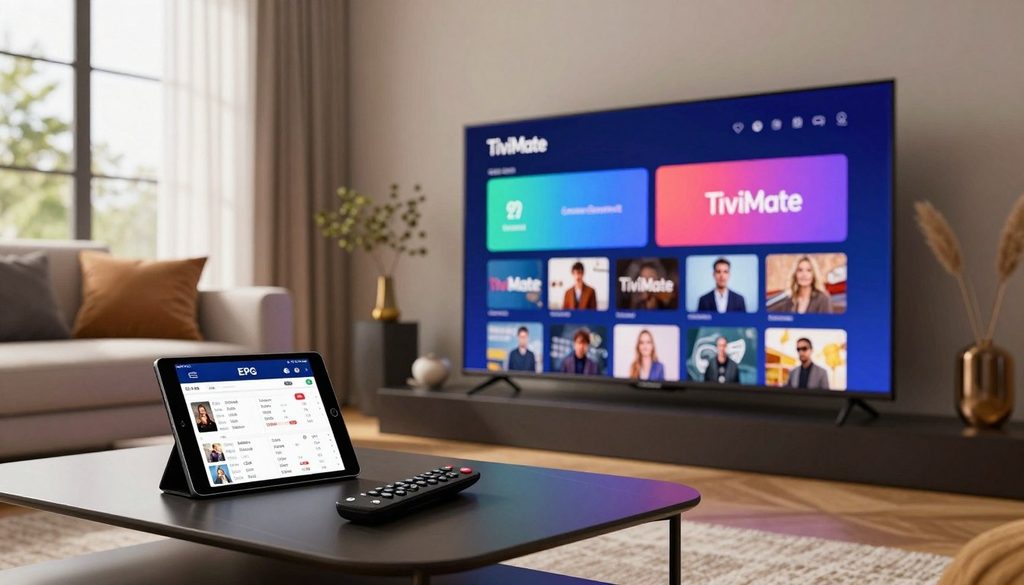
best epg source for tivimate
This guide looks at different options for guide data. We’ll check out provider URLs, community projects like IPTV-Org, and tools like WebGrab+Plus. We’ll see how these affect your viewing quality and device performance.
American viewers need updates to keep their media players working well. Choosing a reliable data provider keeps your channels organized and easy to find.
Key Takeaways
- Good guide data is crucial for a smooth streaming experience.
- Accurate listings help you find shows fast and avoid confusion.
- US viewers need to set their time zone correctly.
- Community projects are great alternatives to standard links.
- Regular updates keep your channel guide current and working well.
What Makes an EPG Source the Best Choice for TiviMate
Choosing the best EPG source for TiviMate makes your TV interface look professional. It turns a messy list of channels into something easy to use. A good guide helps you find shows quickly and accurately.
How Electronic Program Guides Improve Live-TV Streaming
An electronic program guide is like a map for your live-TV streaming. It shows you what’s on TV, including titles, descriptions, and when they start. This makes finding shows easy.
Without this guide, finding what’s on TV can be hard. Good guides also let you record shows with one click and set reminders. These features help you keep up with your favorite shows.
Why Accuracy, Coverage, and Update Frequency Matter
The value of your guide depends on its EPG accuracy and how many channels it covers. If it’s wrong or doesn’t have many channels, it’s not very useful.
Updates are key. They keep your guide current with changes like sports delays or breaking news. A good source updates its data often to keep your viewing smooth.
Differences Between an EPG Source, IPTV Provider, and IPTV Player
Many people get these terms mixed up. Knowing the difference helps you fix problems and get the most out of your setup.
- IPTV Provider: The service that sends video streams to your device.
- IPTV Player: The app, like TiviMate, that shows the streams.
- EPG Source: The database that gives info on TV shows and schedules.
| Component | Primary Function | User Responsibility |
| IPTV Provider | Delivers video content | Subscription management |
| IPTV Player | Interface and playback | App configuration |
| EPG Source | Program metadata | URL integration |
Best EPG Source for TiviMate: Key Options Compared
Finding the best EPG source for TiviMate means knowing the different data types available. Each option has its own benefits, based on your streaming needs and technical skills.
Provider-Supplied EPG URLs for the Most Direct Match
Advantages of Using the IPTV Provider’s Own Guide
Most services give you a provider EPG URL with your subscription. This is the easiest choice because it matches your channel list perfectly. You don’t need to set it up yourself.
Common Problems With Provider-Supplied Listings
Even though it’s convenient, these guides aren’t always perfect. Providers might have server issues, causing blank schedules or old information.
“Reliability is the cornerstone of a great viewing experience,” notes a leading industry expert.
If the provider doesn’t update their server, your guide will get outdated fast.
IPTV-Org as a Broad Coverage Option
Channel Coverage and Regional Availability
IPTV-Org is a big, free project that gives you global TV listings. It’s great for users who want channels from many countries. It’s a solid community EPG source for international channels.
Limitations Affecting Reliability and Maintenance
Being a community project, it might not have the local data of paid services. You might miss some niche channels or find the data updates slower. Its maintenance relies on volunteers, which can cause occasional issues.
WebGrab+Plus for Users Who Need Custom Listings
When Custom EPG Generation Is Useful
WebGrab+Plus is for users who need specific or custom listings. It lets you scrape data from websites to make your own guide. This is perfect for unique channel mixes not found in standard providers.
Technical Skills and Maintenance Requirements
This method is not for beginners. It needs a lot of technical knowledge to set up and keep running. You have to manage the scraping scripts and keep them working with the target websites. It’s a lot of work but rewarding for advanced users.
XMLTV-Compatible Services and Community EPG Sources
How XMLTV Data Works With TiviMate
XMLTV is the standard for TV listings. TiviMate works well with this format, letting you use data from many sources. This means you’re not stuck with just one provider.
How to Evaluate Service Stability and Trustworthiness
When picking an external service, look for consistent uptime and clear instructions. A good service will update regularly and have a clear status page. Choose services with a strong reputation in the streaming world.
| Source Type | Ease of Use | Customization | Reliability |
| Provider URL | High | Low | Variable |
| IPTV-Org | Medium | Low | High |
| WebGrab+Plus | Low | Very High | High |
| XMLTV Services | Medium | Medium | High |
How to Choose an EPG Source for American Channels
Finding the right EPG source for American channels is important. The U.S. TV landscape is huge. So, picking a best epg source for tivimate that fits your area is key for a good guide.
Matching Channel Names and IDs Correctly
Matching your playlist with the guide data is crucial. When using an American EPG source, make sure the IDs match your stream links perfectly.
Why Channel-ID Matching Is More Important Than Channel Names
Many think channel names are enough. But, channel ID matching is more reliable. Names can vary, but IDs are unique, ensuring the right stream every time.
Examples of Mismatched Local, Regional, and National Listings
Local stations often share names like “CBS” or “NBC.” This can cause confusion. For example, a guide might show a New York station when you’re watching from Los Angeles. Without exact ID matching, your guide will be off.
Checking Time Zones, Daylight Saving Time, and Local Broadcast Areas
U.S. TV listings rely on time zones. A good source must handle daylight saving time correctly. Always check if your source supports your local time zone to avoid schedule errors.
Evaluating Sports, News, Movie, and Premium Channel Coverage
Not all sources cover specialized content equally. If you watch sports or premium movies, choose a source with detailed metadata. A good source updates listings often, even for last-minute changes.
Comparing Listing Depth, Accuracy, and Refresh Frequency
The quality of your guide depends on data refresh frequency. Look for a source with at least 7 to 14 days of programming. Use the table below to compare sources based on reliability and data quality.
| Feature | Basic Source | Premium Source | Community Source |
| Listing Depth | 1-3 Days | 7-14 Days | Variable |
| Update Frequency | Daily | Hourly | Weekly |
| Accuracy | Moderate | High | Low to Medium |
| Support | None | Dedicated | Forum-based |
Identifying Geographic Restrictions and Missing U.S. Stations
Some providers might not include certain U.S. stations. If you see missing channels, it could be due to geographic restrictions. Always test your setup to ensure all your essential channels are there with accurate metadata.
Best EPG Source for TiviMate ChromaIPTV Users
Choosing the right EPG source is key to a great TiviMate experience. The best epg source for tivimate chromaiptv keeps your channel guide up-to-date and easy to use.
Determining Whether ChromaIPTV Provides an EPG URL
Where Subscribers May Find Provider Setup Information
Most users find their ChromaIPTV EPG URL in their welcome email or the provider’s dashboard. If it’s not there, try the support portal or contact the service desk.
Why a Provider’s EPG Usually Offers the Best Channel Alignment
Using your service’s official link is usually the best choice. It ensures channel names and IDs match perfectly without any extra work.
Using ChromaIPTV Channel Data With an External EPG
When an External Source Can Fill Coverage Gaps
An external EPG might be needed if your provider’s guide lacks local stations or niche channels. This way, you can add more channels from community databases.
How to Avoid Duplicate, Incorrect, or Outdated Listings
To avoid problems, map the external source to only missing channels. Overlapping sources can cause duplicate entries, making your TiviMate interface messy.
What to Check During a Free IPTV Trial From ChromaIPTV
Testing Live Listings Against Actual Program Schedules
During a free iptv trial, check if the guide matches the live content. A free iptv trial chromaiptv is a great time to see if the EPG updates correctly.
Checking Catch-Up, Recording, and Program-Description Accuracy
Test the catch-up feature to see if it correctly lists past programs. Make sure recording schedules match the guide to avoid missing shows.
Questions to Ask Before Choosing a Long-Term IPTV Subscription
EPG Update Policy, Support, Compatibility, and Legal Content Rights
Before committing to a long-term IPTV subscription, ask about guide updates. Also, check if the service supports your device and follows content distribution rules.
| Feature | Provider EPG | External EPG |
| Channel Alignment | Excellent | Variable |
| Setup Difficulty | Very Easy | Moderate |
| Update Frequency | High | Community Dependent |
| Reliability | High | Medium |
How to Add an EPG URL to TiviMate
Setting up your program guide data changes how you watch live TV. A good TiviMate EPG URL setup shows the right show titles, descriptions, and times for all channels.
Opening the Playlist and EPG Settings
Finding the Correct Playlist Profile in TiviMate
Start by going to the main settings menu in the app. Pick the Playlists option to see all active services. Then, choose the playlist profile you want to add guide data to.
Entering an EPG URL Without Altering Its Format
In the playlist settings, find the EPG section. To add EPG URL to TiviMate, choose to add a new source. Make sure to paste the full XMLTV URL exactly as given, as a small mistake can stop the data from loading.
Assigning the EPG to the Correct Playlist
Using Automatic Channel Matching
TiviMate tries to match channels automatically. It checks the channel names in your playlist against the guide data IDs. If the names match, the guide will update without any extra steps.
Manually Selecting a Matching EPG Channel When Necessary
But sometimes, the system can’t match channels automatically. If this happens, you can manually pick the right guide channel. Just long-press the channel name in the guide view and choose Assign EPG to find the correct listing.
Refreshing the Guide and Confirming Program Data
Updating the EPG After Saving the Source
After linking your source, refresh the TV guide data. Go to the EPG settings menu and pick the update option to start the download.
Verifying Current Programs, Upcoming Shows, and Descriptions
After the update, check your main channel list. You should see current program titles and upcoming show schedules. If descriptions are blank, check your internet or make sure the source is active.
Managing Multiple EPG Sources in One TiviMate Setup
Prioritizing the Most Accurate Source
If you use many sources, you can set a priority order. TiviMate lets you drag and drop sources in the EPG settings menu to decide which one is most important.
Removing Conflicting or Redundant Guide Data
To keep your interface clean, remove any sources that give duplicate or wrong info. You can delete outdated or conflicting links by selecting them in the EPG sources list and choosing remove. This makes your guide faster and more responsive.
Fixing Common TiviMate EPG Problems
Even the most reliable streaming setups can sometimes face TiviMate EPG problems. These issues can ruin your viewing experience. Most problems are due to simple mistakes or temporary data sync issues.
Correcting a Blank or Partially Populated TV Guide
If your TV guide is blank, first check your EPG source. Go to the EPG settings in your playlist menu. Make sure the URL is active and properly linked.
Even if the source is valid, channel IDs might not match your stream list. Double-check that the EPG source covers your channels.
Resolving “No Information” Labels and Stale Listings
No information TiviMate labels mean the app can’t get the latest data. This often happens when stale listings block new data.
Check your internet connection to see if it’s stable. If it is, try a manual update in the EPG settings menu. This will get you the latest schedule.
Fixing Incorrect Program Times and Time-Zone Errors
An EPG time-zone error occurs when your device clock doesn’t match the broadcast data. Set your Android TV or Firestick system time to “Automatic” or “Network-provided.”
If the system time is correct but the guide is still off, adjust the “Time shift” in the TiviMate EPG settings. This will align the guide with your local schedule.
Repairing Channel-Matching Problems After a Playlist Update
Playlist updates can change channel IDs, breaking the guide link. You might need to manually re-map channels using “Assign EPG.”
This process lets you pick the right channel from your EPG source. It’s a bit tedious but fixes channel data after updates.
Handling Expired URLs, Server Downtime, and Provider Changes
Sometimes, issues are beyond your control, like an expired EPG URL or server downtime. If the URL shows a 404 error, the source might be offline.
Contact your IPTV provider for a new link or use a reliable third-party EPG service. Always have a backup source for your guide during provider downtime.
When Clearing the EPG Cache or Restarting TiviMate Helps
Clearing the EPG cache is powerful but should be used carefully. It forces the app to download the entire guide, which can be slow on slow internet.
Only clear the cache if you’ve tried other fixes or if the guide data is badly corrupted. A simple restart often fixes minor sync issues without losing data.
Best Settings for Reliable EPG Performance in TiviMate
Improving your TiviMate EPG settings is key to a better viewing experience. By adjusting how the app uses your data, you can avoid display problems. This keeps your channel guide working well.
Choosing an Appropriate EPG Update Interval
The update interval is crucial for system performance. If it’s too short, it can strain the server. If it’s too long, your guide might be outdated.
Balancing Fresh Listings With Data Usage and Server Load
Most users find a 6 to 12 hour update interval ideal. It keeps your guide current without using too much bandwidth. It also doesn’t overload the server with too many requests.
Configuring Time-Shift and Guide Display Preferences
Customizing your guide’s appearance makes it easier to find your favorite shows. These changes make the interface fit your viewing habits and local time.
Adjusting the Guide for Local Viewing Habits
Using time-shift settings is key if your provider’s data doesn’t match your local time. Fixing these time differences ensures your guide shows when your favorite shows air.
“The secret to a great streaming experience lies in the details of your configuration, ensuring that technology works for you, not against you.”
Keeping Playlists and EPG Sources Organized
A cluttered dashboard can be confusing. Keeping things tidy makes troubleshooting and finding data issues easier.
Using Clear Names for Provider and Backup Sources
Give your primary and backup EPG source clear names. Names like “Main Provider” or “Secondary Guide” help you quickly spot issues with channel listings.
Maintaining TiviMate Across Fire TV Stick and Android TV Devices
Regular maintenance is crucial for consistent performance. Whether you use a Fire TV Stick EPG or an Android TV IPTV box, keeping it in top shape is essential.
Checking App Updates, Device Storage, and Network Stability
- Regularly update the TiviMate app for the latest fixes.
- Check your device storage to ensure it’s not full, affecting the EPG cache.
- Keep your network stable to avoid data fetch failures during updates.
What Is the Best IPTV Player for Firestick Explained
Many users ask what is the best iptv player for firestick explained in simple terms. This is to make their daily viewing better. Choosing the right app is key because it connects your service provider to your TV.
Why TiviMate Is Popular on Amazon Fire TV Stick
TiviMate is loved by many for its modern design and top-notch performance. It gives a premium feel, similar to traditional cable boxes.
EPG Layout, Favorites, Recording, and Multi-Playlist Support
The app has a customizable EPG layout for easy channel browsing. You can mark favorite channels for quick access. It also has a recording feature to save shows for later.
It supports multi-playlist management. This lets you mix different sources into one guide. This feature makes it a favorite among power users.
How TiviMate Compares With Smart IPTV
Looking at the best iptv apps, like Smart IPTV and TiviMate, shows they cater to different needs. Smart IPTV is simple, while TiviMate has more features.
Differences in Interface, Playlist Management, and EPG Handling
Smart IPTV has a basic interface that’s easy to set up but lacks customization. TiviMate shines in EPG handling, supporting external XMLTV sources and refreshing data more often.
Other IPTV Apps Worth Considering on Firestick
There are other apps that perform well on Fire TV. Each has unique strengths based on your hardware.
Comparing OTT Navigator, IPTV Smarters Pro, and Sparkle TV
- OTT Navigator: It has advanced filtering and a technical interface for setting enthusiasts.
- IPTV Smarters Pro: It offers a balanced experience with support for various media formats.
- Sparkle TV: It’s known for its clean design and great integration with Android TV and Firestick.
Why the Best Player Depends on the EPG and IPTV Service
The best IPTV player for Firestick depends on how well it works with your provider. A player’s quality is tied to the data it gets from your EPG source.
Evaluating Compatibility, Privacy, Stability, and Ease of Use
Choose apps that are stable and updated regularly to protect your privacy. A simple interface is key for easy daily use.
Always test your chosen player with your IPTV service for full compatibility. Reliability is crucial for a smooth TV experience at home.
How to Test an EPG Source Before Relying on It
Before you commit to a long-term subscription, it’s crucial to check the quality of your electronic program guide. Proper EPG testing makes sure your interface works well and shows accurate information every day. Finding the best epg source for tivimate chromaiptv needs a careful approach to avoid any service problems.
Test the Guide During a Free IPTV Trial
Most good providers give a free iptv trial to show their service quality. When you use a free iptv trial chromaiptv, check how fast the guide loads when you start. A quick guide loading shows a well-kept server.
Checking Current Programs Across Multiple Channels
Look through different genres to see if the guide matches the real broadcast. If the guide shows “No Information” for big networks, it might not be reliable. Make sure the show titles, descriptions, and start times match your local schedule.
Compare Listings With Official Network and TV-Guide Information
Checking your data against official TV listings is the best way to verify it. Open a browser and check the network’s website or a trusted third-party guide service. If your IPTV guide is slow or shows wrong show titles, it will ruin your viewing experience.
Measure Reliability During Peak Viewing Hours
The real test of any guide service is during peak viewing reliability times, like evening prime-time hours. High traffic can slow down or fail servers. Watch your TiviMate interface during these busy times to make sure the guide stays stable and fully loaded.
Review the Source’s Privacy, Legality, and Support Practices
It’s not just about technical performance; you also need to look at the provider’s standards. A good service should have clear support channels and open privacy policies. Always check that the provider respects your data and follows the law before you decide.
Use a Backup EPG Without Creating Conflicting Data
Advanced users might use a backup EPG to keep service going if the main source fails. But, you must set these sources up carefully to avoid data conflicts in TiviMate. Setting up a secondary source as a backup lets you switch smoothly without messing up your channel settings.
| Testing Criteria | High Quality Source | Low Quality Source |
| Data Refresh Rate | Updates every 6 hours | Updates once per week |
| Channel Coverage | Full US/International | Limited or missing |
| Support Response | Under 24 hours | No response |
| Peak Hour Stability | Consistent performance | Frequent timeouts |
Conclusion
Choosing the right epg source for Tivimate changes how we watch our favorite shows. It turns a messy list of channels into a neat library of entertainment.
Getting a smooth TV experience starts with careful setup. It’s key to pick sources that give accurate IPTV listings. This makes sure show times match local broadcasts.
Testing these sources during a free trial helps avoid problems. It also checks if they work well with your channel lineup.
Keeping your TiviMate EPG up to date is crucial. Regularly check channel IDs and time-zone settings. This keeps your interface working well over time.
By spending time on these technical steps, you get a better viewing experience. Viewers who do this enjoy a top-notch TV setup on their favorite devices.
FAQ
What is the best EPG source for TiviMate for a reliable viewing experience?
The top choice for TiviMate is usually the XMLTV URL from a premium service. For Chromaiptv users, the best option is often the provider’s guide data. This ensures Channel IDs and schedules match perfectly.Other good options include IPTV-Org for global coverage or WebGrab+Plus for custom listings.
How can I verify the quality of a guide during a free IPTV trial?
During a free IPTV trial, check the guide for “No Information” labels. Make sure the current program matches the live broadcast. A free trial with Chromaiptv lets you test catch-up, recording, and program descriptions.
What is the best IPTV player for Firestick explained for new users?
TiviMate is the best for Firestick due to its professional interface and EPG management. It supports multiple playlists, advanced recording, and customizable TV guides. It’s a top choice for Amazon Fire TV Stick and Android TV users.
Between the best IPTV apps explained smart IPTV TiviMate and more, which is best for EPG management?
TiviMate is the best for EPG management. Smart IPTV is simple, and IPTV Smarters Pro is available on many platforms. But TiviMate’s manual channel matching and multiple EPG source support are key for a seamless guide.
Why does my TiviMate guide show the wrong time for American channels?
Time-zone issues or Daylight Saving Time can cause wrong times. To fix, adjust the time shift in TiviMate EPG settings. This aligns the guide with your local time, like Eastern or Pacific Standard Time.
Can I use an external EPG source if my provider’s guide is missing channels?
Yes, TiviMate lets you use external XMLTV sources with provider data. If there are gaps in coverage, add a secondary URL. TiviMate will try to match channels automatically, but you can also do it manually.
How often should I set TiviMate to update the EPG data?
Update every 12 to 24 hours for fresh listings. This avoids server and hardware overload. Enable “Update on app start” or “Update on playlist change” for best accuracy.
What should I do if my EPG stops loading entirely?
First, check if the EPG URL is correct. If it is, clear the EPG cache in TiviMate settings and restart. If it still doesn’t work, it might be server downtime.

