
Choosing an IPTV service can be challenging when there are so many providers, applications, and subscription options available. Before committing to a subscription, testing a service can help you understand its interface, streaming performance, device compatibility, and available content.
A free IPTV trial gives eligible users an opportunity to evaluate a service before deciding whether it meets their expectations. Instead of relying entirely on promotional descriptions, you can test the experience on your own device and internet connection.
In this guide, we explain what an IPTV free trial is, what to check during a 24-hour trial, how to evaluate streaming quality, and how to compare IPTV providers in 2026.
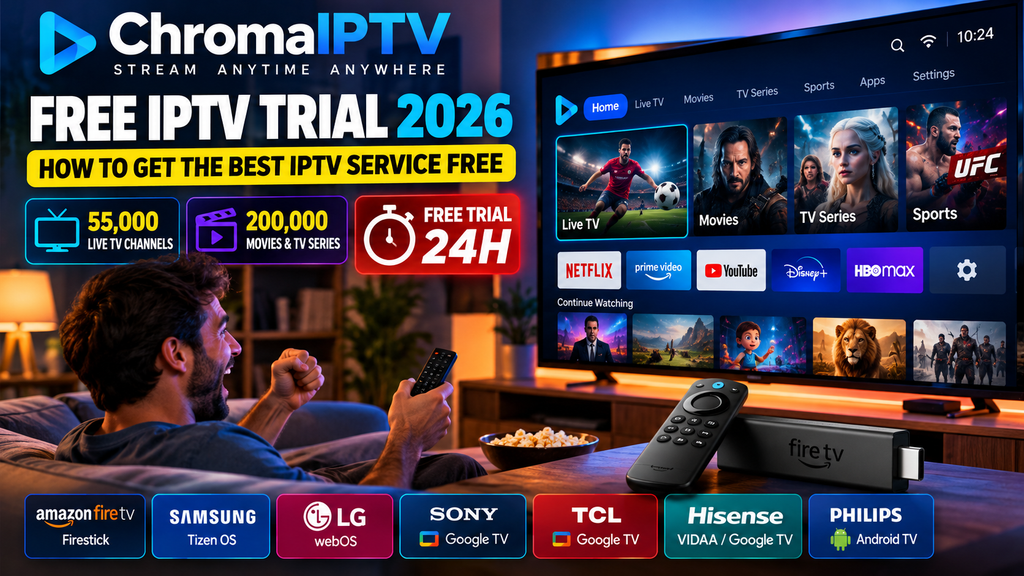
ChromaIPTV states that its catalogue includes 55,000 channels and 200,000 movies and TV series. Users interested in testing the service can explore the ChromaIPTV Free IPTV Trial 24h offer and review its current conditions.
Whether you are new to IPTV or comparing different streaming options, this guide will help you make a more informed decision.
What Is a Free IPTV Trial?
A free IPTV trial is a limited period of access that allows eligible users to test an IPTV service before purchasing a subscription.
IPTV stands for Internet Protocol Television. It describes the delivery of television content over internet protocol networks. Depending on the provider, a service may offer live television, on-demand movies, television series, and programme information.
A trial can help you evaluate whether the service works properly with your equipment and whether its available content matches your preferences.
However, trial conditions vary between providers. Some offer access for 24 hours, while others may have different durations, eligibility requirements, or limitations.
Before requesting a trial, check what is included and whether any conditions apply.
Why Try IPTV Before Subscribing?
Testing a service before making a purchase has several advantages.
Evaluate streaming quality: Check whether streams play consistently on your internet connection.
Explore the catalogue: Review the available channels and on-demand categories rather than relying only on advertised numbers.
Check device compatibility: Confirm that the service works with your television, Firestick, Android device, computer, or other supported equipment.
Understand the interface: Explore the application layout, navigation, search options, and content organization.
Review the service conditions: Read the trial terms, privacy policy, and subscription requirements before making a decision.
A trial is most useful when you use it to evaluate these practical details rather than focusing only on the size of a provider’s catalogue.
What Makes a Good IPTV Free Trial in 2026?
Not all trials provide the same experience. Some offer broad access to a service, while others may restrict particular features or content.
When comparing options, consider the following factors.
1. Clear Trial Conditions
A provider should explain how the trial works, how long access lasts, and whether any restrictions apply.
Look for clear information about eligibility, account activation, and what happens when the trial ends.
Never assume that a trial automatically includes every feature of a paid subscription.
2. A Useful Content Selection
A large advertised catalogue can be attractive, but the content that matters most to you is more important than the headline number.
Consider whether the available categories meet your viewing preferences. Check the content descriptions and confirm that the provider is authorized to distribute the material in your location.
3. Consistent Playback
Streaming performance depends on multiple factors, including the source stream, internet connection, device, and network congestion.
Use the trial to check playback at different times of the day and on the devices you actually plan to use.
4. Device Compatibility
Before choosing a provider, determine which connection methods and applications it supports.
A service that works on one device may require a different application or configuration on another.
5. Accessible Support
Clear setup instructions and responsive support can make the initial configuration easier.
Review the provider’s published support channels and test whether its instructions answer your basic setup questions.
Red Flags to Watch for When Choosing a Free IPTV Trial
A free trial should be evaluated carefully, just like any other online service.
Here are several warning signs to consider.
Unclear Payment Conditions
Read the terms before providing payment information. Determine whether the trial requires payment details, whether it converts into a paid subscription, and whether automatic renewal applies.
A provider’s payment conditions should be explained clearly.
Limited Information About the Provider
Look for a clear website, contact information, privacy policy, and terms of service.
Be cautious when a service provides little information about who operates it or how customer information is handled.
Unsupported Performance Guarantees
Claims about uninterrupted playback, perfect quality, or universal compatibility should not replace your own testing.
Streaming performance can vary according to the network, device, and source.
Unclear Content Rights
IPTV technology can be used for legitimate streaming, but the legality of a particular service depends on its content distribution rights and the applicable laws.
Check that the provider is authorized to distribute the channels and on-demand content it offers.
Requests for Unnecessary Information
Be careful with websites that request excessive personal information or ask you to download unfamiliar software without a clear explanation.
Provide only the information reasonably necessary to request and use the service.
What Should You Test During a 24-Hour IPTV Trial?
A 24-hour IPTV trial can provide a useful opportunity to examine several aspects of a streaming service. Planning your test helps you make better use of the available time.
1. Check Your Preferred Channels
Start with the channels or categories that are most important to you.
Open several available streams and confirm that they load and play correctly.
Do not rely only on the total number of channels advertised. A catalogue is useful when it includes content that matches your needs and is actually accessible.
2. Test Streaming at Different Times
A service may perform differently depending on network congestion and the availability of individual streams.
Try watching content during the day and again during the evening.
If playback becomes unstable, compare different streams and check whether other applications on your network are experiencing similar problems.
3. Evaluate Live Sports Playback
If live sports are important to you, check the relevant authorized content during your trial when it is available.
Pay attention to playback stability, picture quality, and delays.
A short test cannot guarantee future performance, but it can help you identify obvious problems.
4. Explore Movies and TV Series
If the service offers on-demand content, browse the available movie and series categories.
Check whether titles have useful descriptions, whether episodes are organized clearly, and whether playback works as expected.
Remember that catalogue availability can change and that advertised totals do not necessarily mean every title will be available in every region.
5. Check Device Compatibility
Test the service on the device you intend to use most frequently.
This might be a Smart TV, Amazon Fire TV Stick, Android TV device, smartphone, tablet, or computer, depending on the provider’s supported options.
If you plan to use several devices, confirm whether your account and subscription conditions permit that arrangement.
6. Evaluate Channel Loading
Observe how quickly the application opens a stream and responds when you switch between available channels.
Slow loading can have several causes, including network conditions, application performance, and source availability.
Avoid judging a provider based on a single stream or one isolated test.
7. Review the Electronic Programme Guide
An electronic programme guide, commonly called an EPG, displays programme information when compatible schedule data is available.
If the service includes an EPG, check whether programme titles and schedules appear correctly.
Missing guide information may indicate a configuration or data issue rather than a complete failure of the streaming service.
8. Explore Navigation and Search
A well-organized interface can make a large catalogue easier to use.
Try searching for content, opening different categories, and saving favourites if the application supports that feature.
Check whether navigation is comfortable with your device’s remote control or touchscreen.
9. Test the Support Process
Review the provider’s setup instructions and published support options.
If you encounter a genuine configuration issue, contact support through an official channel and assess the clarity of the response.
Do not assume that a single response time guarantees the same level of service in every situation.
How to Get Started With a Free IPTV Trial
The exact procedure depends on the provider, but the general process is straightforward.
Step 1: Choose a Provider
Compare available services based on compatibility, content information, support, privacy, and trial conditions.
Read the provider’s official terms before requesting access.
Step 2: Request Trial Access
Visit the provider’s official website and locate its free-trial page.
Complete the requested steps and review the information provided about trial duration, eligibility, and account requirements.
Step 3: Receive Your Connection Details
Depending on the service, you may receive an account, a playlist URL, or another supported configuration method.
Keep these details private. A playlist URL or account password may provide access to your service.
Step 4: Install a Compatible Player
Choose a media player that supports both your device and the connection method supplied by your provider.
Where possible, install applications through official application stores or follow the developer’s official instructions.
Step 5: Configure Your Account
Open the application and select the appropriate option to add a playlist or account.
Enter the supplied details carefully and save the configuration.
Step 6: Test the Service
Browse the available categories and test several streams.
Check the playback quality, navigation, and compatibility before deciding whether the service is suitable for you.
Step 7: Review Your Options
Before the trial expires, review the provider’s subscription terms and determine whether the service meets your expectations.
You are not required to purchase a subscription simply because you have tested a trial.
Discover ChromaIPTV and Its Free IPTV Trial 24h
When comparing IPTV services, ChromaIPTV is an option you can investigate through its official website.
ChromaIPTV states that its catalogue includes 55,000 channels and 200,000 movies and TV series.
These figures describe the catalogue advertised by the service. Actual availability may depend on the current offering, regional restrictions, playlist configuration, and applicable content rights.
Explore the Advertised Catalogue
A large catalogue can offer a wide range of categories to explore, but the most useful measure is whether the available content matches your preferences.
During a trial, focus on the channels and titles you actually want to watch.
Check how the content is organized, how easily you can navigate between categories, and whether the relevant streams work on your device.
Try the Free IPTV Trial 24h Offer
ChromaIPTV offers a Free IPTV Trial 24h option according to the service information provided.
A 24-hour trial can help you evaluate the setup process and test the service under your own network conditions.
To explore the offer:
- Visit the official ChromaIPTV website.
- Find the free-trial page.
- Review the current eligibility requirements and conditions.
- Follow the instructions to request trial access.
- Configure the supplied details in a compatible player.
- Test the available content and playback experience.
Check the official offer for the current trial duration and any applicable limitations. Do not assume that payment details are unnecessary or that every advertised feature is included unless the current terms confirm it.
What to Evaluate During Your ChromaIPTV Trial
Use the trial to answer practical questions.
- Does the service work with your preferred device?
- Can you configure the supplied connection details correctly?
- Are the categories easy to navigate?
- Does playback remain consistent on your internet connection?
- Are the available content and service terms clearly explained?
- Can you find the support information you need?
These checks provide a more useful basis for comparison than promotional claims alone.
Free IPTV Trial vs. Paid IPTV Subscription
A trial and a paid subscription serve different purposes.
| Factor | Free trial | Paid subscription |
| Main purpose | Evaluate the service | Continue using the service |
| Duration | Limited by trial terms | Depends on the selected plan |
| Content access | May have restrictions | Depends on the subscription |
| Support | Depends on provider conditions | Depends on provider conditions |
| Payment | Depends on the trial terms | Usually required |
| Commitment | Review the stated conditions | Review renewal and cancellation terms |
The exact differences vary by provider. Read the current terms rather than assuming that all trials and subscriptions work the same way.
A trial is useful for testing compatibility and performance. A paid subscription makes sense only when the service meets your requirements and its conditions are acceptable to you.
How to Improve Your IPTV Streaming Experience
Even when a service is correctly configured, playback can be affected by your home network and device.
Use a Reliable Internet Connection
Connect your device to a stable network and test the connection if streams frequently buffer.
If possible, position the router to reduce Wi-Fi interference.
Reduce Network Congestion
Other devices may compete for bandwidth when downloading large files, playing online games, or streaming video.
Test playback when fewer devices are using the connection.
Keep Your Application Updated
Check for updates through the official application store or the developer’s official instructions.
Updates may address compatibility problems and software bugs.
Restart Your Device
Restarting a Firestick, Smart TV, or other streaming device can resolve temporary software issues.
Allow the device to reconnect to the network before testing playback again.
Check the Source Stream
If one channel fails while other streams work, the problem may be limited to that particular source.
Test more than one stream before concluding that the entire service is unavailable.
Clear the Application Cache When Appropriate
Some devices allow you to clear an application’s cached files.
This may help resolve certain application problems, but clearing application data can also remove saved settings or login details.
Avoid Unnecessary Configuration Changes
Change one setting at a time when troubleshooting.
This makes it easier to identify the cause of the problem and reduces the risk of introducing new configuration issues.
Common Questions About Free IPTV Trials
What is the best free IPTV trial in 2026?
There is no single best option for every user. Compare trial conditions, device compatibility, available content, streaming performance, privacy practices, and content authorization before choosing a provider.
What is a Free IPTV Trial 24h?
It is an IPTV trial advertised as providing access for 24 hours, subject to the provider’s current terms and eligibility requirements.
Does ChromaIPTV offer a free trial?
ChromaIPTV offers a Free IPTV Trial 24h option according to the service information provided. Visit the official website to verify the current conditions and request process.
How many channels does ChromaIPTV advertise?
ChromaIPTV states that its catalogue includes 55,000 channels. Check the current service information for details about availability.
How many movies and TV series does ChromaIPTV advertise?
ChromaIPTV states that its catalogue includes 200,000 movies and TV series. Actual availability may vary according to the current offering and applicable restrictions.
Do I need a credit card to request a free IPTV trial?
Requirements vary by provider. Review the official trial terms to determine whether payment information is required and whether any automatic renewal conditions apply.
Can I use a free IPTV trial on Firestick?
That depends on the provider and the compatible applications available for your Fire TV device. Confirm that the service supports your chosen player and connection method.
Is a free IPTV trial enough to judge streaming quality?
A trial can reveal useful information about playback and compatibility under your current conditions. It cannot guarantee that performance will remain identical across every time, device, or network.
Can I cancel after testing a free trial?
Cancellation requirements depend on the provider’s terms. Check whether the trial converts into a paid subscription and follow the stated cancellation process if necessary.
Are all IPTV services legal?
No. IPTV is a method of delivering content over internet networks, but a particular service must have the appropriate rights to distribute the content it offers. Check the applicable laws and the provider’s authorization.
What should I do if a trial does not work?
Check your connection details, application compatibility, network connection, and the provider’s official troubleshooting instructions. Contact the provider through its published support channel if the problem continues.
Should I choose a provider based only on the number of channels?
No. Catalogue size is only one factor. Content availability, playback consistency, compatibility, support, and clear service conditions are also important.
Conclusion: Find the Right Free IPTV Trial in 2026
A free IPTV trial can help you make a more informed decision before purchasing a streaming subscription. By checking playback, content availability, device compatibility, navigation, and service conditions, you can evaluate whether a provider meets your expectations.
ChromaIPTV states that its catalogue includes 55,000 channels and 200,000 movies and TV series. If you want to investigate the service, explore the ChromaIPTV Free IPTV Trial 24h offer through its official website and review the current terms before requesting access.
Take time to test the service on your own device, compare the available content, and verify the provider’s content authorization.
The best choice is not necessarily the service with the biggest advertised catalogue. It is the one that meets your viewing needs, works reliably under your conditions, and provides clear and appropriate terms.
Ready to explore your options? Visit ChromaIPTV’s official website to learn more about its Free IPTV Trial 24h offer.

