
Modern TV uses special software for live shows, video libraries, and guides. These IPTV apps are like media players, not content providers. They help manage playlists on different devices.
It’s important to know that apps like TiviMate or Smarters Pro don’t give you access to copyrighted channels. Instead, they connect your service provider to your screen. The right best IPTV app depends on your device and what you like to see.
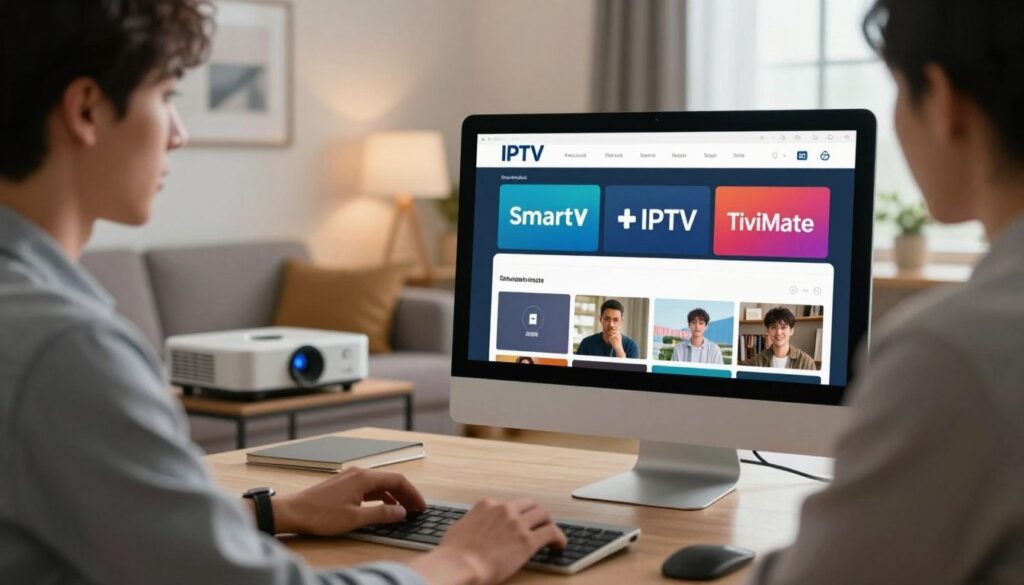
Best IPTV Apps Explained (Smart IPTV, TiviMate, and More)
Kodi, OTT Navigator, and Televizo have special features for organizing media. Users should pick based on how well they handle guides and system stability. Remember, the software itself doesn’t affect the legality of what you watch.
Key Takeaways
- Software acts as a media player, not a content source.
- Users must provide their own legal service subscriptions.
- Compatibility varies across different streaming hardware.
- Interface design impacts the overall viewing experience.
- Always verify the legality of your chosen service provider.
What IPTV Apps Do and What Users Need Before Choosing One
Before we look at specific apps, let’s understand how streaming works today. An IPTV app connects your device to digital content from a service. Without it, your device can’t understand the internet data streams.
How IPTV apps connect playlists, electronic program guides, and streaming services
An app works by reading an IPTV playlist. This file, often an M3U playlist, lists live TV channels and on-demand content. The app then shows this information in a user-friendly way on your screen.
These apps also have an electronic program guide. This guide shows what’s on TV now. It lets you plan your viewing. The app keeps your channel list updated by getting metadata from the server.

IPTV compatibility and streaming setup
The difference between an IPTV app, an IPTV subscription, and an encoder box
New users often mix up the app with the service. An IPTV subscription gives you access to content. The app just shows that content.
An encoder box is the hardware that runs the app. While some TVs have apps, a dedicated box often works better. You need hardware, app, and subscription for a good setup.
Compatibility factors for Fire TV, Android TV, Google TV, Apple devices, and smart televisions
IPTV compatibility depends on your device’s OS. Android-based platforms like Fire TV and Google TV support many apps. They make it easy to install streaming software.
Apple devices and some TVs have limited app stores. Make sure your app works with your device before signing up. Checking for IPTV compatibility helps avoid playback issues.
Legal, privacy, and content-licensing considerations for viewers in the United States
In the United States, security is key when choosing a service. Many providers are in a gray area. It’s important to make sure the content is licensed properly.
Many users try a free iptv trial before committing. A good trial shows the stream’s quality and channel guide accuracy. If a provider won’t offer a trial or lacks clear licensing, it’s best to look elsewhere.
Best IPTV Apps Explained (Smart IPTV, TiviMate, and More)
Understanding digital TV means knowing the tools that bring content to your screen. When looking at the best iptv apps explained smart iptv tivimate and more, users must consider how these platforms handle data and display media. Choosing the right software turns a streaming device into a powerful entertainment hub.
Comparison criteria: interface, playlist support, EPG quality, playback, and device coverage
The best IPTV apps offer a smooth user experience. A clean interface makes navigation easy, and robust playlist support ensures channels load without errors. High-quality Electronic Program Guides (EPG) are key for tracking live schedules, and reliable playback controls prevent interruptions during your favorite shows.
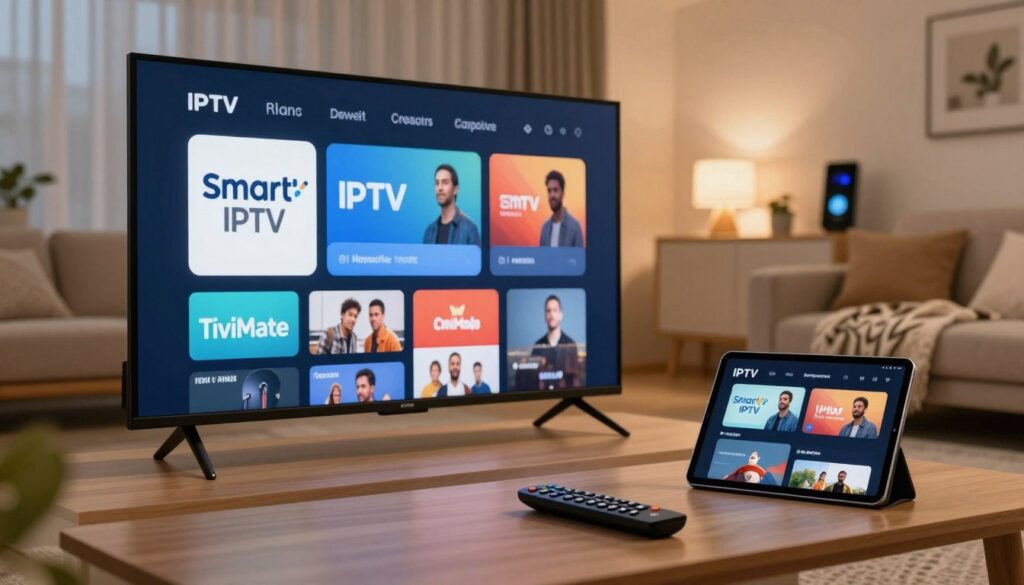
best IPTV apps
Feature comparison of Smart IPTV, TiviMate, IPTV Smarters Pro, Kodi, GSE Smart IPTV, OTT Navigator, and Televizo
Each app has unique strengths for different users. Smart IPTV is simple for TVs, while TiviMate offers advanced features for power users. IPTV Smarters Pro is popular for its cross-platform use, and Kodi is customizable for tech enthusiasts.
| Application | Best For | Customization | Ease of Use |
| Smart IPTV | Smart TVs | Low | High |
| TiviMate | Android/Fire TV | Very High | Medium |
| IPTV Smarters Pro | Cross-Platform | Medium | High |
| Kodi | Media Enthusiasts | Extreme | Low |
Which apps support M3U playlists, Xtream Codes API, catch-up television, and recording
Modern streaming software uses specific protocols to fetch content. Most top apps support M3U playlists for channel lists. Many also use the Xtream Codes API for secure and fast connections. Catch-up TV and recording are common, but depend on your provider’s capabilities.
Free versus premium app features, advertisements, and subscription costs
Many apps offer a free version to attract users. However, these versions often have ads that can be annoying. Premium subscriptions remove ads and unlock full app features. Paying for a premium version usually means better stability and updates.
How paid upgrades affect playback controls and customization
Upgrading to a premium tier often gives deeper customization options. Users can organize channels, adjust buffer sizes, and enable advanced playback controls. These tools create a personalized experience that fits your viewing habits.
Why an IPTV app does not guarantee access to channels or premium content
An app is just a player; it doesn’t provide the stream or channel list. Access to premium content depends on your subscription from the service provider. If a provider lacks specific channels, no app configuration can make them appear.
Smart IPTV: A Straightforward Choice for Supported Smart TVs
If you have a modern smart TV, the Smart IPTV app is a great choice. It’s easy to use and doesn’t need extra hardware. This app makes your TV feel like a part of your home entertainment system.
What Smart IPTV offers on Samsung, LG, and compatible smart television platforms
The platform works well with big brands. The Smart IPTV Samsung and Smart IPTV LG versions turn your TV into a media center. It connects traditional TV with digital streaming services.
Playlist uploads, EPG configuration, and channel organization
Managing your content is easy through a web portal. You upload M3U playlists and set up your IPTV EPG setup. Channels are organized, making it easy to find what you want.
Smart IPTV’s main strengths for viewers who prefer a television-first experience
The app is simple to use. It runs on your TV, so you don’t need to switch inputs or use multiple remotes. It’s great for those who like a clean setup.
Smart IPTV limitations involving setup, device support, and advanced playback tools
While easy to use, the app has some limits. It doesn’t have advanced features like multi-screen viewing. Also, setting it up requires a web browser, which can be tricky for some.
Who should choose Smart IPTV and who may need a more flexible application
Choosing the right smart TV IPTV depends on your needs. This app is simple but might not be enough for those who want more customization.
Best use cases for simple home viewing
This app is great for casual viewers. It’s perfect for families who want a reliable interface for their favorite channels.
Situations where Android TV or Fire TV users may prefer another app
If you use an Android TV or Fire TV, you might prefer other apps. These platforms offer more features like hardware acceleration and custom themes. A dedicated Smart IPTV app alternative might be better for you.
TiviMate: Advanced IPTV Controls for Android TV and Fire TV
TiviMate changes how we watch live TV with its smart design and features. It’s the top choice for those using TiviMate Android TV or TiviMate Fire TV. Its clean look makes it feel like part of high-end TVs.
Interface design, multiple playlist management, and customizable channel groups
The app is fast and easy to use. It lets you switch between sources easily. It also manages multiple IPTV playlists well, putting everything in one place.
Users can organize their channels into groups. This keeps sports, news, and shows in order.
Electronic program guide layouts, favorites, and channel sorting
The electronic program guide (EPG) can be customized. You can choose how you see it. Marking favorite channels is easy for quick access.
Sorting channels by name, number, or status keeps things tidy. This makes finding what you want simple.
Picture-in-picture, playback controls, and supported television features
Picture-in-picture lets you watch one channel while browsing others. The playback controls are simple to use. They let you adjust volume, aspect ratio, and audio easily.
TiviMate’s advantages for experienced IPTV viewers
Experienced viewers love TiviMate’s detailed control. It supports catch-up TV and external players. It handles big channel lists well, making it reliable.
TiviMate’s limitations, including platform restrictions and premium feature requirements
The app only works on Android, not on Roku or Apple TV. Some key features, like recording and multi-view, need a TiviMate Premium subscription. Users must decide if the extra cost is worth it.
Who benefits most from TiviMate on Amazon Fire TV and Android TV
TiviMate is perfect for those who want a top-notch TV experience. It’s great for managing complex media setups.
Why households with multiple playlists may prefer TiviMate
It’s a must-have for families with many subscriptions. It simplifies watching TV by combining all content in one place. This makes daily viewing easier for everyone.
What casual viewers should consider before paying for Premium
Casual viewers might not need the Premium version. But, if you want advanced recording capabilities and a custom interface, it’s worth it. Try the free version first to see if it works for you.
IPTV Smarters Pro: Familiar Cross-Platform Access
IPTV Smarters Pro is a top choice for those who want to stream on many devices. It’s perfect for cord-cutters in the United States. They can easily manage their digital entertainment libraries.
Supported devices and common login methods
This software is known as a reliable cross-platform IPTV player. It works well on Android sticks, smart TVs, and mobile devices. Users access their content through a simple login process.
M3U playlists, Xtream Codes API, and live television categories
Most users connect through an Xtream Codes login. This brings in channel lists and metadata easily. Users can also upload M3U playlists. The app organizes content into easy-to-find live TV categories.
Key features for live channels, video on demand, and series libraries
The platform is great for IPTV video on demand content too. It has a special section for movies and TV series. This makes it easy to find what you want without getting lost in too many options.
Advantages of IPTV Smarters Pro for households using several device types
This app works the same on different devices. A family using a Firestick and an Android tablet will have the same experience. This makes it easy for everyone to use, even if they’re not tech-savvy.
Limitations involving advertisements, app availability, and provider-dependent features
Some versions of the app have ads. Also, certain features like catch-up TV or recording depend on the provider. If the provider doesn’t support these, the app can’t offer them, even if it can.
Best user profile for IPTV Smarters Pro
This app is great for those who want a familiar interface. It’s perfect for managing multiple streaming sources. It’s especially good for those who switch devices often and want a reliable way to watch IPTV video on demand and live TV categories. Using a standard Xtream Codes login makes it easy to enjoy a smooth viewing experience.
Kodi: A Flexible Media Center That Requires More Configuration
Kodi is not like other streaming apps. It’s a local media center that needs more setup. It’s a platform for your whole digital library, not just streaming.
How Kodi differs from dedicated IPTV applications
Dedicated apps are easy to use and stream live. Kodi, however, is open-source and modular. It needs more setup for live broadcasts, offering greater flexibility but more work.
PVR IPTV Simple Client, M3U playlists, and EPG setup
To watch live TV, enable the PVR IPTV Simple Client in settings. Input your Kodi M3U playlist here. Then, map a Kodi EPG URL for a correct channel guide.
Kodi’s strengths for users who want local media and IPTV in one interface
Kodi’s main benefit is combining media sources. You can watch movies, listen to music, and live TV all in one place. It’s great for those who like a single dashboard for entertainment.
Kodi’s drawbacks involving add-ons, maintenance, and technical complexity
Kodi uses IPTV add-ons but can be unstable if not updated. It needs regular maintenance to avoid broken links and outdated software. This can be overwhelming for casual users.
How users can avoid untrusted third-party add-ons
Installing external software can be risky. Stick to IPTV add-ons from the official repository for safety. Avoiding unofficial sources keeps your device secure and running well.
When Kodi makes sense compared with Smart IPTV and TiviMate
Kodi is best for tech-savvy users who like customizing their setup. If you prefer simplicity, apps like Smart IPTV or TiviMate might be better. But for those who want control, Kodi’s setup is worth it.
| Feature | Kodi | Dedicated Apps |
| Setup Difficulty | High | Low |
| Local Media Support | Excellent | Limited/None |
| Customization | Extensive | Moderate |
| Maintenance | Frequent | Minimal |
GSE Smart IPTV, OTT Navigator, and Televizo for Specialized Preferences
Many viewers use mainstream streaming apps. But, some tools offer special benefits for more control. The right software depends on how you organize channels and manage subscriptions.
GSE Smart IPTV for users who want broad device compatibility
GSE Smart IPTV is great for those who need flexibility. It works on many devices, perfect for homes with different tech.
Playlist support, casting, and playback features
This app supports M3U playlists and JSON formats well. It’s known for seamless IPTV casting. It also has tools for high-quality streams.
OTT Navigator for advanced channel organization and personalization
OTT Navigator is for those with many subscriptions. It’s made for power users who want to organize their media library precisely.
Multiple providers, filters, profiles, and EPG customization
The app handles many providers at once. It has IPTV channel filters for hiding content. You can also create IPTV profiles for a personalized experience.
Televizo for a simple Android-focused viewing experience
Televizo IPTV has a clean interface. It’s an Android IPTV app that focuses on speed and simplicity.
Useful features and platform limitations
Televizo loads quickly and is easy to navigate. It’s great for starting to watch shows easily. But, it’s mainly for Android, which might limit its use elsewhere.
How these alternatives compare with TiviMate and IPTV Smarters Pro
Choosing depends on your needs. TiviMate is known for its design, but OTT Navigator is better for complex setups. GSE Smart IPTV balances wide compatibility with reliable casting.
How to Set Up IPTV on Firestick Step-by-Step Guide
Setting up your Firestick for live TV is easy when you know the steps. This how to set up iptv on firestick step-by-step guide makes sure your device is ready for streaming. You won’t face any big problems.
Prepare the Fire TV device, internet connection, and legitimate IPTV credentials
First, make sure your Fire TV is up to date. A fast internet connection is key for a smooth experience. Use an Ethernet adapter if your Wi-Fi is weak. Keep your service credentials handy, as you’ll need them to access your content.
Install a compatible IPTV application from the Amazon Appstore
To set up your Firestick, download a Fire TV IPTV app from the Amazon Appstore. Just search for your preferred player, then click download. After installation, the app will be in your “Apps & Channels” for easy access.
Enter an M3U playlist or Xtream Codes API details
Most players support two main ways to get content. For an IPTV M3U setup, enter the URL given by your service. The Xtream Codes API Firestick method is often better, as it loads your channels and EPG data automatically.
Load the channel guide and organize favorites
After logging in, the app will fetch your channel list and EPG. Once it’s loaded, mark your favorite channels. This makes finding shows you like easier.
Test live playback, video on demand, subtitles, and audio settings
Check if your streams work by testing live channels and on-demand titles. Make sure the audio and subtitles are right for you. If there are problems, adjust the app’s settings to fix them.
Troubleshoot buffering, missing channels, EPG errors, and login problems
Technical issues can happen. If you see Firestick buffering, try these steps to fix it.
Check network speed, Wi-Fi placement, and router performance
Make sure your device is close to your router or use 5GHz to avoid interference. Restarting your router can solve many problems. If issues continue, check your internet speed.
Confirm that playlist links and provider credentials remain active
Sometimes, channels or login issues are due to expired subscriptions or broken links. Check your credentials on your provider’s site. If the link is bad, ask your service for a new one.
Security and privacy precautions for Firestick IPTV setup
Keeping your IPTV use private is crucial. Use a VPN to encrypt your traffic and hide your activity. Also, don’t share your login on public networks or untrusted apps to protect your account.
Choosing an IPTV Service and Testing It With an App
Finding a good provider is as crucial as picking the right app. The app’s interface affects your experience. But, the service quality decides if streams are smooth or if they buffer a lot.
How to evaluate channel reliability, regional coverage, and video quality
When reviewing an IPTV service, focus on stream consistency. Make sure the provider offers reliable access to your favorite channels, especially local ones.
Today, high-definition video quality is expected. Check if the service keeps high video quality without drops in resolution or frame rate.
What a free IPTV trial should reveal before a paid subscription
Most providers offer a free iptv trial to show their network strength. This trial is key to test how the service works with your internet and devices.
Check channel uptime, peak-hour performance, and playback consistency
Test the service during busy times, like weekend evenings. Consistent uptime during these times shows strong server performance.
Review trial limitations, renewal terms, and refund policies
Read the fine print about switching from trial to paid. Know the renewal terms and refund policies to avoid surprises and ensure quality service.
Using ChromaIPTV with compatible IPTV applications
When using ChromaIPTV with your system, make sure it’s compatible. Choose an app that supports the service’s playlist format.
Questions to ask about Smart IPTV, TiviMate, Firestick, and playlist compatibility
Before setting up, ask if the service works well with your device. Also, check if the EPG data works with your app to avoid missing channel info.
How to interpret “best iptv apps explained smart iptv tivimate and more chromaiptv” searches
When you see best iptv apps explained smart iptv tivimate and more chromaiptv, it means finding the right app and service balance. This balance ensures a great viewing experience.
Free IPTV trial ChromaIPTV considerations for United States viewers
In the United States, a free iptv trial chromaiptv requires checking for legal compliance. Make sure the service respects content rights and keeps your data safe.
Verify content rights, billing transparency, customer support, and account security
A legal IPTV provider will be clear about billing and offer good customer support. Look for services with secure payments and clear content rights.
Why an IPTV app cannot fix an unreliable or unauthorized service
Many think a top app can fix a bad stream. But, a weak signal or overloaded servers can’t be fixed by software alone.
Signs that an IPTV provider should be avoided
Spotting a bad provider early can save you trouble. Watch for red flags before sharing payment or personal info.
Unclear licensing, unrealistic channel promises, and missing support information
- Unrealistic promises: Too many channels for too little money often means poor service.
- Missing support: No clear contact for help means the provider is likely unreliable.
- Opaque licensing: A good service will clearly explain how they get their content.
By doing a thorough ChromaIPTV trial and checking your provider, you get a better viewing experience. Always choose services that show professionalism and reliability.
Best IPTV Encoder Box 2026: Hardware That Complements IPTV Apps
Many people get confused between encoder hardware and streaming devices. An encoder box is for processing video signals. On the other hand, an IPTV streaming box is made for running TV apps. Knowing the difference helps pick the right gear for your home.
What an encoder box does and how it differs from a streaming device
An encoder box connects raw video to your screen. It’s about signal conversion and distribution. A streaming device, however, is for running TV apps.
Most people need a streaming device, not a professional encoder. These devices run media apps smoothly.
Important hardware specifications for 2026
Choosing the right hardware means looking beyond what’s marketed. Focus on devices that last long and perform well.
4K and HDR support, codec compatibility, memory, storage, and Ethernet
For clear colors and sharp details, you need 4K and HDR support. Your device should also handle modern codecs like AV1 or HEVC.
Enough memory and storage keep your system fast, even when it’s busy. A wired Ethernet connection is better than Wi-Fi for a stable stream.
Operating system updates, application access, and remote-control quality
Regular software updates keep your device secure and up-to-date. A device that gets updates often stays useful longer.
A good remote control makes using your device easier. A responsive, ergonomic remote is key for navigating channels.
Comparing Amazon Fire TV Stick 4K Max, Google TV Streamer, NVIDIA Shield TV Pro, and Apple TV 4K
The market has many top choices for your living room. Each device meets different needs and preferences.
| Device Name | Best For | Key Strength | 4K IPTV box Potential |
| Fire TV Stick 4K Max | Budget Users | Portability | High |
| Google TV Streamer | Smart Home | Integration | High |
| NVIDIA Shield TV Pro | Power Users | Processing Power | Excellent |
| Apple TV 4K | Apple Ecosystem | Performance | Excellent |
When a dedicated streaming box is better than a smart television app
Smart TVs often have limited power and software. A dedicated streaming box offers a faster, more reliable interface that doesn’t rely on TV manufacturer updates.
Using a separate device keeps your streaming smooth, even if you change TVs. It also lets you customize your media library more.
How hardware performance affects buffering, app responsiveness, and picture quality
Good hardware means channels load faster. It can’t fix all issues, but it makes your end stable.
Better processors handle high-bitrate content well, reducing buffering. A strong device ensures your content looks great.
Conclusion
Finding the right balance between hardware and software is key for great home entertainment. A detailed IPTV app comparison shows that matching your device with the right platform is crucial. Smart IPTV is great for integrated TVs, while TiviMate is perfect for Android TV or Fire TV users who want more control.
There are many options like Kodi, IPTV Smarters Pro, and GSE Smart IPTV. Each offers a unique way to manage your media. Choosing the best IPTV app depends on how well it works with your hardware and network.
Legal IPTV streaming is important for a safe and reliable viewing experience. Make sure your provider has the right licenses and try services with a trial first. A good IPTV setup guide keeps your viewing private and smooth.
Good streaming comes from the right app and fast internet. Check your hardware and internet to avoid problems. By doing this, you can create a media center that fits your viewing needs perfectly.
FAQ
What are the best iptv apps explained smart iptv tivimate and more for modern streamers?
Top picks include TiviMate for its advanced Android TV interface. Smart IPTV is simple and works well on Samsung and LG TVs. IPTV Smarters Pro is versatile across platforms. Other options like OTT Navigator, GSE Smart IPTV, Televizo, and Kodi offer unique features for managing M3U playlists and Xtream Codes.
Is there a how to set up iptv on firestick step-by-step guide for new users?
First, install a compatible app like IPTV Smarters Pro or TiviMate from the Amazon Appstore. Then, enter your login details. These are usually an M3U URL or Xtream Codes API from your service. Finally, load the EPG and organize your favorites for a smooth experience.
How can I access a free iptv trial chromaiptv to test the service?
Reputable providers like ChromaIPTV offer a free iptv trial. This lets you check channel reliability and video quality. During the trial, focus on peak-hour performance, EPG accuracy, and playback consistency on your device before subscribing.
Why should I search for the best iptv apps explained smart iptv tivimate and more chromaiptv?
Looking for the best apps helps understand the link between software and service. Apps like TiviMate offer user interface and navigation tools. Meanwhile, ChromaIPTV provides the content streams. Good software can’t fix a bad stream, so finding the right combo is key for a 4K, buffer-free watch.
What hardware is considered the best iptv encoder box 2026?
The best iptv encoder box 2026 is high-performance streaming devices. Top choices include the NVIDIA Shield TV Pro, Apple TV 4K, and Amazon Fire TV Stick 4K Max. These devices have great RAM, Ethernet ports, and HDR support, ensuring smooth app performance.
Does an IPTV app provide its own channels and content?
No, an IPTV app like Smart IPTV or GSE Smart IPTV is just a media player. It doesn’t have any built-in programming. You need to provide your own content source, like a playlist from ChromaIPTV, which has the streaming links and licensing rights for the channels you want to watch.
Can I use Kodi for IPTV instead of a dedicated app?
Yes, Kodi is a strong alternative. It uses the PVR IPTV Simple Client add-on to handle M3U playlists. It requires more setup than TiviMate or Smart IPTV, but it’s great for managing local media and live streaming in one place.
What are the main differences between TiviMate and Smart IPTV?
A: TiviMate is made for Android TV and Fire TV, with advanced features like picture-in-picture and EPG customization. Smart IPTV is simpler and works well on Samsung and LG TVs, but it lacks some modern playback controls.

