
A hotel guest, hospital patient, and office employee may all want video, but each setting places different demands on how it is delivered. Guests may want familiar entertainment, while patients and employees may need useful information alongside it. A smooth experience depends on more than the screen.
Commercial viewing also brings practical needs. Businesses must plan how video reaches each screen, protect account access, and manage content for the people they serve. Content rights are permissions to show or redistribute programming to a defined audience and setting. Those rights shape what a business can offer and where.
Consumer streaming products can suit personal viewing, but they do not automatically meet business needs. A managed system can support shared screens, user access, and daily operations. Understanding that difference helps businesses choose a suitable approach to video and entertainment.
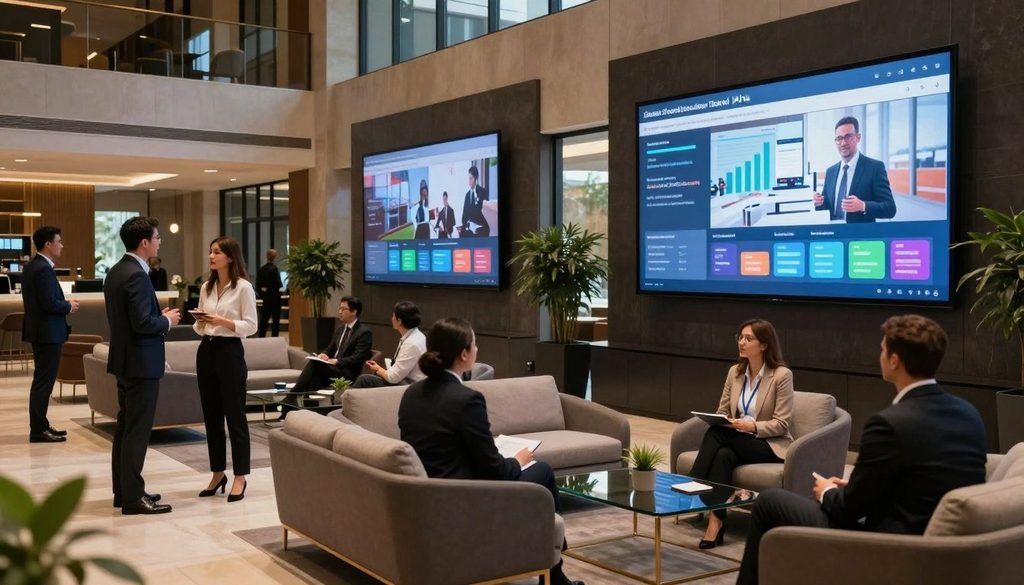
iptv solutions for business
Key Takeaways
- Business viewing needs differ from household streaming.
- Content rights depend on audience and setting.
- Managed systems can support shared screens and operations.
- Equipment and network capacity affect delivery.
- Provider terms should match intended business use.
What Do IPTV Solutions for Business Include?
A hotel can use the in-room screen for live channels, on-demand entertainment, and practical guest information. Commercial solutions can bring viewing and useful services together, with options shaped by venue size and customer needs.
Commercial IPTV services can combine video, information, and interactive features for a defined audience. Their content and functions depend on the chosen service and its rights.
Commercial IPTV can pair video with useful services, but content and functions depend on the provider and its rights.
Hotel, Hospital, and Workplace Use Cases
A hotel IPTV solution for hotels may offer a branded interface with channel guides, local information, and service details. Hospitality systems can also pair live TV and on-demand content with guest messages, digital signage, activity reservations, or room-service requests. Resorts, cruise ships, and event venues may use similar services.
Hospitals can pair entertainment with patient information, while care homes can offer channels suited to residents. Workplaces may distribute training, town halls, financial news, and staff communications. These iptv solutions help customers access relevant content without treating every screen as a personal television.
The viewing experience depends on clear navigation and useful information, not just a large range of channels. A service may support interactive options, but each venue should confirm which functions its provider actually offers.
TV King Guide and the Firestick Player Question
TV King Guide is a viewing-guide resource that can help users explore IPTV information. It should not be mistaken for proof that a service has the rights to show its content. Viewers also ask what is the best IPTV player for Firestick, but there is no universal answer.
They should check app compatibility, ease of navigation, and whether the content provider is authorized. A Firestick player is a consumer playback option, not a managed business distribution system by itself. It does not handle business-wide access, screen management, or content rights on its own.
Once the use cases are clear, move from what viewers see to the infrastructure that delivers it.
How Does an IPTV Distribution System Work?
A commercial IPTV distribution system moves video from its source through management and network equipment to a supported screen. Each part must work with the others for steady delivery across the venue.
The headend ingests video feeds and prepares them for network distribution. Middleware manages interfaces, channel guides, authorization, and analytics, while content management tools organize what viewers can access.
From Video Feeds to Screens
After the headend receives feeds, the system sends them over a network to commercial smart TVs, set-top boxes, or apps for PCs and mobile devices. Commercial networks may use Ethernet or GPON, a fiber access network. The selected hardware and iptv platform determine which formats and features each screen supports.
The endpoint affects installation and daily use. A set-top box can connect an existing television, while a commercial smart TV may use an embedded platform. Apps can support staff viewing on computers or phones, provided they work with the platform and user authentication.
| Endpoint type | Common use | Compatibility check |
| Commercial smart TV | Guest or patient room and shared display | Confirm embedded platform compatibility |
| Set-top box | Existing television retrofit | Confirm network connection and supported video output |
| PC or mobile app | Employee viewing on computers or phones | Confirm app support and user authentication |
Integrations, Analytics, and Capacity
An IPTV platform can connect with existing workflows and, where useful, property-management systems. That link can help align screen services with business operations. Monitoring tools and analytics can show system activity and how viewers use supported features.
Capacity planning should account for content size, format, distribution, and management. A system may grow through added channels, on-demand libraries, digital signage, or higher resolutions such as 4K and 8K. Each upgrade depends on compatible hardware and enough network capacity.
The platform and infrastructure set the limits for expansion. With the system components understood, the next decision is how to assess a provider, costs, and commercial-use conditions.
How Can a Business Choose a Provider and Test Fit?
A provider should be evaluated against the venue’s content rights, existing equipment, and day-to-day management needs. Written details help businesses compare the service with real operating needs.
Costs vary with content rights, hardware, installation, integrations, and scale. No reliable price or standard price range is established here. ChromaIPTV offers a free IPTV trial, but its eligibility, duration, content, and terms are unspecified. A consumer trial does not grant commercial or public-display rights.
A consumer trial does not establish commercial or public-display rights. Businesses need written terms for their intended use.
Before choosing a service, a business can compare these requirements:
- Content rights for the intended audience and location.
- Fit of the channel lineup and on-demand content.
- Compatibility with the current network and devices.
- Integration, management, and credential controls.
- Capacity to scale and provider support expectations.
A single login reused across televisions can expose credentials if devices cannot securely clear or remove them. Planning should cover the content’s size and format, how it will reach screens, and how staff will manage access.
Businesses should confirm the service scope and written terms before committing. They can start by documenting the venue’s required content, locations, and devices.
Conclusion
A business IPTV system works best when its content, screens, network, and operational needs are planned together. The best-fit solution aligns content rights with the audience, works with compatible infrastructure, and leaves room for growth.
Businesses can reduce uncertainty by setting out what viewers need and how staff will manage the service. A provider proposal should address those facts, not rely on broad claims about features or flexibility. Document required content, locations, and devices, then request a provider proposal that addresses those requirements.
FAQ
Is paid IPTV legal in the USA?
Paid IPTV can be legal in the United States when the provider has authorization for its content and distribution. Payment alone does not prove that authorization. A business should ask whether the rights cover its intended audience, location, and use, including shared screens. Written terms can clarify whether the service permits business viewing or public display.
How much do IPTV services cost?
There is no single established price for IPTV services. Costs depend on content rights, hardware, installation, integrations, and the size of the deployment. A small setup and a multi-screen system may need different equipment and service terms. Businesses should request an itemized proposal that explains each cost and any ongoing fees.
Is smart IPTV legal?
A playback app can be legal, but the app does not decide whether the content service is authorized. Legality depends on whether the provider has rights to offer the channels and other content. Users should separate the player from the service and check the service’s written terms, especially for shared or business viewing.
Which IPTV providers are legal in the USA?
No provider list can establish legality for every channel and business use. A provider needs written licensing and distribution rights for the content, territory, and intended audience. Businesses should ask whether those rights cover their specific venue and use. A service’s availability or paid subscription alone does not show that it has those rights.
Who is the best provider for IPTV?
There is no universal best IPTV provider for every business. The right choice depends on authorized content, device and network compatibility, security, support, and room to scale. A provider that suits one venue may not fit another. Businesses can compare proposals against their own needs and ask for written answers about rights and service scope.
How to find a provider for IPTV?
Shortlist providers that document content rights, device and network compatibility, integration scope, and support. Businesses should also ask for all trial and contract terms in writing. Check whether the stated rights match the intended audience and setting. Then compare the proposed service with the venue’s required content, existing equipment, and management needs.

