
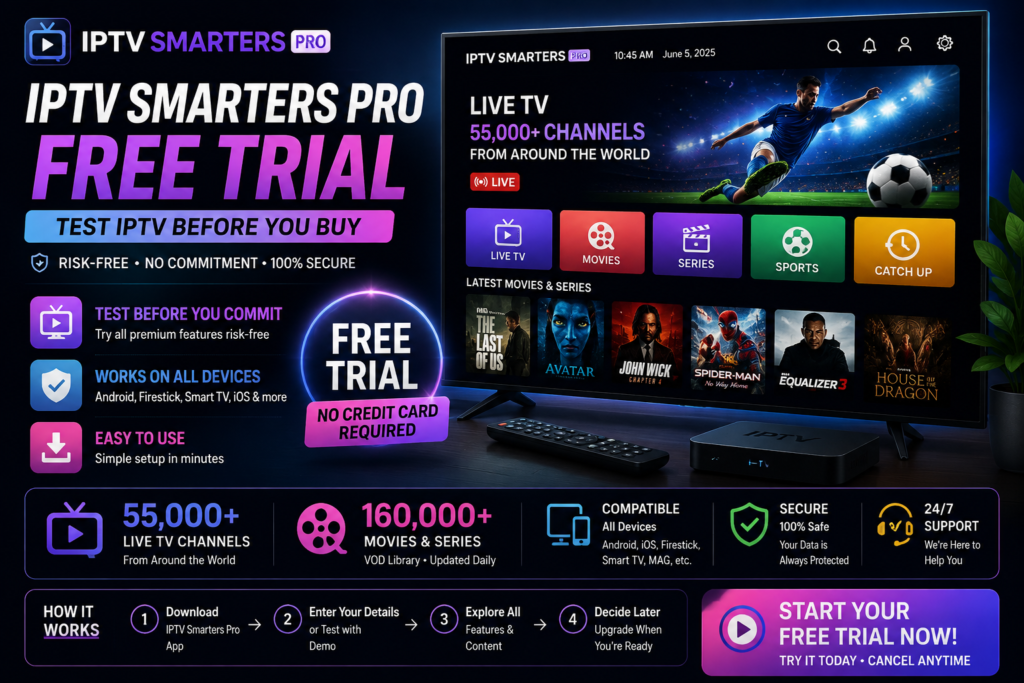
IPTV Smarters Pro Free Trial: How to Test IPTV Before You Buy
Want to try IPTV Smarters Pro before committing? Learn how a free trial works, what to expect, and how ChromaIPTV makes testing IPTV simple and risk-free.
IPTV Smarters Pro Free Trial: A Simple Way to Test IPTV Before You Commit
If you have spent any time researching IPTV, chances are you have come across IPTV Smarters Pro. It is one of the most popular apps used to stream live TV, movies, and series on Android devices, Firestick, smart TVs, and more. But before spending money on a subscription, most people want one thing first: a free trial.
That is exactly what this guide covers. We will break down what IPTV Smarters Pro actually is, how a free trial works, what you should expect from it, and how to avoid wasting time on unreliable services. We will also show you how ChromaIPTV makes the entire process easy, so you can test everything before making a decision.
What Is IPTV Smarters Pro?
IPTV Smarters Pro is a third-party IPTV player app. It does not provide channels or content on its own. Instead, it acts as the interface that connects to an IPTV subscription service, letting you watch live TV, on-demand movies, and series in one clean, organized layout.
Think of it like a remote control for your IPTV service. The app itself is free to download, but you still need an active IPTV subscription to actually watch anything through it.
This is where a lot of confusion comes from. People assume the app itself gives them channels for free, but in reality, you need a provider like ChromaIPTV to supply the actual streaming content.
Why People Search for an IPTV Smarters Pro Free Trial
It makes sense. Nobody wants to pay for a service without knowing if it works properly first. A free trial lets you check things like:
- Whether the app runs smoothly on your device
- How stable the streaming quality is
- Whether channels load without freezing or buffering
- If the interface is easy to navigate
- Whether your internet connection supports IPTV well
Basically, a free trial removes the guesswork. You get to see real performance before spending a single dollar.
Does IPTV Smarters Pro Itself Offer a Free Trial?
This is an important distinction. The IPTV Smarters Pro app does not provide its own trial content. The trial comes from the IPTV provider you connect to the app, not from the app itself.
So when people search for an IPTV Smarters Pro free trial, what they are really looking for is a provider that offers trial access which can be used inside the Smarters Pro app.
That is exactly the kind of service ChromaIPTV offers.
How ChromaIPTV Makes Testing IPTV Easy
ChromaIPTV understands that trust has to be earned before someone commits to a subscription. That is why they offer a simple trial option so users can test real streaming performance using apps like IPTV Smarters Pro.
You can check out the trial option directly here: https://chromaiptv.com/26-free-iptv-trial/
Instead of asking you to commit blindly, ChromaIPTV lets you experience things firsthand, including:
- Stream stability across different devices
- Channel variety and quality
- App compatibility with IPTV Smarters Pro
- Overall picture and playback smoothness
This approach is far more transparent than services that only promise quality without letting you verify it yourself.
Setting Up IPTV Smarters Pro With a Trial
The setup process is straightforward, even if you are not particularly tech savvy. Here is a general breakdown of how it works.
Step 1: Download the App
IPTV Smarters Pro is available on Android devices, Firestick, and other supported platforms. You can find it through the Google Play Store or sideload it depending on your device.
Step 2: Get Your Trial Credentials
Once you sign up for a trial through a provider like ChromaIPTV, you will receive login details. This usually includes a username, password, and an M3U URL or portal link.
Step 3: Enter the Details in the App
Open IPTV Smarters Pro, select the option to add a new user, and input the credentials provided. Within a few seconds, your channel list should load.
Step 4: Start Streaming
Once everything is loaded, you can browse categories, search for channels, and start watching. This is your chance to really evaluate performance before deciding on a full subscription.
What to Look for During Your Free Trial
Not all IPTV trials are created equal. To get the most out of your testing period, pay attention to a few key factors.
| What to Check | Why It Matters |
|---|---|
| Buffering frequency | Frequent buffering usually signals server or bandwidth issues |
| Channel loading speed | Slow loading can indicate poor backend infrastructure |
| Stream resolution | Confirms whether HD or 4K content is actually delivered as advertised |
| App stability | Frequent crashes point to compatibility problems |
| Customer support response | Shows how reliable the provider will be after you subscribe |
If a provider passes these checks during the trial, that is usually a strong sign of a good long-term experience.
Common Mistakes to Avoid
Many users rush through the trial process and end up missing red flags. Here are a few things to watch out for.
Ignoring Buffering Issues
Some buffering during peak hours can be normal, but consistent buffering across multiple channels usually means the service will not hold up long term.
Not Testing Multiple Devices
If you plan to use IPTV Smarters Pro on more than one device, test it on each one during the trial. Performance can vary between Firestick, Android boxes, and smart TVs.
Skipping Customer Support Testing
Reach out to support during your trial with a simple question. Their response time and helpfulness can tell you a lot about what to expect after you subscribe.
Why ChromaIPTV Stands Out
There are countless IPTV providers online, and unfortunately, not all of them are trustworthy. ChromaIPTV has built its reputation by focusing on transparency, reliable streaming, and giving users the chance to test everything before paying.
Instead of pushing users straight into a purchase, ChromaIPTV encourages testing through their trial option, which you can access here: https://chromaiptv.com/26-free-iptv-trial/
This kind of approach builds trust, especially in an industry where scams and unreliable services are unfortunately common.
Is IPTV Legal?
This is a common question, and the honest answer is that it depends on the content being streamed and your local regulations. Using IPTV Smarters Pro as an app is completely legal since it is simply a media player. The legality depends on the source of the content being streamed through it.
Always make sure you understand your local laws and choose providers that operate transparently.
Tips for a Smooth IPTV Experience
- Use a stable internet connection, ideally at least 15 to 25 Mbps for HD streaming
- Avoid using VPNs with excessive server distance, as this can increase buffering
- Restart your router occasionally to maintain a strong signal
- Keep the IPTV Smarters Pro app updated to the latest version
- Use a wired connection instead of WiFi when possible for better stability
These small adjustments can make a noticeable difference in stream quality.
Internal Resources to Explore
If you are new to IPTV or want to learn more before starting your trial, check out these helpful resources on ChromaIPTV:
- ChromaIPTV Blog for guides, tips, and IPTV news
- Free IPTV Trial Page to start testing today
- ChromaIPTV subscription plans for long-term streaming options
Frequently Asked Questions
Is the IPTV Smarters Pro free trial really free?
Yes, providers like ChromaIPTV offer trial access at no cost so you can test streaming quality before subscribing.
Do I need a subscription after the trial ends?
Yes, to continue streaming after the trial period, you will need to choose a paid subscription plan.
Can I use IPTV Smarters Pro on multiple devices during the trial?
This depends on the provider’s trial terms. Some allow testing on one device at a time, while others may allow more.
What devices support IPTV Smarters Pro?
It works on Android phones, Android boxes, Firestick, and several smart TV platforms.
Why does my stream keep buffering during the trial?
This is usually caused by slow internet speed, weak WiFi signal, or occasionally server-side issues. Testing during the trial helps identify this early.
Final Thoughts
Testing before committing to a subscription is always the smart move, and that is exactly why the IPTV Smarters Pro free trial concept exists. It allows you to evaluate real performance, not just promises.
ChromaIPTV makes this process simple by offering a genuine trial experience so you can see exactly what you are getting. No guesswork, no blind purchases, just a straightforward way to test IPTV streaming for yourself.
Ready to see it in action? Visit ChromaIPTV’s free trial page today and start streaming with confidence.

