
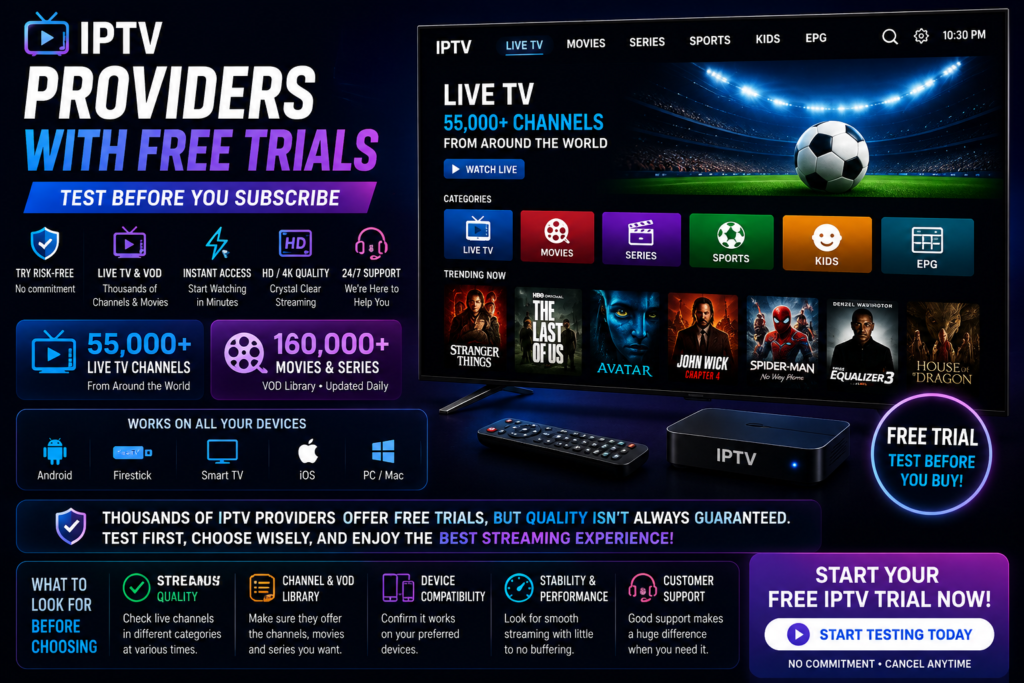
IPTV Providers with Free Trials: What You Need to Know Before You Subscribe
Streaming has changed the way people watch television, and IPTV is right at the center of that shift. But with so many services claiming to offer the best channels, the smartest move you can make before paying for a subscription is testing it first.
That’s exactly why IPTV providers with free trials have become so popular. A trial lets you check stream quality, channel variety, and device compatibility without spending a dime upfront.
In this guide, we’ll walk through everything you need to know about free IPTV trials, what separates a good provider from a bad one, and how ChromaIPTV fits into the picture.
Why Free Trials Matter So Much in IPTV
IPTV is not like cable. There’s no contract binding you for two years, but there’s also no guarantee that what you see advertised matches what you actually get once you’re streaming.
Buffering issues, missing channels, poor customer support, or apps that crash constantly are common complaints across the industry. A free trial removes the guesswork.
Instead of trusting flashy marketing or a slick-looking website, you get to see the service in action. That’s a big deal when you’re deciding where to spend your money.
What a Good Trial Should Let You Test
- Live channel streaming quality across different categories (sports, news, entertainment)
- On-demand content library and how frequently it’s updated
- App performance on your specific device, whether that’s Android, Firestick, or a smart TV
- Buffering behavior during peak hours
- Customer support responsiveness if something goes wrong
If a provider won’t let you test these basics, that’s usually a red flag rather than a coincidence.
What to Look for in IPTV Providers with Free Trials
Not every free trial is created equal. Some providers give you a full day, others limit you to an hour or two, which honestly isn’t enough time to judge much of anything.
Here’s what separates a trustworthy trial from a marketing gimmick.
Trial Length
Anything under 24 hours is tough to work with. You want enough time to test different channels at different times of day, especially during evening hours when networks tend to get congested.
No Hidden Requirements
Some services ask for full payment details before starting a trial, which sort of defeats the purpose. Look for providers that keep the process simple and low-risk.
Device Compatibility
Since a huge portion of IPTV users stream through Android boxes, Firestick, or smart TVs, make sure the trial version works on the exact device you plan to use long-term. Testing on a phone and then switching to a TV app later can produce different results.
Real Channel Access
A trial should give you a real look at the channel lineup, not a limited demo version with just a handful of test channels. If you’re paying attention to sports, international channels, or premium networks, make sure those are actually included in the trial.
How ChromaIPTV Approaches Free Trials
ChromaIPTV built its trial process around one simple idea: let people see the real product before asking them to commit financially.
Instead of a stripped-down demo, the ChromaIPTV free trial gives users a genuine look at what the service offers, including live channels, streaming stability, and app performance on Android devices.
This matters because Android remains one of the most common platforms for IPTV streaming, whether through phones, tablets, Android TV boxes, or Firestick-adjacent devices running Android-based systems.
ChromaIPTV’s trial setup is designed to be quick and straightforward, so you’re not stuck filling out endless forms or waiting days for access. You sign up, get your trial credentials, and start testing right away.
Why Android Compatibility Matters for IPTV Testing
Android is the backbone of a lot of streaming setups today. Many users run IPTV apps through Android boxes connected to their TVs, and others use Android phones or tablets as secondary streaming devices.
Because Android has such a wide range of hardware, performance can vary quite a bit between devices. A budget Android box might struggle with high-bitrate streams that a mid-range device handles just fine.
Testing through a free trial on your actual Android device gives you a realistic picture of what daily use will look like, rather than relying on someone else’s experience with different hardware.
Common Mistakes People Make When Trying IPTV Services
Even with a solid trial period, plenty of users make the same avoidable mistakes when testing a new IPTV provider.
Testing at the Wrong Time
Trying a service at 3 AM when network traffic is low won’t tell you much. Peak hours, especially during big sports events, are where buffering issues tend to show up.
Ignoring the App Interface
Stream quality matters, but so does usability. If the app is confusing or slow to navigate, that frustration adds up over time, especially if you’re sharing the account with family members who aren’t tech-savvy.
Not Checking VOD Libraries
Live TV gets most of the attention, but many users also rely heavily on video-on-demand content. Skipping this part of the trial means missing half the picture.
Skipping Customer Support Testing
Reach out to support during your trial period with a basic question. How quickly they respond, and how helpful the answer is, tells you a lot about what happens if you run into problems after you’ve paid.
Comparing Trial Features Across Providers
Here’s a general breakdown of what to compare when evaluating different IPTV providers with free trials.
| Feature | Why It Matters |
|---|---|
| Trial Duration | Longer trials give a more accurate picture of stability |
| Device Support | Ensure compatibility with Android, Firestick, or smart TV |
| Channel Count | Confirms the lineup matches what’s advertised |
| VOD Access | Shows whether movies and shows are updated regularly |
| Support Response | Indicates service quality after you subscribe |
| Setup Simplicity | Reflects how user-friendly the overall platform is |
Providers that perform well across all these categories during a trial tend to be more reliable long-term subscriptions.
Steps to Get Started with a Free IPTV Trial
Getting started with a trial is usually simple, but here’s a general process that applies across most providers, including ChromaIPTV.
Step 1: Choose Your Streaming Device
Decide whether you’re testing on Android, Firestick, a smart TV, or a computer. This affects which app version you’ll download.
Step 2: Sign Up for the Trial
Fill in the basic details required to activate your trial. For ChromaIPTV, this process is handled through the free trial page, where you can get set up in just a few minutes.
Step 3: Install the App
Download and install the IPTV app on your chosen device. Most Android-based setups take just a few minutes.
Step 4: Test During Peak Hours
Watch live channels during busy evening hours, not just during quiet daytime periods, to get an honest read on performance.
Step 5: Explore the Full Library
Check both live channels and on-demand content. Take note of categories that matter most to you, whether that’s sports, news, or international programming.
Why ChromaIPTV Stands Out Among IPTV Providers with Free Trials
There are plenty of IPTV services out there, but a lot of them either restrict trial access heavily or make the sign-up process unnecessarily complicated.
ChromaIPTV takes a more transparent approach. The goal isn’t to trick users into a subscription with a limited demo, but to actually show what the service can do across devices, particularly Android, which remains one of the most widely used platforms for IPTV streaming.
Whether you’re comparing channel variety, checking stream stability, or just want to see how the app feels day to day, ChromaIPTV’s trial setup gives you a real answer instead of a sales pitch.
Internal Resources Worth Checking Out
If you’re exploring IPTV options further, these related resources can help you get a fuller picture of what ChromaIPTV offers.
- Visit the ChromaIPTV free trial page to start testing the service today
- Check out the ChromaIPTV blog for more streaming guides and IPTV tips
- Browse ChromaIPTV’s Android setup guides for step-by-step installation help
Frequently Asked Questions
What is an IPTV free trial?
An IPTV free trial is a short testing period, usually ranging from a few hours to a full day or more, where you can access live channels and on-demand content before committing to a paid subscription.
Do I need special equipment for an IPTV trial?
Not really. Most trials, including ChromaIPTV’s, work on Android devices, Firestick, smart TVs, and computers. As long as your device can install the IPTV app, you’re good to go.
Is it safe to sign up for a free IPTV trial?
Generally, yes, as long as you’re working with a legitimate provider that doesn’t require full payment details upfront. ChromaIPTV keeps its trial process simple and low-risk for exactly this reason.
How long does the ChromaIPTV free trial last?
Trial length details are available directly on the ChromaIPTV free trial page, where you can sign up and see the current offer.
Can I test IPTV on Android during the trial?
Yes. Android compatibility is one of the most important factors for many users, and ChromaIPTV’s trial supports Android devices so you can test real-world performance before subscribing.
What should I check first during a trial?
Start with live channel stability during peak hours, then move on to checking the VOD library and testing how responsive customer support is if you have questions.

