
Streaming TV has changed how we watch media in America. It offers flexible options for those cutting the cord. Many want to try a smart iptv trial before committing to a long-term plan. It’s important to research well to ensure both safety and quality.
Before starting a free iptv trial, check if the provider is open and legal. Also, make sure your internet speed and device are compatible. A good test looks at how well you can watch your favorite shows, not just the number of channels.
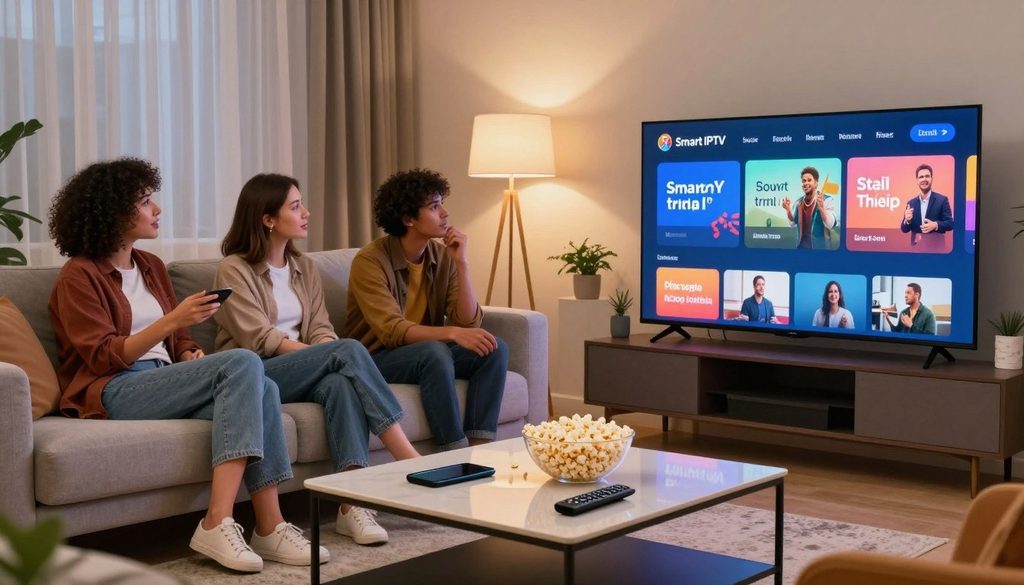
smart iptv trial
Key Takeaways
- Prioritize providers that offer clear terms of service and transparent billing practices.
- Always test the connection speed on your specific home network before signing up.
- Ensure your streaming device is fully compatible with the service interface.
- Evaluate the content library based on your personal viewing preferences.
- Use a secure payment method to protect your financial information during the process.
What a Smart IPTV Trial Includes for U.S. Viewers
Knowing what a smart IPTV trial offers is key for anyone wanting to improve their home entertainment. These trials let you test a service’s reliability and content variety without spending money. They are a safe way to see if a service meets your needs before committing financially.
How IPTV Trials Differ From Long-Term Streaming Subscriptions
Trials are for testing purposes only, not for long-term use. Unlike subscriptions, which offer full access for months or years, trials are short and limited. Providers set these limits to let you check the stream quality without spending a lot.
Typical Trial Features: Live Channels, Video on Demand, and Electronic Program Guides
Trials usually come with a variety of features to show off the service’s capabilities. You can watch a wide range of live channels, from local news to international sports. They also offer a Video on Demand (VOD) library and an Electronic Program Guide (EPG) to make finding your favorite shows easy.
| Feature | Trial Access | Full Subscription |
| Duration | 24 to 48 Hours | 1 to 12 Months |
| Channel Access | Limited/Full | Full Access |
| Support Priority | Standard | Premium/Dedicated |
| Cost | Free or Nominal | Standard Monthly Fee |
What Information a Provider May Request During Sign-Up
When you sign up for a free iptv trial, you’ll need to give basic contact details. This usually includes a valid email address and sometimes your device’s MAC address or app ID. Always be careful and don’t share sensitive financial info unless you’re sure the provider is legit.
Trial Length, Activation Details, and Account Limits
A free iptv trial usually lasts from a few hours to a couple of days. After you request a trial, the provider will send you instructions on how to activate it. These might include entering a specific M3U link or portal URL into your player. Remember, trials often have strict limits, like only allowing use on one device, to prevent unauthorized sharing.
Check U.S. IPTV Legality Before Starting a Trial
Many users forget the importance of licensing when looking for the best iptv provider 2026 ultimate guide for us users. Knowing the legal rules is key for anyone looking into new streaming options in the U.S. This step keeps your data safe and ensures a smooth viewing experience.
Why Content Licensing Matters for IPTV Services
Content licensing is the heart of the legal streaming world. When a provider has valid licenses, they can legally show specific channels and programs. This legitimacy makes sure creators and networks get paid fairly for their work.
Without the right licenses, services might shut down suddenly or face legal trouble. This can leave users without service. Choosing a trusted provider is crucial for reliability.
How to Distinguish a Licensed Service From an Unauthorized Provider
Finding a real service versus a fake one takes some effort. Licensed providers have professional websites with clear contact info. They also share detailed terms of service and privacy policies.
On the other hand, fake providers hide their location and lack clear ownership info. They might use simple names and not share much about their deals. Always check for official support and business details before signing up.
Warning Signs of Questionable IPTV Trial Offers
Some signs should make you cautious when looking at a service. If an offer seems too good, it might be a trap. Knowing these signs helps avoid services that could harm your security or not keep their promises.
Unusually Low Prices, Unverified Channel Claims, and Anonymous Payment Requests
Be careful of services that offer lots of channels for very little money. These unusually low prices often mean they don’t have the right to show these channels. Also, be skeptical of claims about access to many premium channels at once.
Another red flag is asking for payments in secret ways, like crypto or gift cards. Real businesses use safe payment methods. The table below shows the main differences between good services and bad offers.
| Feature | Licensed Provider | Unauthorized Provider |
| Payment Methods | Credit Cards, PayPal | Crypto, Gift Cards |
| Website Quality | Professional, Detailed | Generic, Minimalist |
| Support Access | Live Chat, Email, Phone | None or Anonymous |
| Legal Standing | Fully Licensed | Unverified/Illegal |
By following the best iptv provider 2026 ultimate guide for us users, you can find your way safely. Always choose services that are open and follow the law to keep your streaming safe and working well.
Compare Smart IPTV Trial Providers Before Choosing One
Finding the right streaming service can be tough. When you discover the best iptv with epg for us viewers today, your viewing will be better. It’s smart to compare before you start a trial to avoid trouble.
Evaluate Channel Categories Relevant to U.S. Households
A good service should have content that Americans like. Look for lots of local news, national networks, and sports. Access to a reliable Electronic Program Guide (EPG) helps you find what you want easily.
Compare HD, Full HD, and 4K Streaming Availability
Good picture quality is important. Check if the service really offers high-definition. Make sure they can stream in consistent 4K for big events.
Review Simultaneous Stream Limits and Household Policies
Families often stream on many devices at once. Check how many devices can stream at the same time. Some services only work on one IP address, which might limit mobile streaming.
Assess Customer Support, Refund Terms, and Service Transparency
Good customer support is key. Test their help through live chat or email. Also, look for clear refund policies and billing.
| Feature Category | Standard Service | Premium Provider |
| Channel Variety | Basic Local/National | Full U.S. Sports & News |
| Streaming Quality | HD Only | 4K/Full HD Support |
| Simultaneous Streams | 1 Device | 3 to 5 Devices |
| Support Access | Email Only | 24/7 Live Chat |
This guide helps you choose the best iptv provider 2026 ultimate guide for us users. Focus on these points to find a service that’s good for your family.
Prepare the Internet Connection for a Reliable IPTV Trial
A stable internet connection is key for a good smart iptv trial. Without it, even the best streaming services can’t deliver quality video.
Measure Download Speed and Network Stability
Before starting, do a speed test with a reliable tool. Look for high download speeds and low latency, or “ping.”
High latency can cause annoying delays or stuttering. Aim for consistent speeds all day, not ones that change a lot.
Use Ethernet or Strong Wi-Fi for Streaming Devices
Connect your streaming device directly to your router with an Ethernet cable. This avoids the interference Wi-Fi signals can have.
If Wi-Fi is needed, keep your device near the router or use a mesh network. A strong signal is key for a good smart iptv trial experience.
Understand Bandwidth Needs for Multiple Viewers
Streaming TV uses a lot of bandwidth, especially when others are online too. If others are gaming or downloading, your streaming quality might suffer.
Approximate Speed Requirements for HD and 4K Playback
For a smooth experience, check these minimum speed recommendations:
| Quality Level | Recommended Speed |
| Standard Definition (SD) | 5 Mbps |
| High Definition (HD) | 10-15 Mbps |
| 4K Ultra HD | 25 Mbps or higher |
Reduce Buffering Caused by Router Placement and Network Congestion
Physical barriers like walls can weaken your Wi-Fi. Place your router in a central, elevated spot for better coverage.
Network congestion happens when too many devices share the same bandwidth. During your smart iptv trial, turn off unused devices to improve your streaming.
Confirm Device Compatibility Before Activating the Trial
Make sure your home entertainment setup is ready for a new streaming service. Before starting a smart iptv trial, check if your hardware can run the needed apps. This quick check ensures a smooth viewing experience from the start.
Smart TVs From Samsung, LG, and Vizio
Most smart TVs have app stores for streaming software. Samsung TVs use Tizen, LG has webOS, and Vizio uses SmartCast. Some Vizio TVs might need you to cast from a mobile device instead of installing an app.
Streaming Devices Including Roku, Amazon Fire TV, and Apple TV
Streaming devices like Amazon Fire TV Stick are great for a smart iptv trial. Roku and Apple TV also work well, but check if your provider has an app for these platforms.
Android TV, Google TV, iPhone, iPad, and Windows Compatibility
Android systems, including Google TV, are very flexible for IPTV users. They let you sideload apps if they’re not in the store. Mobile devices and Windows PCs also support various players, perfect for testing on the go.
Why App Availability Can Vary by Device and Region
App stores can be limited by location and agreements. An app might be available in the US but not elsewhere. Older devices might not handle modern streaming well.
“Compatibility is not just about whether an app installs; it is about whether the hardware can decode the stream without stuttering or losing synchronization.”
— Digital Streaming Analyst
Check Whether the Provider Supports the Preferred Player Application
Not all providers support every player. Make sure your provider’s apps match your preferred player before starting your smart iptv trial. Many services need specific players like TiviMate or IPTV Smarters. Always check if your provider has a guide for your chosen app to avoid issues.
| Device Category | Common OS | Compatibility Level |
| Smart TVs | Tizen, webOS | Moderate |
| Streaming Sticks | FireOS, RokuOS | High |
| Mobile/PC | iOS, Android, Windows | Very High |
Start a Smart IPTV Trial Safely and Efficiently
Starting a smart iptv trial needs careful steps to keep your data safe. By following a clear path, you can smoothly start your streaming journey. This way, you don’t risk your digital security.
Open the Provider’s Official Website and Review the Trial Terms
First, go straight to the provider’s official website. Stay away from suspicious pop-up ads or third-party links that promise a free iptv trial. These can lead to unsafe sites. Read the terms of service carefully to know what’s expected of you.
Create an Account With Accurate Contact Information
When you sign up, give correct contact details like a real email address. This way, you get important account updates and password resets. Use a dedicated email for these services to keep your main inbox tidy and safe.
Select a Trial Plan Without Accepting Unclear Recurring Billing
Providers often offer a short trial to show off their channels. Be careful when picking a plan. Some services might sign you up for ongoing payments right away. Look for options that let you test without long-term costs.
Review Renewal Dates, Cancellation Rules, and Payment Authorization
Before you sign up, check the renewal dates and cancellation policies. It’s important to know how to stop payments before they start. Check your payment settings to avoid surprise charges from your bank or card.
Record Login Credentials and Activation Instructions Securely
After your account is set up, save your login info in a secure place. Keep the activation steps, like M3U links, somewhere safe. Having these ready makes fixing any connection problems easier later.
Set Up the IPTV Application on a Streaming Device
Setting up your streaming device is key to enjoying your smart IPTV trial fully. After signing up, how well your device works with the provider’s servers matters a lot. The right setup means you can watch your favorite shows without any problems.
Install the Provider’s Recommended Application
Most providers recommend certain apps for their services. Apps like IPTV Smarters, TiviMate, or XCIPTV are common. You can find them on the Amazon Appstore or Google Play. Make sure to download them from official sources to keep your device safe.
Enter the M3U Playlist, Xtream Codes, or Portal Details
After installing the app, you need to enter your connection details. You’ll get an M3U URL, Xtream Codes, or a portal link from your provider. Putting in these details correctly is crucial for your smart iptv trial to work.
Complete Account Verification and Load the Channel Guide
After saving your details, the app tries to connect to the server. You’ll see a progress bar as it downloads the channel list and EPG. This might take a few minutes, depending on how many channels you have.
Resolve Incorrect Credentials, Expired Links, and Loading Errors
If the app won’t load, check your details for mistakes. A small error can stop the connection. If you get an “Expired Link” error, contact your provider right away. Loading errors can also happen due to network issues or server maintenance.
“A stable connection is the foundation of a high-quality streaming experience; always verify your network settings before troubleshooting application errors.”
Configure Language, Time Zone, Parental Controls, and Playback Settings
Customizing your settings makes your viewing experience better. Set your time zone to see the right TV schedules. Also, turn on parental controls to keep your device safe if you share it with kids.
| Setup Method | Ease of Use | Security Level | Best For |
| Xtream Codes | High | High | Advanced Users |
| M3U Playlist | Medium | Moderate | Quick Setup |
| Portal URL | High | High | Dedicated Boxes |
Lastly, tweak your playback settings to match your internet speed. Choosing the right hardware decoder can improve video quality. These steps will enhance your smart iptv trial experience.
Test the Smart IPTV Trial With U.S. Viewing Needs
It’s important to test your connection to find the best IPTV with EPG for U.S. viewers. A structured approach helps you see if the service fits your household’s viewing habits. This is before you commit to a long-term plan.
Check Local, National, Sports, News, and Entertainment Channels
First, check if the provider has the content you watch most. Local broadcast affiliates and major national news networks are key for U.S. households.
Look at sports categories to see if your favorite leagues are in high definition. Consistency is key when checking if entertainment channels load quickly and stay stable during your viewing hours.
Test the Electronic Program Guide for Accuracy
An Electronic Program Guide (EPG) is crucial for navigating live TV. During your smart iptv trial, make sure the guide shows the right show titles and start times for your time zone.
If the EPG data is missing or often wrong, it might mean the provider doesn’t maintain it well. A good guide should update automatically as you switch between channels.
Compare Live Playback, Catch-Up TV, and Video-on-Demand Performance
Check how smoothly the stream moves between live and on-demand content. Catch-up TV should let you revisit shows from the past few days without lag or audio issues.
Assess Picture Quality During Peak Evening Hours
Streaming quality can change when network traffic is high. Test your service between 7:00 PM and 10:00 PM. See if the picture stays clear or if it gets pixelated and buffers. Stable performance during these busy times shows a quality service.
Test Multiple Devices Only Within the Provider’s Allowed Limits
Most providers limit how many devices can stream at once. Use your smart iptv trial to see if the service enforces these limits on your smart TV, tablet, and mobile phone.
Make sure logging into a new device doesn’t cut off your main streaming unit. Following these limits helps you understand the true capacity of the subscription plan you’re considering.
Review the Smart IPTV Trial ChromaIPTV Option Carefully
Exploring streaming services means looking closely at each smart iptv trial chromaiptv option. It’s crucial to check the details of any service before signing up. This ensures a safe and enjoyable experience.
What to Verify When Searching for a Smart IPTV Trial ChromaIPTV Offer
When searching for a smart iptv trial chromaiptv, focus on providers with a professional website. Look for clear contact info, a support portal, and a clear privacy policy. These signs often mean the service is run by a real company, not an unknown entity.
How to Evaluate a Free IPTV Trial ChromaIPTV Advertisement
Many seek a free iptv trial chromaiptv to test without paying upfront. But, beware of ads that promise too much without needing to sign up officially. Real services usually have a clear sign-up process on their main site.
Confirm the Official Sign-Up Channel, Trial Duration, and Included Features
Make sure you’re on the official site before sharing personal info. A good provider will clearly state the free iptv trial duration and what’s included. If the offer seems too good, like free premium sports, it might not have the right licenses.
Check Whether the Offer Clearly Identifies Billing and Cancellation Conditions
It’s key to know about future costs. Check if the trial turns into a paid service after it ends. A reliable provider will make it easy to cancel before you’re charged.
Compare ChromaIPTV Claims With Independent Service and Compatibility Evidence
Lastly, compare what the provider says with what others say. See if the service works with your devices, like Android TV or Fire Stick. Use the table below to spot the real offers from the risky ones.
| Feature | Reliable Provider | Questionable Provider |
| Sign-up Process | Official Website | Third-party links |
| Billing Terms | Clearly Stated | Hidden or Absent |
| Support Access | Email or Ticket | None Provided |
| Trial Duration | Fixed and Defined | Vague or Unlimited |
Identify Buffering, Channel, and Billing Problems During the Trial
When your streaming experience falters, finding the root cause is key. A smart iptv trial is a great time to test service reliability before paying. You can figure out if the problem is with your network or the provider.
Diagnose Buffering Through Speed, Wi-Fi, and Server Testing
Buffering often comes from local network congestion, not the service provider. Start by running a speed test to check if your connection is good enough for HD streaming. Switching from Wi-Fi to a wired Ethernet connection can help avoid signal interference and keep your stream stable.
If the problem still exists, try using a different network, like a mobile hotspot. If it works fine elsewhere, your home router or ISP might be the issue. Make sure the provider has multiple server locations for the best connection in your area.
Handle Missing Channels, Incorrect EPG Data, and Audio Problems
Minor issues like missing channels or outdated program guides are common during a smart iptv trial. First, try clearing the cache of your IPTV app and reload the playlist URL. This often updates the app with the latest data from the server.
For audio issues, check your device’s sound settings to match your hardware. If certain channels are missing, check if your subscription includes them. Persistent errors with the EPG usually mean a server-side update delay that the provider needs to fix.
Contact Support With Device, App, and Error Details
If you can’t fix the problem yourself, contact the provider. Give them clear, detailed information to help them solve your smart iptv trial issues quickly. Include your account username and a detailed problem description to avoid back-and-forth.
Information to Collect Before Opening a Technical Support Request
- The specific model of your streaming device or Smart TV.
- The name and version of the IPTV application you are using.
- A screenshot or photo of the exact error code displayed on your screen.
- A list of specific channels or timeframes when the problem occurred.
Cancel the Trial Promptly When the Service Does Not Meet Expectations
If problems persist after contacting support, end your smart iptv trial. A service with ongoing technical issues is unlikely to improve after you pay. Prompt cancellation prevents unwanted billing and lets you find better alternatives.
Always check the provider’s cancellation policy to cancel correctly. Keeping a record of your cancellation request is a smart practice to avoid future disputes. If the service doesn’t meet your standards, look for a provider that values your viewing experience.
Choose the Right IPTV Plan After Testing the Trial
Choosing a permanent IPTV plan is a big decision. It should be based on what you learned during your smart iptv trial. This way, you avoid paying for things you don’t use.
Match the Plan to Household Viewing Habits and Device Use
Think about which devices you used most during your trial. If you mostly stream on a Smart TV, make sure the provider has a good app for it.
Consistency is key when checking your habits. If you only watch news and sports on weekends, you don’t need thousands of channels. Stick to what you actually watch.
Prioritize Reliable U.S. Content Over Inflated Channel Counts
Many services boast about having lots of channels. But, quality often takes a hit for the sake of quantity. To discover the best iptv with epg for us viewers today, focus on the reliability of local and national networks.
“Reliability in streaming is not measured by the number of channels, but by the uptime and clarity of the content you actually watch.”
Industry Streaming Analyst
Compare Monthly, Quarterly, and Annual Pricing With Renewal Terms
Pricing plans vary a lot. It’s important to look beyond the initial cost and think about the long-term commitment.
| Plan Duration | Cost Efficiency | Renewal Risk |
| Monthly | Higher | Low |
| Quarterly | Moderate | Medium |
| Annual | Best Value | High |
Why a Longer Subscription Should Require Stronger Evidence of Reliability
Going for an annual plan can save money, but it’s riskier. Only do it if the service was reliable during your trial.
If the service had a lot of buffering or missing EPG data, a monthly plan is safer. Never commit to a long-term contract based on promises or unverified claims.
Use Trial Results to Select a Suitable IPTV Provider in 2026
When looking for the best iptv provider 2026 ultimate guide for us users, remember your personal experience is key. Use your trial notes to compare providers and see which fits your needs best.
A provider that offers consistent performance, accurate EPG data, and good support is worth more than a cheaper service with outages. By choosing wisely, your entertainment setup will be reliable all year.
Conclusion
Choosing a good service means looking at legal stuff, network quality, and if it works with your devices. A smart iptv trial lets you check if channels and guides are good before you pay for a lot of time.
It’s important to pick a service that’s open about its legal stuff and how it charges. Whether you’re trying out a smart iptv trial chromaiptv deal or looking at other options, aim to find one that fits your family’s viewing style.
Testing how well it works and how good the customer support is helps you make a smart choice. This guide for 2026 shows that trying it out yourself is the best way to avoid problems. By checking these things, you can get a top-notch entertainment service that fits your family’s needs all year.
FAQ
How can a viewer safely start a smart iptv trial in the United States?
To start a smart iptv trial safely, first check the provider’s official website. Look for clear billing terms and device compatibility. Also, check the provider’s reputation for service uptime.Use a secure connection and review the cancellation policy before sharing personal info. This way, you can try the service without risking money.
What features are typically included in a free iptv trial?
A free iptv trial usually offers live TV channels, Video on Demand (VOD), and an Electronic Program Guide (EPG). These features show the platform’s interface and channel variety. Most trials also specify account limits, like how many streams you can use at once.
How does a user discover the best iptv with epg for us viewers today?
To find the best iptv with epg for us viewers today, look for providers with accurate, real-time program listings. A good EPG should include detailed show descriptions and correct time zones. It should also work well with the playback interface.Testing the EPG during a trial is the best way to see if it meets your needs.
What should be verified when considering a smart iptv trial chromaiptv offer?
Before starting a smart iptv trial chromaiptv, make sure you sign up through the official channel. This avoids scams. Check if the trial includes all premium features and if it’s long enough.Look for independent reviews of service quality and check device compatibility for ChromaIPTV. This ensures a smooth test.
Are there risks associated with a free iptv trial chromaiptv advertisement?
While a free iptv trial chromaiptv might seem good, be careful of unclear billing and cancellation terms. Some ads might lead to unauthorized payments or false channel promises. Look for providers with clear terms and no hidden fees.
Which devices are compatible with a smart iptv trial?
Many devices work with a smart iptv trial, including smart TVs and streaming devices. Roku, Amazon Fire TV, Apple TV, and Google TV are supported. Also, Android and iOS devices, as well as Windows computers, are compatible.Always check if your device is supported by the provider’s system.
What internet speed is required for a reliable streaming experience?
For a stable smart iptv trial, you need at least 25 Mbps for HD content. For 4K or multiple devices, 50 Mbps to 100 Mbps is better. Use Ethernet or a strong Wi-Fi signal to avoid buffering.
How can a viewer identify the best iptv provider 2026 ultimate guide for us users?
To find the best iptv provider 2026 ultimate guide for us users, look for reviews that focus on reliability and customer support. Ignore just high channel counts. A good guide will analyze performance and compare plans based on verified trials.
What steps are involved in setting up the IPTV application after account activation?
After getting a free iptv trial, install the recommended app on your device. Enter the M3U playlist or portal details. Verify your account and set up your preferred language and parental controls.
What should a user do if they experience buffering or missing channels during a trial?
If you face issues during a smart iptv trial, first check your network. Test your internet speed and server stability. If problems persist, contact the provider’s support with details about your device and the error.If the service doesn’t meet your expectations, cancel the trial to avoid future charges.

