
The Formuler Z10 is a compact streaming box for online video and compatible IPTV services. This Android streaming box can play 4K video and runs MYTVOnline 2, a live-TV application for compatible IPTV services. The box does not provide IPTV channels or programming on its own; a separate IPTV service supplies that content.
An EPG is an electronic program guide that displays scheduled programming. Picture quality depends on a suitable internet connection and compatible content, not just the box’s 4K output. ChromaIPTV may offer a free IPTV trial, but trial availability and terms come from the provider, not the device.
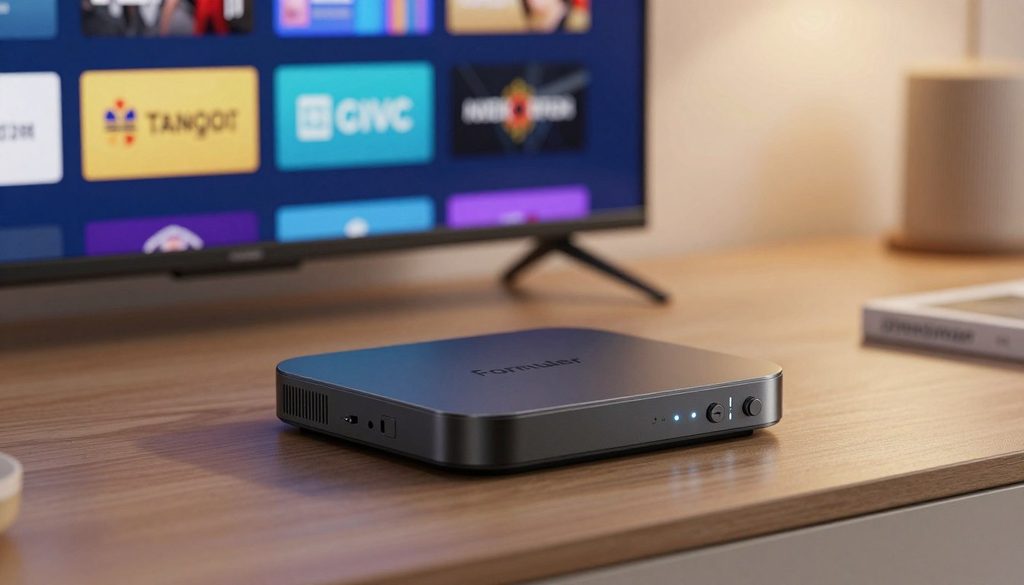
formuler z10
Key Takeaways
- The box plays compatible apps and online media.
- MYTVOnline 2 supports compatible live TV and VOD.
- An IPTV service supplies channels, programming, and EPG data.
- 4K and HDR need compatible content and a suitable television.
- Check app and service support before buying.
The following sections cover its hardware, setup, picture features, and the service requirements that shape everyday use.
What Is the Formuler Z10 Used For?
A viewer can connect the box to a television, open a video app, and play compatible media. It is a player, not a channel package, so an IPTV service or streaming app must supply the programming.
The standard Formuler Z10 uses a Realtek RTD1319 CPU and ARM G31 MP2 GPU. Its 2 GB of RAM and 8 GB of listed internal storage define the standard model, not the Pro Max.
The box runs apps and compatible media, but it does not supply programming. The standard model has 2 GB RAM and 8 GB listed internal storage.
Core hardware and everyday use
The CPU handles app tasks, while the GPU helps decode and display video. Together, they support everyday streaming and media playback when an app and its content work with the device.
The Formuler Z10 specs list 2 GB DDR4 RAM at 2400 MHz. RAM is working memory for apps, while eMMC storage holds apps and other device data.
The listed 8 GB is total internal capacity, not a promise that all 8 GB are free for apps. Android and preinstalled software also use device storage.
Its maximum output resolution is 4K, or 3840 x 2160 pixels. That figure describes the device’s output capability, not the resolution of every stream.
How the Z10 family models differ
The Pro models add storage, and the Pro Max also adds RAM. The compact comparison below keeps those model differences clear.
| Model | RAM | Internal storage |
| Formuler Z10 | 2 GB | 8 GB |
| Formuler Z10 Pro | 2 GB | 16 GB |
| Formuler Z10 Pro Max | 4 GB | 32 GB |
Buyers should not mistake the Pro Max’s 4 GB RAM and 32 GB storage for standard Z10 features. The standard model may suit a household that mainly streams, while extra storage can help users who need more room for apps.
Those hardware details describe what the box can run; its picture quality depends on the video formats and display it can use.
How Do the Formuler Z10’s 4K and HDR Features Work?
A 4K television alone does not make every stream 4K. The box can decode compatible 4K video at up to 60 fps, but the stream must also support it.
4K needs compatible 4K content and a compatible television; HDR needs compatible HDR content and an HDR display. An app, channel, or video may use a lower resolution or may not offer HDR.
Supported video formats and frame rates
The device lists decoding for 4K at 60 fps, or frames per second. Its supported codecs include AV1, H.265/HEVC, H.264/AVC, AVS, Real, MPEG1/2/4, and VC-1.
These codec names describe ways video can be compressed and played. They do not promise that every app will accept every file or stream.
Listed picture formats include HDR10+ and HLG, along with 4K 10-bit video at 60 fps using H.265 and AV1. A service still needs to deliver a format the app can play.
When HDR will make a difference
HDR can show a wider range of light and color when the entire playback chain supports it. The television, video, and app must all handle the same HDR format.
Ordinary non-HDR video does not become HDR just because the box supports HDR. A viewer also should not assume every channel offers 4K or HDR.
Some content may be missing from certain channels or may require payment. The service decides what it offers, while the television determines which picture formats it can display.
These display limits make the physical connection important, starting with an HDMI cable and the ports included with the box.
What Comes With the Box and How Does It Connect?
Before unpacking, a buyer should confirm that the television has an available HDMI input. The HDMI connection carries video to the screen, while power and network access use separate connections.
The listed standard-box contents are a media receiver, remote control, TV cable, power adapter, batteries, and quick setup guide. The package lists one HDMI port, one USB 3.0 port, one LAN port, and one power input.
| Connection or item | Count | Practical role |
| HDMI | 1 | Connects the box to a television |
| USB 3.0 | 1 | Connects compatible accessories |
| LAN | 1 | Provides a wired network connection |
| Power input | 1 | Connects the 12 VDC / 1 A adapter |
The standard Z10 measures 94 x 94 x 16.5 mm, so it takes little space near a television. Its maximum power use is 12 W, with maximum standby power of 0.5 W.
The LAN port is for a wired network connection. The USB port can serve compatible accessories, but buyers should check accessory support before ordering one.
The Z10 Pro Max package separately lists a GTV-IR1 learning remote and remote-control extender. The standard Z10’s listed contents do not confirm either item.
Package details can vary by seller. Buyers should check the exact box contents before purchasing a learning remote, extender, or other accessory.
Once the cables are in place, the next task is completing the software and network setup.
How Do You Set Up the Formuler Z10?
Before starting, have the television, internet connection, and IPTV service connection details ready. The first setup is a short sequence, but the provider’s connection method determines which details the viewer needs.
The box runs Android 10 and includes MYTVOnline 2. IPTV setup fields vary by service and app version, so users should not guess at portal addresses or credentials.
First boot and network connection
- Connect the box to the television with HDMI, then connect the power adapter.
- Choose Wi-Fi or Ethernet to connect the box to the internet.
- Complete the on-screen Android setup and check for available software updates.
- Open MYTVOnline 2 and enter the connection details from the chosen IPTV service.
- Test the EPG and playback before changing other settings.
The included quick setup guide covers the first connection. For exact menu labels, users can consult that guide or the current Formuler Z10 manual and device instructions.
Regular over-the-air software updates are available. A check for updates can help ensure the device has the current software offered for it.
Add a compatible IPTV source
MYTVOnline 2 needs connection details from an IPTV service that supports the app. The provider may give a specific setup method, so users should follow its instructions rather than copy details from another service.
Some services use different fields or connection types. Those steps can also change with app updates, which is why the exact labels should come from current device instructions.
Users should keep service details private and enter them only through the intended app. They should contact the provider if required information is missing or playback fails.
Testing both the guide and a stream can reveal missing details early. Once those work, the useful question is what the apps and service actually provide.
Which Apps and IPTV Features Can It Run?
The box and the IPTV service do different jobs: the service supplies the programming, while the box runs compatible apps. The Formuler Z10 does not include channels or programming.
MYTVOnline 2 supports compatible live-TV and VOD use. Channel access, EPG data, app compatibility, and playback all depend on the service and its permissions.
MYTVOnline 2 for live TV and on-demand viewing
MYTVOnline 2 is the live-TV application included with the standard box. It can organize compatible IPTV streaming, live channels, and VOD, which means video on demand.
An EPG can show scheduled programming when the IPTV service supplies usable guide data. Guide coverage may differ by channel, and some listings may not appear.
The app does not create a channel lineup or replace an IPTV subscription. IPTV apps and services must support a connection method that works with the device.
Widevine L1/L3 support does not guarantee that every streaming app certifies the device for HD or UHD playback. Each app sets its own playback and certification rules.
What the IPTV provider supplies
The provider controls which IPTV channels and VOD titles are available. It also sets access rules and may supply the connection details needed by MYTVOnline 2.
Before subscribing, a buyer can check four practical points:
- Supported connection method for MYTVOnline 2.
- Available channels and VOD titles.
- EPG coverage for the channels the household watches.
- Trial terms or the IPTV subscription terms.
A provider such as ChromaIPTV may offer a free IPTV trial. Trial availability, duration, and conditions must be confirmed directly with that provider.
A trial does not show that every channel or feature will work in every home. Buyers should ask which devices and connection methods the service supports before paying.
The app and service set the viewing options; network limits, storage, and accessories can also shape the experience.
What Network and Storage Limits Should Buyers Know?
A viewer near the router can connect the box by Ethernet, while a television across the room may use Wi-Fi. Each option has a trade-off: a cable gives a direct link, while Wi-Fi avoids running a cable.
The standard Z10 has dual-band 2×2 AC Wi-Fi, Bluetooth 5.0, and 100 Mbps Ethernet. A 100 Mbps port does not promise a particular streaming speed or playback result.
Actual Wi-Fi performance depends on the home network environment, including distance and interference. Wired Ethernet can suit a box near the router, but the service and internet plan also affect playback.
Its 8 GB internal storage can limit how many extra apps and files a household keeps on the device. Users who expect to add many apps should consider their available storage needs.
Optional USB tuners are listed for some broadcast standards. These add-on devices are not the same as an IPTV service and do not supply internet channels.
Listed optional ATSC USB tuners include Hauppauge WinTV-HVR-955Q models 2040:b123 and 2040:b150. The Hauppauge WinTV-dualHD model 2040:026d is also listed for ATSC.
Listed DVB-T USB tuners include Hauppauge WinTV-dualHD 2040:8265, Geniatech MyGica T230 Black 0572:689A, and Geniatech OEM T230 White 0572:c68a.
The Xbox One Digital TV Tuner 045E:02D5 is another listed DVB-T option. Buyers should match the tuner standard to their region and broadcast system.
Tuner support and broadcast access depend on region, signal, and compatible content. A tuner is not a substitute for an IPTV subscription, and local reception can vary.
After choosing a connection and any needed accessories, buyers can weigh the device cost against the rest of the setup.
How Does the Formuler Z10 Compare on Price and Value?
The box’s purchase price is only one part of an IPTV setup. The device cost and service cost are separate, and each depends on the seller or provider.
No verifiable current Formuler Z10 price is established by the product details here. Buyers should check a current US retailer listing and the final checkout total, including applicable taxes, shipping, and payment terms.
Separate the one-time device cost from service costs
A device purchase pays for the hardware, not an IPTV subscription. The IPTV service may charge separately for access to channels, VOD, or other programming.
A free trial does not set the later subscription price. Buyers should read the provider’s trial conditions, renewal terms, and payment details before signing up.
The final payment amount can change with taxes, shipping, or the seller’s payment plan. A listing price alone may not show the full amount due at checkout.
Decide whether a Pro model is worth considering
The standard Z10 lists 2 GB RAM and 8 GB storage. The Pro lists 2 GB RAM and 16 GB storage, while the Pro Max lists 4 GB RAM and 32 GB storage.
Those differences matter most to buyers who need more room for apps or want the Pro Max’s extra memory. A higher model is not automatically better for someone who mainly streams.
Buyers should also compare the connections and accessories included in the exact model package. Package contents can differ, so a feature or remote listed for one model should not be assumed for another.
A value check should include hardware, any service payment, and the connections the household needs. The best fit depends on those costs and the way the box will be used.
That cost picture leads to a practical fit decision based on viewing habits and compatibility.
Is the Formuler Z10 a Good Fit for Your Setup?
The standard model can suit viewers who want an IPTV-focused interface and compatible 4K playback. Its value depends on whether the apps and service work for that household.
This Formuler Z10 review is a balanced assessment: it offers 4K decoding and MYTVOnline 2 in a compact box, with 2 GB RAM, 8 GB storage, and 100 Mbps Ethernet. Those limits matter if a household needs more app space or a different network setup.
The standard model makes sense when its apps, IPTV service, television, and network all fit. Its compact size cannot make an unsupported app or service work.
Who is likely to benefit from it?
It may suit someone who plans to use MYTVOnline 2 with a compatible IPTV service. It can also fit viewers who want one small device for supported online video apps.
Before ordering, a buyer can check four points:
- The desired apps work on the device.
- The IPTV provider supports the intended connection method.
- The television supports the desired picture format.
- Available storage and network access suit the household.
That checklist can prevent a mismatch between the box and the home setup. For example, a 4K television cannot fix an app that sends only lower-resolution video.
When another streaming device may suit better
A Formuler box is not automatically better than a Firestick. The choice depends on app support, the IPTV interface a viewer wants, available ports, and network needs.
A different device may fit better when the needed apps do not support this model or when a household wants another interface. Buyers should check app support before choosing by brand alone.
The box is hardware, and its legal use depends on the services and content used with it. Viewers should choose lawful providers and authorized content.
The final choice comes down to compatibility: check the intended apps and service connection details before ordering.
Conclusion
The standard Z10 is most compelling when its apps, IPTV service, and television are confirmed compatible. It can handle supported streaming and compatible content, but the hardware includes neither channels nor guaranteed app certification.
A free trial may help test a provider, but its terms do not promise future access or a set subscription price. The clearest next step is to confirm app support and service connection details before ordering.
FAQ
Is Formuler Z10 good for IPTV?
Yes, the Formuler Z10 can run compatible IPTV through MYTVOnline 2, but it includes no channels or programming. The IPTV service must support a connection method the app can use. Buyers should check channel access, guide coverage, and payment terms with the provider. A working internet connection and compatible streams also affect playback.
What is the newest Formuler IPTV box?
The newest Formuler IPTV box cannot be identified from the Z10 family details alone. Those details describe the standard Z10, Z10 Pro, and Z10 Pro Max, but they do not establish the current newest model. Formuler’s current product catalog can show which models the company sells now. Buyers should compare current product details before choosing.
How to add IPTV to Formuler?
Users add IPTV by opening MYTVOnline 2 and entering connection details from a compatible IPTV provider. The provider determines which details and connection method it supports. Exact fields and steps can vary by service and app version. Users should follow current device instructions and provider guidance, rather than guessing at portal addresses or login details.
What is Formuler Z10 used for?
The Formuler Z10 is an Android 10 media streaming box for compatible online video and IPTV apps, with 4K output capability. It runs apps rather than supplying its own channels. MYTVOnline 2 can play compatible live TV and VOD when a separate service supports it. A suitable television, connection, and stream are also needed.
Which Formuler IPTV box is best?
The best Formuler IPTV box depends on the viewer’s storage, memory, and connection needs. The standard Z10 has 2 GB RAM and 8 GB storage, while the Pro and Pro Max have more storage. The Pro Max also has more RAM. Buyers should confirm the required connections and app support before paying for a higher model.
Is a Formuler box better than a Firestick?
There is no universal winner between a Formuler box and a Firestick. The right choice depends on app compatibility, the IPTV interface the viewer wants, ports, and network needs. A buyer should check that the desired apps work on the exact device model. The choice should also fit the television and the home network.
Is the Formuler TV box legal to use?
The Formuler TV box is hardware, and its legality depends on the services and content used with it. The device does not make every stream lawful or authorized. Viewers should choose lawful providers and content they have permission to access. They should also review provider terms before paying for an IPTV subscription.
Are Formuler boxes good?
Formuler boxes may suit viewers who want MYTVOnline 2 and compatible 4K playback. App certification and provider support can vary, so buyers should confirm both before ordering. The standard Z10’s 2 GB RAM and 8 GB storage may also limit users who need more app space. Its fit depends on the household’s viewing needs.

