
Finding software to manage digital streams helps create a smooth viewing experience. This article compares the top iptv players for FireStick, Android, and Windows devices in 2026.
Many users ask, what is iptv and how does it work? a beginner guide. These apps organize and display media, but they do not provide the streams.
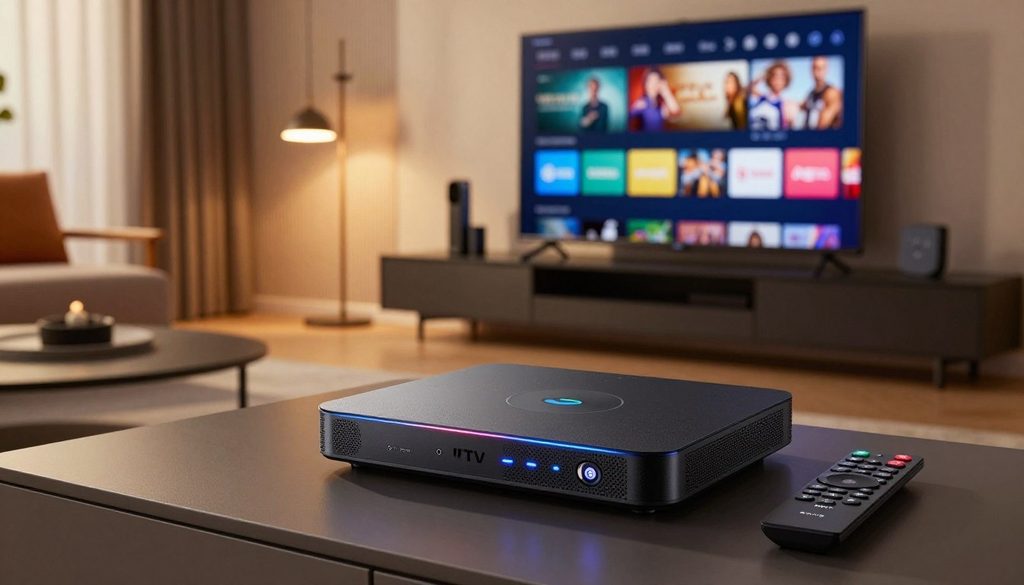
IPTV Players
Our analysis focuses on key factors for viewers in the United States. We rate each option for device compatibility, playlist management, and EPG integration. We also review privacy features and setup ease, helping you choose a solution for home entertainment.
Key Takeaways
- Applications act as interfaces to organize your digital media streams.
- These tools are separate from the actual content subscription services.
- Compatibility varies significantly across FireStick, Android, and Windows platforms.
- Effective EPG integration is vital for a user-friendly television experience.
- Privacy and security settings remain top priorities for modern streamers.
How IPTV Players Work and What Users Need to Stream
Read what is iptv and how does it work? a beginner guide to understand the digital landscape. Streaming depends on software and a data feed that provides your content.
What IPTV Players Do With M3U Playlists and Portal Credentials
IPTV players connect raw data to your television screen. When you enter an M3U playlist or Xtream-style portal credentials, the app organizes channels, categories, and logos. It changes complex server data into an interface you can control with a remote.
Without these credentials, the player remains empty. It needs a valid source for stream URLs and metadata. After connecting, the player communicates with the server to keep your video stable and current.
Why the IPTV Player Is Separate From the IPTV Subscription
Many people wrongly believe the application and content provider are the same. The player is software installed on a device, such as a FireStick or Android TV. The subscription provides access to broadcast channels and video-on-demand libraries.
Think of the player as your television and the subscription as your cable provider. You can use almost any compatible player with different services when you have the correct login details. This flexibility lets you change providers without changing your preferred software interface.
Legal Considerations for IPTV Services and Free IPTV Trials
Choose your service provider carefully. Many legitimate options exist, but some distribute copyrighted content without permission. Unauthorized streams may cause service interruptions or security risks for your home network.
Many providers offer a free iptv trial so customers can test stream quality and channel choices. Check a service’s reputation before choosing a long-term plan. Protect your privacy and use legal, licensed content.
How EPG Support Improves Live TV Navigation for U.S. Viewers
Electronic Program Guides, or EPGs, help people who enjoy live television. They show what is airing now and what comes next. When you discover the best iptv with epg for us viewers today, you can manage time zones and plan viewing times.
For U.S. viewers, an accurate EPG can make viewing smooth instead of frustrating. It shows local news, sports, and entertainment listings at a glance. High-quality players sync this data automatically, keeping the guide accurate throughout the day.
How to Choose the Best IPTV Players in 2026
Choosing streaming software can feel overwhelming without clear standards. The right iptv players depend on your hardware and media library needs. Focus on core technical needs for smooth, reliable viewing.
Device Compatibility Across FireStick, Android, and Windows
First, check whether the app runs well on your preferred hardware. Many users choose the Amazon FireStick for portability, while others prefer Android TV boxes or a Windows PC. Compatibility is key for avoiding crashes and slow performance during high-definition playback.
- FireStick: Look for lightweight apps that optimize CPU and RAM usage.
- Android: Ensure the player supports various screen resolutions and touch or remote inputs.
- Windows: Prioritize software that integrates well with existing media codecs and network settings.
Playlist, Xtream Codes, and Stalker Portal Support
A versatile player should support several connection methods as your subscriptions change. Most modern services offer M3U playlists, Xtream Codes, or Stalker Portals. Check that your software supports all three formats for greater flexibility.
EPG Accuracy, Catch-Up TV, DVR, and Multi-Screen Features
When you discover the best iptv with epg for us viewers today, you can view program schedules in real time. A quality EPG (Electronic Program Guide) keeps channels organized and easy to navigate. Catch-Up TV and DVR support recording or replay, while multi-screen viewing shows several channels at once.
Privacy, Advertising, Updates, and Ease of Use
Security should remain a top priority when installing third-party software. Check whether the developer provides regular updates to fix security issues and improve performance. Also, avoid cluttered apps with intrusive ads that harm your viewing experience.
What to Check Before Starting a Free IPTV Trial
Before choosing a long-term subscription, test the service quality. Learning how to start a smart iptv trial in the united states lets you check stream stability and channel availability without financial risk. Keep this checklist in mind before starting a free iptv trial:
- Check for consistent stream speeds during peak evening hours.
- Verify that the channel list matches your specific regional interests.
- Test the EPG loading times to ensure the guide is responsive.
- Confirm that the customer support team is reachable if you encounter technical errors.
Best IPTV Players for FireStick
When you stream on a FireStick, your software choice can shape your viewing quality. Reliable iptv players help organize content and support smooth playback. Whether you use ChromaIPTV or another provider, the right interface matters.
TiviMate
Overview
TiviMate is a top choice for FireStick users. Its modern, simple interface feels like a traditional cable box.
Pros
- Highly customizable interface.
- Excellent EPG support and navigation.
- Supports multiple playlists and recording features.
Cons
- The premium version requires a paid subscription.
- Setup can be slightly complex for beginners.
Features
This player includes multi-screen viewing, scheduled recordings, and advanced sorting options. It suits users who want a polished look and feel.
IPTV Smarters Pro
Overview
IPTV Smarters Pro is a versatile app with broad compatibility. It is often recommended for iptv players chromaiptv configurations.
Pros
- User-friendly dashboard design.
- Supports Xtream Codes and M3U URLs.
- Includes parental control settings.
Cons
- The free version contains advertisements.
- Occasional bugs during heavy EPG updates.
Features
The app provides dynamic language switching and a strong search function. It balances simple controls with powerful features.
Sparkle TV
Overview
Sparkle TV uses a clean, minimalist design that works well with the FireStick remote. It is ideal for users who want a fast and responsive experience.
Pros
- Very lightweight and quick to load.
- Great integration with Android TV standards.
- Simple setup process for new users.
Cons
- Fewer advanced customization options than TiviMate.
- Limited theme variety.
Features
It offers a DVR function and a clean EPG layout. This player suits users who prefer simple media controls.
Kodi With PVR IPTV Simple Client
Overview
Kodi is a powerful media center that needs the PVR IPTV Simple Client add-on. It offers a flexible solution for advanced users.
Pros
- Completely free and open-source.
- Massive library of community add-ons.
- Highly extensible functionality.
Cons
- Steep learning curve for new users.
- Can be resource-heavy on older FireStick models.
Features
Kodi supports advanced media management and custom skins. It also supports specialized iptv players chromaiptv integrations for custom setups.
Best IPTV Players for Android Phones, Tablets, and TV
Android users can choose from many apps that make streaming easier. The right software keeps media organized and accessible on smartphones and Android TV boxes.
Televizo IPTV Player
Overview
Televizo suits users who want a clean, modern interface. It supports M3U playlists and Xtream Codes for many service providers.
Pros
- Extremely user-friendly design.
- Excellent support for multiple playlists.
- Fast channel switching capabilities.
Cons
- The free version includes advertisements.
- Advanced features require a premium upgrade.
Features
This player offers robust EPG support, parental controls, and a customizable interface. It works smoothly with services like iptv players chromaiptv.
OTT Navigator IPTV
Overview
OTT Navigator offers deep customization and powerful filtering tools. It handles large playlists with ease.
Pros
- Highly customizable layout settings.
- Advanced filtering for categories and channels.
- Stable performance on low-end hardware.
Cons
- The steep learning curve for beginners.
- Complex menu navigation.
Features
Users get multi-screen viewing, detailed EPG management, and automatic stream updates. It suits power users who want full content control.
XCIPTV Player
Overview
XCIPTV has a professional look that resembles traditional cable boxes. It is known for stability and support for external video players.
Pros
- Built-in support for external players like VLC.
- Professional, intuitive dashboard.
- Reliable performance during live broadcasts.
Cons
- Limited customization compared to other apps.
- Occasional bugs during major updates.
Features
The app includes a built-in catch-up TV function and sections for movies and series. It remains popular for its reliable interface.
IPTV Smarters Pro for Android
Overview
IPTV Smarters Pro is one of the industry’s best-known names. It manages live TV, VOD, and series through a complete set of tools.
Pros
- Wide compatibility with various streaming protocols.
- Support for multiple user profiles.
- Dynamic language switching.
Cons
- Heavy resource usage on older devices.
- Interface can feel cluttered for some users.
Features
It offers integrated speed testing, master search, and live content recording. This makes it a complete choice for Android streaming setups.
| Player Name | Best For | Interface | Ease of Use |
| Televizo | Casual Users | Modern | High |
| OTT Navigator | Power Users | Complex | Medium |
| XCIPTV | Cable Experience | Classic | High |
| IPTV Smarters | All-in-One | Feature-Rich | Medium |
Best IPTV Players for Windows PCs and Laptops
Windows users can choose from many tools for managing and streaming digital content. The best choice depends on whether they want a simple player or an interface for large channel lists.
VLC Media Player
Overview
VLC is a legendary open-source media player that handles almost any file format. It remains one of the most reliable iptv players for quick M3U file playback.
Pros
- Completely free and open-source software.
- Supports a massive range of video and audio codecs.
- Highly stable performance on all Windows versions.
Cons
- Lacks a dedicated electronic program guide (EPG) interface.
- Managing large channel lists can be cumbersome.
- No native support for advanced features like catch-up TV.
Features
Users can load M3U playlists through the network stream option. It offers robust playback controls, including aspect ratio changes and subtitle synchronization.
MyIPTV Player
Overview
MyIPTV Player is a dedicated app available through the Microsoft Store. It connects a standard media player with a full-featured television management system for iptv players.
Pros
- User-friendly interface designed for Windows.
- Built-in support for EPG data.
- Integrated favorites management for quick access.
Cons
- Requires manual configuration of playlist sources.
- Occasional sync issues with specific EPG providers.
Features
This player has integrated channel filtering and a dedicated favorites section. It also supports local recording, so users can save live streams directly to their hard drive.
IPTVnator
Overview
IPTVnator is a modern, lightweight choice among iptv players, built with web technologies. It offers a clean, simple streaming experience without unnecessary bloatware.
Pros
- Modern and intuitive user interface.
- Supports both M3U and Xtream Codes formats.
- Cross-platform compatibility ensures a consistent experience.
Cons
- Limited advanced customization options.
- Performance may vary depending on the size of the playlist.
Features
The software uses automatic playlist parsing and a clean search bar to find channels quickly. It suits users who value simplicity and speed.
Kodi With PVR IPTV Simple Client for Windows
Overview
Kodi is complete home theater software that turns a PC into a full media center. With the PVR IPTV Simple Client add-on, it becomes a powerful choice among iptv players for managing live television.
Pros
- Extremely customizable with various skins and add-ons.
- Full support for EPG, catch-up, and recording features.
- Centralized hub for all media types, including movies and music.
Cons
- Steep learning curve for new users.
- Can be resource-intensive on older hardware.
Features
Kodi offers advanced PVR functionality, including time-shifting and multi-screen support. It is the gold standard for users who want a complete, professional-grade television experience on their desktop.
| Player Name | Ease of Use | EPG Support | Best For |
| VLC | High | No | Quick Playback |
| MyIPTV | Medium | Yes | Windows Users |
| IPTVnator | High | Partial | Minimalists |
| Kodi | Low | Yes | Power Users |
Setup Tips for IPTV Players, EPG, and Smart IPTV Trials
Mastering installation and optimizing streaming tools creates a smooth viewing experience. Correct configuration supports stability for casual viewers and power users. When you discover the best iptv with epg for us viewers today, you unlock organized content that rivals traditional cable.
How to Install an IPTV Player on an Amazon FireStick
On your FireStick home screen, open the “Find” menu and search for the “Downloader” app. After installation, enable “Apps from Unknown Sources” in Developer Options. Then enter your preferred application’s URL to download and install its APK file.
How to Add a Playlist or Xtream Codes Login on Android
Android devices offer flexible media management. Most iptv players let you enter an M3U URL or Xtream Codes credentials in settings. Select “Add Playlist,” choose your format, and enter your provider’s details to sync channels.
How to Load an M3U Playlist in VLC or MyIPTV Player on Windows
Windows users often choose VLC for simplicity or MyIPTV for its interface. In VLC, drag and drop your M3U file into the playlist window. In MyIPTV, add a remote channel list in Settings, paste your URL, and assign an identifying name.
How to Configure an EPG for U.S. Channels and Time Zones
An Electronic Program Guide (EPG) helps you track live broadcasts. Enter your service’s correct EPG URL to fill the schedule. If times look wrong, adjust the “Time Shift” or “Offset” to match your U.S. time zone.
How to Start a Smart IPTV Trial in the United States Safely
If you wonder how to start a smart iptv trial in the united states, put security first. Use a reputable VPN to protect your connection during sign-up. When you start a free iptv trial, check for a secure dashboard and clear cancellation policies before a long-term plan.
“A stable streaming setup is not just about the hardware; it is about the precision of your software configuration and the reliability of your network connection.”
— Digital Media Specialist
How IPTV Players Work With Services Such as ChromaIPTV
Modern iptv players chromaiptv setups support smooth integration. These services usually provide a unique portal URL or M3U link between the server and device. With iptv players chromaiptv, users can enjoy high-definition streams with minimal latency.
Common Buffering, Login, and Playlist Errors
Buffering often results from network congestion or an unstable internet connection. For login errors, check credentials for typos or an expired subscription. When testing a free iptv trial chromaiptv, confirm your playlist URL works and your device has sufficient cache space.
| Setup Task | Primary Requirement | Common Fix |
| FireStick Install | Downloader App | Enable Unknown Sources |
| EPG Sync | Valid XMLTV URL | Adjust Time Offset |
| Playlist Load | M3U or Xtream Codes | Check URL Syntax |
| Trial Activation | Secure VPN | Verify Account Status |
Conclusion
Choosing the right software changes how viewers use digital content on FireStick, Android, or Windows devices. The best iptv players turn raw data streams into a polished, user-friendly interface. Performance depends on each device’s hardware and the features viewers need every day.
Users should value stability and easy navigation when they test different applications. Many people try iptv players chromaiptv to learn how services work with their preferred hardware. These tools help users manage playlists and organize live channels for easier access.
A free iptv trial is a smart way to test software before choosing a long-term setup. It lets viewers check EPG accuracy and DVR functionality without immediate financial risk. Always confirm that the chosen service operates legally in the United States for secure streaming.
Personal preference guides the final choice of interface design and advanced playback tools. Whether viewers want catch-up TV or multi-screen support, the right player can make a major difference. Readers should test these top-rated solutions to find the perfect match for their home entertainment needs.
FAQ
What is IPTV and how does it work? a beginner guide
IPTV, or Internet Protocol Television, delivers television and video through the internet instead of terrestrial, satellite, or cable formats. It streams media in small batches called data packets. Users need ChromaIPTV, a compatible IPTV player, and a screen such as an Amazon FireStick, Android phone, or Windows computer.
Why is the IPTV player application separate from the service subscription?
An IPTV player is software, or the engine, for navigating channels and playing video. The subscription, or fuel, supplies content through M3U playlists or Xtream Codes. Apps like TiviMate, IPTV Smarters Pro, and VLC Media Player host no content; they only display streams from a third-party service.
How can I discover the best IPTV with EPG for US viewers today?
To find the best IPTV with EPG for US viewers today, choose players supporting XMLTV or JTV formats. Sparkle TV and OTT Navigator integrate EPG data well. It helps American viewers track local time zones, view live sports schedules, and use “Catch-Up” for previously aired broadcasts.
How to start a smart IPTV trial in the United States?
To start a smart IPTV trial in the United States, choose a reputable provider. After receiving login credentials or an M3U URL, install XCIPTV or MyIPTV Player and enter the details. This tests server stability and channel variety before a long-term purchase.
Which are the best IPTV players for ChromaIPTV subscribers?
ChromaIPTV users recommend TiviMate for FireStick and Televizo for Android. Both integrate smoothly with the Xtream Codes API. This offers more stable, organized viewing than generic M3U links, especially in large VOD libraries.
Are there benefits to using a free IPTV trial ChromaIPTV offer?
Yes, a ChromaIPTV free IPTV trial lets users test hardware compatibility, including a Windows laptop or Android TV. It offers a risk-free way to check buffering, EPG accuracy, and interface responsiveness on chosen IPTV players.
What should I do if my IPTV player displays a “Playlist Failed” or login error?
If an IPTV player fails, check the connection and verify the M3U URL or Xtream Codes contain no typos. If problems continue during a free IPTV trial, the trial may have expired, or the provider’s server may need maintenance. Also, update the application on FireStick or Android; the latest version can resolve playback errors.
Can I use IPTV players on a Windows PC or laptop?
Absolutely. Windows users can choose VLC Media Player for simple playback, or IPTVnator and MyIPTV Player for a cable-box interface. These apps manage multiple playlists easily and support EPG data, making them ideal for desktop viewing.

