 Skip to content

For a broad live-TV lineup, YouTube TV is a strong starting point, while fubo suits regional-sports-network viewers and Sling Orange is a lower-cost route to ESPN. Sports rights are split across services, so the best choice depends on a viewer’s teams, leagues, and budget. An EPG is an electronic program guide that lists channels and their scheduled programs.
Peacock, Paramount+, and Apple TV cover selected leagues and events, not every game. A stable internet connection also matters, especially when the household streams during a busy evening. The options below help viewers match the games they follow to a service and device that fit their home.
Best IPTV for Sports Fans
Key Takeaways
- YouTube TV offers the broadest live-TV option among these picks.
- fubo fits viewers who need regional sports networks.
- Sling Orange is a lower-cost way to get ESPN.
- Peacock, Paramount+, and Apple TV focus on selected sports rights.
- A viewer should match the service to the games they actually follow before paying for a full package.
What to Check Before Choosing a Sports Streaming Service
A useful shortlist begins with the exact league or event, not the provider’s headline channel count. Confirm the network for each must-watch game before choosing a service. The channel lineup, regional rights, guide, and live playback all affect whether viewers can watch sports as planned.
Start with the game itself, then check which networks carry it. ESPN, Fox Sports, CBS Sports, and NBC Sports cover different events, and a service may not include every network. An EPG displays channel schedules and program times, but it cannot replace a rights check.
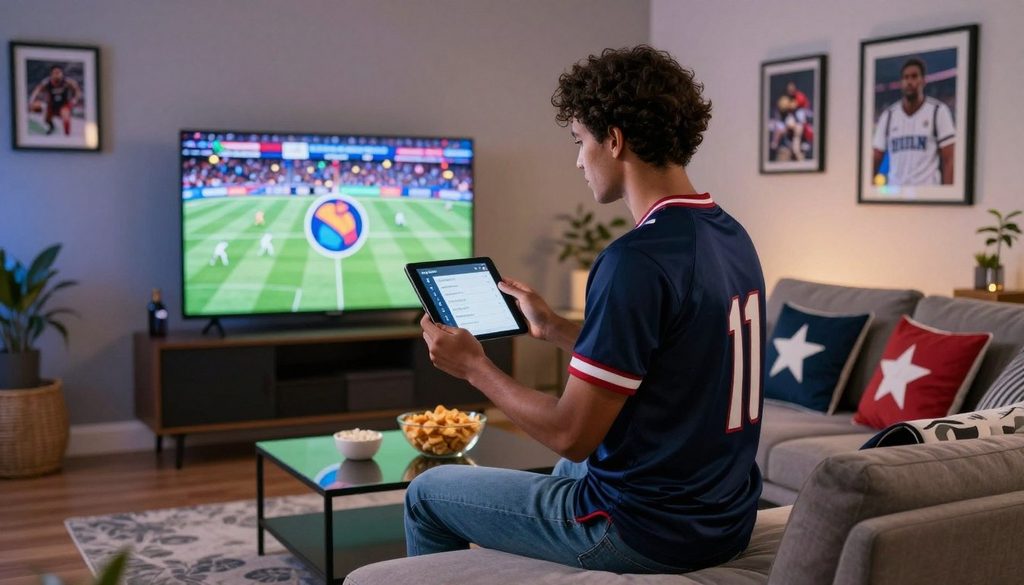
A viewer checks the channel lineup before a live sports game
Confirm the channels that carry the games
Look up the specific event and its listed broadcaster, rather than relying on broad sports labels. The same league may use different networks across regular-season games, playoffs, and special events.
A service’s regional lineup can change by location. A channel listed nationally may not carry a local team’s game in every market, so the viewer should check regional availability.
Test live playback during peak viewing
Playback quality can shift when many people stream at once. Test the service during a live event near kickoff, not only during a quiet afternoon.
Use this four-point checklist before choosing a plan:
- Required networks and events: confirm the exact games and their broadcasters.
- Regional availability: check whether the needed channel serves the viewer’s area.
- EPG accuracy: compare listed program times with the event schedule.
- Busy-event playback: test the stream during a live game or similar peak period.
A large channel count does not prove that a service carries the viewer’s required games.
A channel guide can help viewers plan around overlapping events, but its listings need to match the broadcaster’s current schedule. The viewer should note any channel that appears only in a higher plan.
Some events move between networks during a season. A one-time lineup check may miss that change, especially when a competition splits coverage across several broadcasters.
Confirm the channel carrying one must-watch event before choosing a longer subscription.
Best IPTV for Sports Fans: Compare Six Legal Options
YouTube TV is the broad-package pick, fubo suits viewers prioritizing regional sports networks, and Sling Orange is the budget-minded ESPN option. Peacock, Paramount+, and Apple TV work best as event-specific options. These services differ in their channels, streams, and household access.
Published channel scope is not the same as sports coverage. The table compares each service’s general role, while individual event rights still depend on the league and season.
| Service | Best fit | Published channel scope | Simultaneous or household access |
| YouTube TV | Broad live-TV package | 100+ channels | 3 simultaneous streams |
| fubo | Regional sports networks | 30-280 channels, depending on plan | 13 streams, 10 at home and 3 on the go |
| Sling TV | Budget-conscious viewers seeking ESPN | 10-50+ channels, depending on plan | Sling Orange allows 1 stream |
| Peacock | NBC live content and sports | 50+ FAST channels plus NBC live content | 3 streams |
| Paramount+ | CBS live content and sports | CBS live plus 30+ FAST channels | 3 streams |
| Apple TV | Selected live sports | Selected live sports | Sharing with up to 6 family members |
YouTube TV is the broad live-TV option for viewers who want many familiar networks in one package. Its three simultaneous streams may suit households watching separate programs, though household rules still apply.
fubo’s regional sports network focus can matter more than its overall channel count. Its published access includes 10 streams at home and three on the go, for 13 total.
Sling Orange is a narrower choice for viewers who mainly want ESPN at a lower monthly cost than a broad bundle. It allows one stream, so it may not suit a household that watches separate games at once.
Peacock, Paramount+, and Apple TV serve more focused needs. Their live content can fill a gap in a viewer’s sports calendar, but each covers selected events rather than every league.
Household access is not identical across services. A family-sharing limit, an at-home stream limit, and a mobile stream limit each describe different use rules.
Viewers who follow a single league should check its event coverage before adding a broad channel package.
Sports Rights by League and Event
A viewer who follows a named league should check its season schedule because live rights can sit on a focused streaming service rather than a broad channel bundle. Sports rights and schedules are service- and season-specific. A package that carries one event may not carry the next one.
One service can fit one sport and miss another. The schedule below shows how rights can focus on a league, event type, or season.
Choose a broad service for recurring weekly coverage
Peacock carries several kinds of live sports, including Sunday Night Football, Premier League, and Big Ten football. It also carries 100 NBA games in the 2026-27 season.
Paramount+ carries sports tied to CBS and other event rights. Its coverage includes NFL on CBS, Champions League, Europa League, and PGA Tour golf.
Check single-league events and season schedules
Apple TV’s listed sports rights focus on Formula 1 in the United States and MLS. Formula 1 rights begin in 2026 under a five-year deal.
| Service | Sports and events | Schedule or rights detail |
| Peacock | NBA, Sunday Night Football, Premier League, Big Ten football | 100 NBA games in 2026-27, including 31 Monday night games |
| Paramount+ | UFC, NFL on CBS, Champions League, Europa League, PGA Tour golf | 13 numbered UFC events and 30 Fight Nights a year |
| Apple TV | Formula 1 and MLS | U.S. Formula 1 rights begin in 2026 under a five-year deal, covering every Grand Prix, qualifying session, sprint, and practice; every MLS match is included in the 2026 season |
Peacock’s 2026-27 NBA slate includes 31 Monday night games within its 100-game total. That count makes the season label important, since a later schedule may differ.
Paramount+ lists 13 numbered UFC events and 30 Fight Nights each year. Those event counts do not mean every combat-sports event appears on the service.
Apple TV includes every MLS match in the 2026 season. Its U.S. Formula 1 package includes every Grand Prix, qualifying session, sprint, and practice.
Viewers should match the league’s official season calendar to the service’s event list. Tournament rounds and weekly schedules can use different rights arrangements.
Check the current season’s event calendar before subscribing for a single tournament or series.
How Do NBA League Pass Blackouts and Replays Work?
In the United States, NBA League Pass does not show local team games or nationally broadcast games live. Local-game replays become available three days after the live broadcast ends. Nationally broadcast game replays become available at 6:00 a.m. ET the following day.
Location affects access because NBA League Pass uses a viewer’s device location to apply blackout rules. It identifies location through the device’s IP address or location services.
Local and national blackouts follow different replay timing. A local team game stays unavailable live, then its replay opens three days after the broadcast concludes.
For a nationally broadcast game, the replay becomes available at 6:00 a.m. ET the next day. That timing can matter to viewers who avoid spoilers and watch later.
NBA League Pass offers a ZIP code tool on its package page. U.S. viewers can enter their ZIP code to see which local teams are blacked out in their area.
Device location can affect the result, so viewers should use the ZIP code tied to their viewing area. A live game on a national broadcast also remains subject to its separate blackout rule.
The replay window does not change the live restriction. Viewers who need the live broadcast should identify the game’s local or national broadcaster separately.
Check the ZIP code tool before relying on League Pass for a local team’s next live game.
Internet Speed and Devices for Live Sports
A stable connection matters more during a live game than a high speed-test result that fluctuates. A stable internet connection of at least 25 Mbps is recommended for the listed live TV services.
Stability matters because a live stream needs steady bandwidth while the game is in progress. Other household activity can reduce the bandwidth available to the sports stream.
Give the connection enough headroom
Video calls, game downloads, and other streams can compete for the same connection. A speed test taken when the home is quiet may not reflect game-time conditions.
Wireless signal strength also varies between rooms. A television far from the router may have a less steady connection than a nearby phone.
The 25 Mbps recommendation applies to a stable connection, not only a brief peak result. A connection with less available bandwidth can struggle when several people use the internet at once.
Match the app to the viewing device
Common device categories include Fire TV, Google TV or Android TV, Apple TV, Roku, and smart TVs. Viewers should confirm current app support for their exact model and service.
Device support can vary by model and software version. A brand name alone does not guarantee that every television or streaming stick runs the same app.
A television’s built-in app may differ from a separate streaming box in speed and update support. The service’s current compatibility list can help identify supported devices.
Household use can change available bandwidth without changing the internet plan. A game can look smooth when one person watches, then struggle when several devices start streaming.
Test the chosen device and connection at the same time and location used for game day.
Using a Free IPTV Trial to Test Game-Day Viewing
A free trial is useful only if it lets the viewer test the channels and device they plan to use during an actual game. Test the exact game, not just the app’s home screen. Trials differ by service, and not every provider offers one.
A real kickoff test can reveal delays, missing channels, or device limits that a menu check cannot show. Published offers include a 21-day YouTube TV trial, a three-day Hulu + Live TV trial, and a five-day fubo trial.
Sling TV has no free trial and offers Day Passes from $4.99. An “IPTV 72 hour free trial” simply describes a three-day trial period, not a promise that a particular service offers one.
Use this checklist during a trial or paid test period:
- Exact game: confirm the event appears on the subscribed channel.
- Kickoff stability: watch the stream as the live event begins.
- Device compatibility: test the television or streaming device used at home.
- Renewal terms: note the cancellation steps and next billing date.
An IPTV Smarters Pro free trial, if offered through an app marketplace or reseller, does not itself provide sports channels. It also does not establish content rights for a service or stream.
Service trials and app trials are different. A service trial may include licensed channels, while a player trial tests software features only.
Trial start times and renewal rules can affect the last day of access. The offer’s terms set when billing begins and how cancellation works.
Record the renewal date as soon as a trial begins.
Setting Up a Player, Playlist, and Multicast IPTV Encoder
An IPTV player displays authorized streams but does not supply sports rights by itself. The viewer needs a licensed subscription as well as compatible player software. Common setup methods use an M3U playlist URL or Xtream Codes credentials.
Keep the roles separate: the streaming service provides authorized content, and the player handles playback. An EPG URL, when supplied, adds channel names and program schedules.
Separate the player from the subscription
A safe setup follows a short sequence:
- Install a provider-supported IPTV player from a trusted app store.
- Get authorized M3U or Xtream Codes details from the provider.
- Enter the supplied details in the player.
- Add an EPG URL if the provider supplies one.
- Test a live channel included in the subscription.
IPTV Smarters Pro is a player, not a sports subscription. An IPTV Smarters Pro free trial, if available, does not add channels or grant permission to view them.
Playlist addresses and login details can grant access to an account. Viewers should keep them private and avoid sharing them in public posts.
Know what the encoder does
A Multicast IPTV Encoder is a distribution-side component, not a typical home-viewer setup requirement. Multicast is generally used by a provider or managed network to send streams efficiently.
The phrase “Multicast IPTV Encoder: ChromaIPTV Setup and Configuration” refers to product-specific setup material. ChromaIPTV’s official documentation should guide any product-specific steps.
Home viewers generally need the provider’s player instructions, not encoder settings. A home router or television app does not normally require configuring a multicast encoder.
Different services may use different login formats, and the provider’s instructions determine which one applies. A playlist link should not be treated as proof that its channels are authorized.
Keep playlist URLs and login credentials private, and use only an authorized service.
Fixing Buffering and Delayed Streams
A freeze during a live game can come from the connection, the device, or the stream itself, so change one variable at a time. Test one cause before changing several settings. That makes it easier to see which fix improves playback.
Start with a simple check before changing picture settings. A stream can stall because another app is using bandwidth, the player needs a restart, or the service has a delivery issue.
Diagnose the connection and playback device
Work through these five steps in order:
- Test another authorized channel to see whether the issue is limited to one stream.
- Close apps that use a lot of bandwidth.
- Restart the IPTV player and viewing device.
- Try a wired connection if one is available.
- Lower the stream resolution if the player offers that setting.
If other channels play well, the trouble may be limited to one stream or event. If every channel stalls, the connection or device deserves attention first.
Adjust picture quality before the next event
Resolution and frame rate depend on the service, device, and connection. A provider cannot guarantee zero buffering under every network condition.
1080p is Full HD resolution. A 60-frames-per-second stream can show sports motion smoothly when the service and device support it.
A lower resolution can help a weak connection keep up, though the picture may look softer. A wired connection can improve stability, but it cannot fix a service outage or device fault.
Live streams may also trail a broadcast feed by some amount. A delay can be part of the delivery path, not a sign that the picture quality is failing.
Test the repaired setup before kickoff instead of waiting for the next high-pressure moment.
Monthly Costs for Live Sports Streaming
Among these options, Paramount+ Essential starts at $8.99 per month, while YouTube TV’s base plan is $82.99 per month. Published monthly rates in November 2026 range from $8.99 to $82.99. Add-ons and regional fees can raise the household total.
The lowest entry price does not always cover a viewer’s full sports calendar. Several subscriptions may be needed when rights are split across services.
| Service | Relevant plan | Published monthly rate | Cost note |
| YouTube TV | Base plan | $82.99 | Broad live-TV package |
| fubo | Sports + News | $64.99 | Regional sports fee of 3.99-16.99 per month, depending on market |
| Sling | Orange | $45.99 | ESPN-focused plan |
| Peacock | Premium | $12.99 | Sports included |
| Paramount+ | Essential | $8.99 | Sports selection depends on event rights |
| Apple TV | Standard subscription | $14.99 | Selected live sports |
These are published monthly rates as of November 2026, and they can change. A listed plan may not include every sports channel or event the household wants.
fubo’s regional sports fee ranges from $3.99 to $16.99 per month, depending on market. That charge sits beyond the listed Sports + News rate.
Viewers should count each subscription needed for a full season, not only the package used most often. Premium add-ons can also change the bill.
A household with different team interests may need more than one service. The total cost can rise even when each separate plan seems affordable.
Add any market-specific fees and the other subscriptions needed for the viewer’s full sports calendar before comparing totals.
Is IPTV Legal in the United States?
IPTV technology is not inherently unlawful, but the provider needs authorization for the content it distributes. Rights to each channel and event depend on the content owner’s permission. IPTV describes a delivery method, not a license.
The key distinction is between the technology and the rights behind the stream. Viewers should confirm that a provider is authorized to offer its channels and events.
The listed services are available through Amazon, Google Play, Apple, and Roku. An app-store listing can help a viewer judge trust, but it does not prove every channel is licensed.
Check whether the provider names its service terms and content rights clearly. A very broad sports lineup at an implausibly low price deserves careful review.
Unofficial installation links can expose viewers to unsafe apps or unclear payment terms. A familiar app store is a useful trust check, but not a replacement for checking content authorization.
Confirm that the provider has rights to the channels and events it offers before entering payment details.
Viewers can also review the provider’s billing terms and supported app listings before signing up. Clear terms make it easier to understand what the subscription includes.
Verify rights and terms with the service before entering payment details or installing an unofficial app.
Conclusion
The best choice is the service that carries the viewer’s must-watch games reliably on the device they already use. Rights split across leagues and events, so one subscription may not cover every part of a sports calendar.
A viewer can start with the next game on the schedule, identify its broadcaster, and compare the authorized plans that carry it. A short trial can test playback when one is available.
Check the next game’s broadcaster, confirm the plan’s terms, and test playback before committing long term.
FAQ
Can one streaming service carry every major U.S. sports league?
No, one service does not carry every major U.S. sports league and event. Rights are split by league, event, broadcaster, and season. Some viewers need more than one authorized service to follow their teams. A league’s schedule can also place regular-season games and playoffs on different channels.
Does a 72-hour free trial mean the viewer gets three full days?
It describes a three-day period, but the exact access time depends on the offer. The start time, renewal date, and cancellation rules can affect how many hours remain. A viewer should read the terms before starting and record the renewal date. A named service may not offer a 72-hour trial.
Is IPTV Smarters Pro a sports subscription?
No, IPTV Smarters Pro is a playback application, not a sports subscription. The viewer still needs an authorized content provider with rights to the channels and events. The player can display streams after the viewer enters compatible account details. An app trial does not supply channels or grant viewing rights.
Can a wired connection eliminate buffering completely?
No, a wired connection cannot eliminate buffering completely. It can improve stability by avoiding some wireless signal problems, but the service, device, and wider network can still interrupt playback. A provider outage or a busy home network may affect a wired stream. Testing before kickoff can reveal problems early.
Does an app-store listing prove every channel is licensed?
No, an app-store listing does not prove that every channel in a service is licensed. It can help viewers assess whether an app comes from a recognized store. Content rights are separate from app distribution. Viewers should confirm that the provider is authorized to carry the specific channels and events they plan to watch.
Can viewers share one subscription across several homes?
Sometimes, but household, location, and simultaneous-stream terms set the limits. A plan may allow several streams while still restricting use to one household. Family sharing rules can differ from rules for watching away from home. Viewers should check the service’s terms before sharing account access across separate homes.

