
Modern cord-cutters often face cluttered interfaces and messy channel lists. Tivimate premium is a powerful IPTV player that changes how users enjoy live television. Its central hub helps viewers control daily entertainment with less effort.
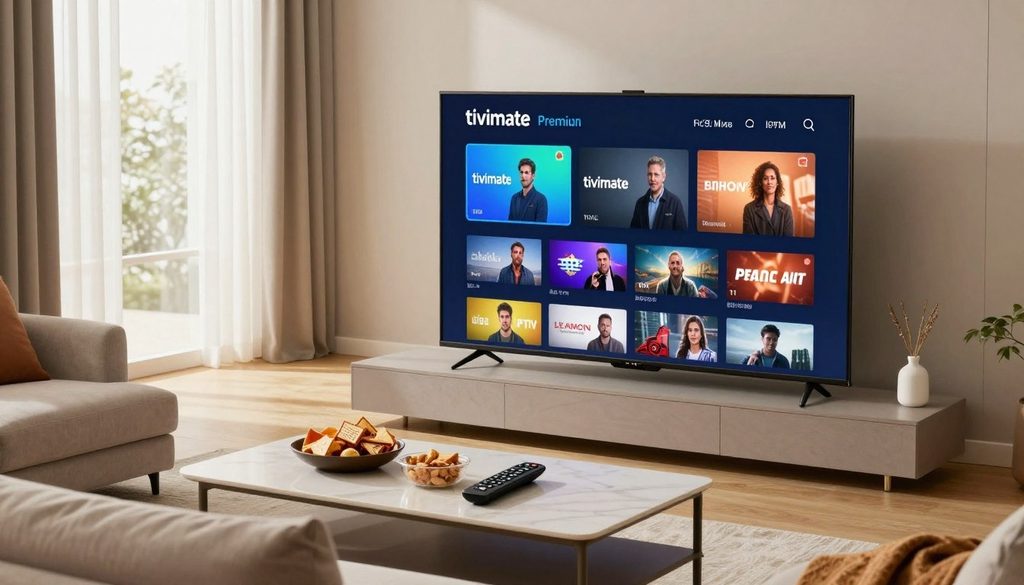
tivimate premium
This application turns complex streams into a clear, user-friendly format. It works with Android TV, Fire TV, and a Firestick. It also offers advanced EPG management and strong playlist organization, keeping favorite content easy to find.
Your service provider controls raw stream quality, but this player improves your setup’s usability. Recording capabilities and smooth playback navigation make tivimate premium a vital upgrade for serious streamers. This article shows how these functions improve viewing habits across different hardware environments.
Key Takeaways
- Organizes live television channels into a clean, intuitive interface.
- Provides advanced EPG management for better scheduling control.
- Supports recording features to capture your favorite live programs.
- Optimized for seamless performance on Android TV and Firestick devices.
- Improves user experience regardless of the underlying stream quality.
What tivimate premium Adds to the IPTV Experience
TiviMate Premium bridges raw IPTV data and a polished, user-friendly television experience. The basic version opens your channels, while the tivimate premium upgrade adds useful tools for modern viewers. It turns simple streams into a cable-like interface that is easy to navigate.
How TiviMate Premium differs from the free version
The free application offers basic playback and supports one playlist. In contrast, tivimate premium lets users manage multiple playlists for sports or international services, plus custom sorting, groups, and hidden channels.
The paid version also adds recording and catch-up support. These tools help you avoid missing favorite programs while away from the screen. You can customize the interface to fit your viewing needs.
Why the player matters even when IPTV service quality varies
A media player manages your content; it does not repair your provider’s service. If your IPTV source is unstable, tivimate premium cannot fix stream quality or server issues. Still, it offers better tools for handling interruptions.
Better buffering controls and efficient channel switching reduce the effects of unstable streams. The interface stays consistent, reliable, and responsive during minor network or provider problems. This stability can turn a frustrating experience into a seamless one.
Device compatibility for Android TV, Fire TV, and Firestick
The application is designed for living rooms and works with major streaming hardware. It supports high-end Android TV boxes and budget-friendly Firesticks, with navigation optimized for remote controls. You can browse thousands of channels without a mouse or keyboard.
| Feature | Free Version | Premium Version |
| Playlist Support | Single | Multiple |
| Recording | Not Available | Full Support |
| Customization | Limited | Advanced |
| Device Sync | None | Multi-Device |
Ultimately, choosing tivimate premium depends on how much you value a streamlined, professional interface. For households using IPTV as their main entertainment source, its added control and stability make it a worthwhile investment for any compatible Android or Fire TV device.
Key Premium Features That Improve Everyday Streaming
The true power of tivimate premium comes from making complex streaming setups easier for everyday users. It goes beyond basic playback with a professional interface that turns a messy channel list into a curated television experience.
Multi-playlist management for combining IPTV subscriptions
Many viewers use multiple services to access regional or niche content. TiviMate premium combines these M3U playlists into one unified guide. This setup removes the need to switch apps when searching for a show or sports event.
Advanced electronic program guide controls
An accurate guide is essential for any live television setup. Advanced EPG controls let users assign sources, adjust time offsets, and refresh data. These tools keep program information current and prevent incorrect titles or missing schedule details.
Catch-up television, recording, and scheduled viewing
Built-in recording and catch-up features make missed live broadcasts less concerning. Users can schedule future recordings or access past content through the interface. These tools offer traditional DVR flexibility, keeping favorite shows available on demand.
Parental controls, favorites, and customized channel organization
Personalization is a key strength of the platform. Users can create favorites, hide unwanted channels, and group content into custom categories. Strong parental controls can also lock specific channels, giving families greater peace of mind.
How these tools reduce unnecessary menu navigation
These features work together to reduce time spent searching through long lists. Logical organization gives users direct access to recorded or favorite media. tivimate premium keeps the focus on watching, creating a faster and more efficient streaming experience.
Why Playback Feels Smoother With TiviMate Premium
Smooth playback is the main goal for every dedicated IPTV enthusiast. Among many players, tivimate premium improves how your device processes data. It creates a faster, more responsive setting for daily entertainment.
Buffering, channel switching, and stream stability
Many users report that tivimate premium cuts stream loading time. Its buffer management makes channel changes feel almost instant. That stability matters during fast-paced live events.
How adaptive playback settings support different connections
These intelligent features adjust playback to your current internet speed. They help maintain a steady stream when your connection changes. The player balances clear video quality with your bandwidth limits.
Reducing interruptions on crowded home networks
Several devices can compete for bandwidth, causing stutters or dropped streams. TiviMate Premium helps reduce these problems by giving stream data priority. This supports smoother viewing during peak hours in a busy home.
“Quality is not an act, it is a habit.”
Aristotle
Picture quality considerations for HD and 4K IPTV streams
HD and 4K content need a steady data flow to look their best. The player handles high-bitrate streams carefully, keeping motion crisp and colors bright. Proper decoding helps your high-resolution display reach its full potential.
When playback problems come from the IPTV provider instead of the player
Remember that tivimate premium cannot fix problems from the source. If the IPTV provider’s server is overloaded or the stream is corrupted, no player can ensure a perfect image. Users should separate network congestion from provider-side instability during troubleshooting.
Finding the Best EPG Source for TiviMate for a Seamless TV Experience
Achieving the best epg source for tivimate for a seamless tv experience requires knowing how data reaches your player. A complete guide turns a basic channel list into a polished television interface.
Why accurate program data is important for live television
Live television depends on precise timing, especially for news broadcasts and sporting events. Accurate guide data lets you instantly see what is playing without guessing. This reliability helps you catch a big game or a scheduled recording from the start.
Comparing provider-supplied EPG data with external sources
Most IPTV services provide EPG links, but they may be incomplete or slow to update. An external XMLTV source often offers richer metadata, such as show descriptions and high-quality thumbnails. The best epg source for tivimate for a seamless tv experience often comes from testing provider links and third-party aggregators.
Matching channel identifiers to improve guide accuracy
Your guide works only when playlist channel IDs match the IDs in the EPG file. When they differ, the guide may show blank slots or incorrect program information. TiviMate lets users assign or remap IDs manually, so each channel shows the correct schedule.
Keeping schedules current across multiple playlists
Several playlists can create clutter or outdated information without careful management. Assign a specific EPG source to each playlist to keep everything organized. Refresh these sources regularly to keep your guide synchronized and up-to-date across your entire library.
Common EPG problems and practical troubleshooting steps
Even with a strong setup, you may see missing listings or data that will not load. Use these steps to fix common errors:
- Check your URL: Ensure the EPG link is active and correctly entered in the settings.
- Force a refresh: Use the manual update feature in the TiviMate settings to pull the latest data.
- Verify time zone settings: Incorrect device time settings often cause programs to appear at the wrong hour.
- Clear cache: If data remains stuck, clearing the application cache can often resolve synchronization conflicts.
TiviMate Premium ChromaIPTV Compatibility and Setup Considerations
Many users pair a strong streaming service with advanced player features for better home entertainment. With tivimate premium chromaiptv configurations, you gain more control than standard players offer. This combination creates a more organized and responsive television experience.
How TiviMate Premium works with ChromaIPTV playlists
The player serves as an interface for your M3U-based content. It reads your subscription data and creates a simple, cable-like guide. Correct stream mapping helps content load quickly and play smoothly.
What to confirm before using a ChromaIPTV subscription
Before setup, verify that your subscription details are ready. Make sure your provider supports your device, such as an Android TV or Firestick. Always confirm that you have active login credentials and the required server information.
- Verify your M3U playlist URL is active and accessible.
- Check that your EPG source is compatible with the player format.
- Confirm your device meets the minimum hardware requirements for smooth streaming.
Adding an M3U playlist and EPG URL securely
You can add your content securely through the application settings. Open the playlist menu and enter your credentials directly into the player. Keeping this information on your device gives you better data privacy control.
Why a free IPTV trial from ChromaIPTV can help evaluate performance
Before choosing a long-term plan, consider a free iptv trial. A free iptv trial chromaiptv lets you test the service without financial risk. Use this time to see whether it meets your viewing needs.
Checking channel reliability, guide accuracy, and device support during a trial
During your evaluation, test the service under normal viewing conditions. Watch your favorite channels and check for buffering or freezing. Reliability is key, so monitor the connection throughout the day.
Check that the electronic program guide shows accurate information for your local time zone. Missing or incorrect guide data can make recordings and shows harder to find. Finally, confirm that the interface stays responsive on your hardware for a smooth, enjoyable experience.
TiviMate vs Smarters Pro Comparison for IPTV Users
This tivimate vs smarters pro comparison for iptv users shows clear strengths for different viewers. Both apps lead the market, but each follows a different approach to television design. Choose based on whether you want deep control or simple, immediate access.
User interface and navigation differences
TiviMate has a modern, sleek aesthetic that resembles a high-end cable box. Its transparent overlay lets users browse channels while watching the current broadcast. Smarters Pro uses a traditional, grid-based layout that feels familiar after installation.
Playlist, EPG, recording, and multi-screen capabilities
TiviMate can merge multiple playlists into one unified guide. It offers superior EPG management, keeping program data accurate across providers. Smarters Pro supports multi-screen viewing and recording, but TiviMate usually handles these advanced tasks more reliably.
| Feature | TiviMate | Smarters Pro |
| Interface | Modern/Overlay | Traditional/Grid |
| EPG Handling | Advanced/Unified | Standard |
| Customization | High | Moderate |
Device compatibility and ease of setup
Both players work well with Android TV and Fire TV devices. Setup usually needs an M3U URL or Xtream Codes login. TiviMate may need more configuration, while Smarters Pro is functional right out of the box.
Which player is better for advanced customization
TiviMate suits users who enjoy fine-tuning their experience. It supports many changes to remote control shortcuts, visual themes, and playback behavior. Users who customize every viewing detail may value TiviMate’s deep settings menu.
Situations in which Smarters Pro may be the more practical choice
Smarters Pro remains a top-tier choice for users who prefer a no-fuss installation. It helps families with less tech-savvy users who prefer a static, predictable interface. This tivimate vs smarters pro comparison for iptv users shows the best player matches daily habits.
What Is the Best IPTV Player for Firestick Explained
For cord-cutters, what is the best iptv player for firestick explained helps them choose live television software. The Firestick needs powerful, lightweight software for smooth operation.
Why TiviMate Premium is well suited to Firestick controls
TiviMate Premium stands out because it was built specifically for the Android TV interface that powers Firestick. It works well with the standard remote, so users can move through menus without lag or confusion.
Its intuitive design makes complex tasks, such as managing multiple playlists, feel natural. This hardware-software fit explains why many enthusiasts call it the gold standard.
Remote-friendly navigation and customizable shortcuts
This player lets users assign custom actions to remote buttons. Long-press shortcuts can open the guide or jump straight to favorite channels.
This customization reduces clicks when users reach their content. It turns a standard remote into a powerful tool for fast channel surfing.
Installation, account access, and device-limit considerations
Users can install the application through the official Amazon Appstore or through sideloading methods. After installation, they sign in with premium credentials to unlock all features.
A single premium account typically supports up to five devices. This makes it an efficient choice for households with multiple televisions.
Firestick performance factors, including storage and Wi-Fi strength
The Firestick’s condition strongly affects any IPTV player’s response time. Low internal storage may cause buffering, so remove unnecessary apps regularly.
A stable Wi-Fi connection is also vital for high-definition streaming. A 5GHz network band often provides enough bandwidth to prevent interruptions during live broadcasts.
Legal and privacy considerations when using IPTV applications
The software is a legitimate media player, but users must consider their content sources. Choose an IPTV subscription from a reputable and legal provider to avoid service disruptions.
Privacy also matters when streaming online. Many users choose a secure VPN to keep viewing habits private and maintain steady connection speeds across their network.
Who Benefits Most From TiviMate Premium
Modern cord-cutters need streaming tools that are easy to control and dependable. While basic apps offer playback, tivimate premium gives demanding viewers more control and daily reliability.
Households managing several IPTV playlists
Large households often use several subscriptions for different family members. Without one central hub, managing these sources can become a technical headache.
- Consolidate various M3U playlists into one unified interface.
- Easily switch between different providers without changing applications.
- Maintain organized channel lists that cater to specific family preferences.
Viewers who rely on live sports, news, and scheduled programming
For viewers who follow live sports, news, and scheduled programs, stream stability matters most. Consistent performance helps you avoid missing key moments during games or breaking news.
Catch-up television and recording tools help viewers manage their time. A free iptv trial can show whether your provider offers the speed these features need before choosing a long-term plan.
Users who want a traditional cable-style television interface
Many people miss the simple feel of older cable boxes. They want a familiar grid guide showing current and upcoming programs clearly.
Tivimate premium recreates this classic experience with a responsive electronic program guide. This design helps non-technical family members navigate hundreds of channels with little effort.
When the free version or another IPTV player may be enough
Not everyone needs a full set of professional tools. If you use one playlist and rarely record, a simpler player may be enough.
Test your hardware and network setup before upgrading. A free iptv trial from your service provider can show whether your connection supports the high-quality streams you expect. If your needs stay basic, the standard software version or a lightweight alternative may provide everything you need.
Conclusion
Modern television viewing needs tools that organize complex digital content. TiviMate premium manages multiple playlists and improves the electronic program guide. It changes how users enjoy favorite channels on devices like Firestick and Android TV.
Success with this player depends on software features and outside factors. High-quality streams need stable networks and reliable service providers. TiviMate premium supplies the interface, but connection speed and hardware performance control picture clarity.
Households often manage several subscriptions and content sources. This application puts everything in one familiar, cable-style layout. It gives viewers control over recording schedules and parental settings.
Readers should assess their technical needs before choosing a subscription. Testing configurations helps ensure the setup meets legal standards and personal viewing habits. Exploring the full potential of tivimate premium can create organized, enjoyable entertainment for every household member.
FAQ
What are the primary benefits of upgrading to TiviMate Premium?
Upgrading to TiviMate Premium unlocks scheduled recording, multiple playlists, and advanced Electronic Program Guide (EPG) management for power users. It offers a customizable, cable-like interface that improves viewing on Android TV and Firestick devices over the limited free version.
When looking at a TiviMate vs Smarters Pro comparison for IPTV users, which player is the better choice?
In a TiviMate vs Smarters Pro comparison for IPTV users, choice often depends on interface and customization. TiviMate Premium is often superior for a sleek, TV-optimized UI and deep organization. IPTV Smarters Pro remains popular for simpler setups across more mobile and desktop platforms.
What is the best IPTV player for Firestick explained in terms of performance?
For high-performance streaming, TiviMate Premium consistently ranks as the best IPTV player for Firestick. It works smoothly with the Amazon Fire TV remote, enabling fast channel switching and smooth navigation. It handles high-definition 4K IPTV streams without the user-interface lag found in many other applications.
How can I find the best EPG source for TiviMate for a seamless TV experience?
Finding the best EPG source for TiviMate requires a provider with frequent updates and accurate channel mapping. Many users rely on services like ChromaIPTV, while others use third-party XMLTV sources for correct metadata. These sources help keep guides populated for live sports and news.
Is it easy to set up a TiviMate Premium ChromaIPTV configuration?
Yes, setting up a TiviMate Premium ChromaIPTV configuration is straightforward. Enter the M3U playlist or Xtream Codes credentials from ChromaIPTV into TiviMate settings. This combination provides reliable channels and a professional-grade streaming environment with a fully functional program guide.
Why should someone opt for a free IPTV trial before purchasing a full subscription?
A free IPTV trial checks server stability and channel quality on your home network. A free IPTV trial ChromaIPTV offer lets users test TiviMate Premium catch-up and multi-screen before a long-term financial plan.
Does TiviMate Premium allow for the management of multiple IPTV services?
TiviMate Premium offers robust multi-playlist management, letting users combine different IPTV subscriptions in one interface. Users can switch providers without closing the app, which suits households using specialized services for international content or sports.
Can TiviMate Premium fix buffering issues caused by a provider?
TiviMate Premium offers adaptive playback settings and buffer adjustments for minor network fluctuations. However, it cannot fix problems caused by a poor IPTV provider or slow internet connection. The player improves interface and navigation, but source quality and local bandwidth determine stream stability.

