
Modern digital entertainment uses flexible software to organize user-provided content. The Best IPTV Players and Apps act as key tools for managing streaming playlists across different devices.
These programs connect your device to remote media sources. They work with Android, Apple devices, smart TVs, and Fire TV sticks, so the right software can provide smooth viewing. Compatibility remains a top priority for users seeking reliable performance.
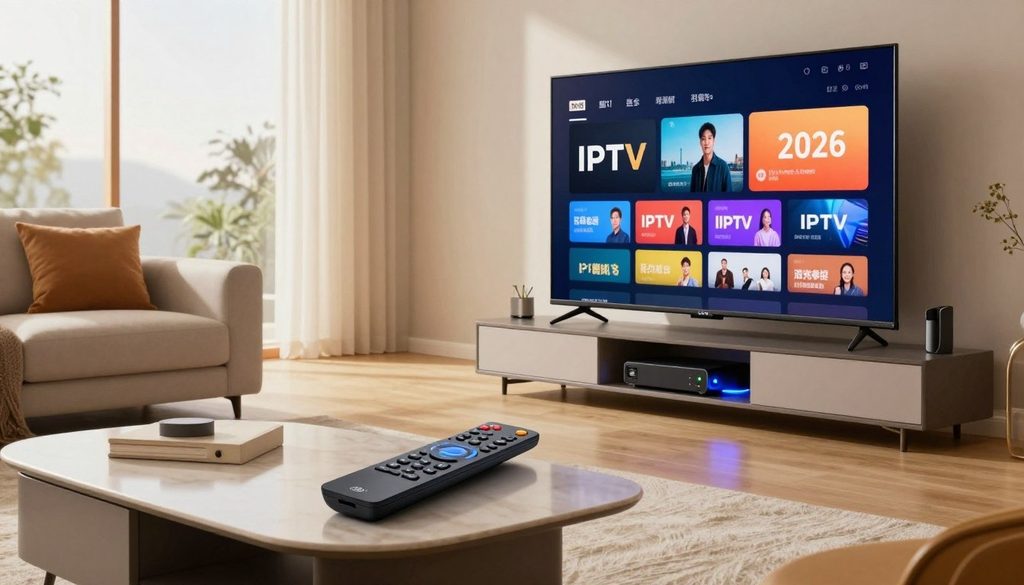
The Best IPTV Players and Apps
Choosing IPTV players requires careful review of key features. Check electronic program guide support, playlist management, and privacy protocols. Always prioritize lawful access when you configure your setup to protect your data.
This guide explores IPTV apps for United States households. We compare top-rated IPTV streaming apps to help you choose the right match for your home theater equipment in 2026.
Key Takeaways
- Software tools organize and display your personal streaming playlists efficiently.
- Device compatibility is crucial for smart TVs, mobile phones, and streaming sticks.
- Electronic program guides enhance navigation through large content libraries.
- Privacy and security features protect your personal information during playback.
- Always verify that your chosen service provider offers lawful access to content.
How to Choose an IPTV Player or App for U.S. Streaming
Choosing digital television tools starts with your viewing habits. Choosing The Best IPTV Players and Apps means checking how each app works with your hardware and network.
Device compatibility across Android, Apple, smart TVs, and streaming sticks
A key choice is IPTV player compatibility with your current devices. Most modern apps support Android TV. Check whether your streaming stick or smart TV allows third-party APKs or official store apps.
Apple users face different limits than Fire TV or generic Android box users. Check whether the developer offers a native version for your operating system. This helps provide smooth performance and regular updates.
Playlist, EPG, catch-up, DVR, and multi-screen support
When comparing IPTV app features, seek strong support for Electronic Program Guides (EPG) and playlist management. A good player should let you sort channels into custom categories. This makes favorite content easier to find.
Advanced users should seek catch-up TV and DVR features. These tools record live broadcasts or play missed programs. They offer flexible viewing that resembles traditional cable services.
| Feature | Basic Player | Advanced Player |
| EPG Support | Limited | Full XMLTV |
| DVR/Recording | No | Yes |
| Multi-Screen | No | Yes |
| Playlist Sync | Manual | Cloud/Auto |
Privacy, security, advertising, and data-permission considerations
Protecting IPTV privacy matters when you use third-party software. Many free apps use intrusive ads or collect user data. These practices can weaken your digital security.
“Security in streaming is not just about the content you watch, but the integrity of the software you use to access it.”
Always review the permissions an app requests during installation. A simple media player asking for contacts or location access is a major red flag. Avoid that app.
Legal access to channels, subscriptions, and user-provided streams
An app is only a playback tool. For legal IPTV streaming, use legitimate sources, such as official M3U playlists or authorized subscription services.
Never assume a player comes pre-loaded with premium channels. Responsible streaming uses verified providers that respect copyright laws. They should also offer clear billing practices to subscribers.
The Best IPTV Players and Apps
Choosing the right application is the first step toward a better home entertainment setup. An IPTV player comparison shows how software can turn stream lists into a clear, user-friendly library. The best IPTV apps give users more control over viewing and media organization.
“Technology is best when it brings people together and simplifies the way we consume our favorite media.”
Anonymous
TiviMate IPTV Player for Android TV and Google TV
Overview
Many users consider TiviMate IPTV Player the gold standard for Android-based streaming devices. Its modern interface makes remote-control navigation easy.
Pros
- Highly customizable interface.
- Excellent electronic program guide (EPG) support.
- Smooth performance on high-end hardware.
Cons
- Premium features require a paid subscription.
- Limited to Android-based platforms.
Features
TiviMate IPTV Player includes multi-view support, allowing users to watch several streams simultaneously. It also provides advanced recording and scheduled playback options.
IPTV Smarters Pro for multi-device streaming
Overview
IPTV Smarters Pro works across many devices, including mobile phones and streaming sticks. It is known for stable performance and broad compatibility.
Pros
- Supports multiple device types.
- User-friendly dashboard layout.
- Frequent software updates.
Cons
- The free version contains advertisements.
- Setup can be complex for beginners.
Features
IPTV Smarters Pro offers parental controls and support for external media players. It also lets users manage multiple playlists easily.
Sparkle TV for Android TV channel management
Overview
Sparkle TV gives Android TV users a clean, minimalist experience. It organizes large channel lists into easy-to-manage categories.
Pros
- Fast channel switching speeds.
- Clean and simple design.
- Reliable EPG integration.
Cons
- Fewer advanced features than competitors.
- Interface may feel too basic for some.
Features
Sparkle TV offers DVR functionality and a strong search tool. Users can mark favorite channels for quick access.
GSE Smart IPTV for mobile and connected devices
Overview
GSE Smart IPTV is a long-standing player that supports M3U, JSON, and other formats. It suits people who switch between mobile and TV screens.
Pros
- Supports a wide range of file formats.
- Available on multiple operating systems.
- Built-in subtitle support.
Cons
- Interface looks dated compared to newer apps.
- Navigation can be cumbersome on large screens.
Features
GSE Smart IPTV includes dynamic language switching and theme customization. It also supports Chromecast for casting content to larger displays.
OTT Navigator IPTV for advanced playlist control
Overview
OTT Navigator IPTV is designed for power users who want detailed streaming control. It provides deep customization for every part of the interface.
Pros
- Extensive filter and sorting options.
- Highly detailed EPG data.
- Supports complex playlist structures.
Cons
- Steep learning curve for new users.
- Settings menu is very dense.
Features
OTT Navigator IPTV features customizable categories and advanced stream filtering. Users can adjust playback settings for their network conditions.
Kodi with PVR IPTV Simple Client
Overview
Kodi is a powerful open-source media center that uses PVR IPTV Simple Client for live streams. It suits people seeking a complete home theater experience.
Pros
- Completely free and open-source.
- Massive library of community add-ons.
- Highly flexible and extensible.
Cons
- Requires significant configuration time.
- Can be resource-heavy on older hardware.
Features
Kodi IPTV supports time-shifting and extensive metadata integration. It creates a personalized media hub beyond simple streaming.
Top IPTV Apps for Android Phones, Tablets, and Android TV
The world of Android IPTV apps is diverse, with simple players and full media management suites. Devices differ in hardware and design, so one player may not suit every screen. Users should check navigation, remote control support, and resource use for smooth viewing.
Televizo IPTV Player for straightforward Android playback
Overview
Televizo IPTV Player has a clean, modern interface built for easy use. It is popular among IPTV apps for Android phones because it removes clutter and keeps attention on content.
Pros
- Extremely intuitive user interface.
- Fast loading times for channel lists.
- Supports multiple playlist formats.
Cons
- Limited advanced customization options.
- The free version includes occasional advertisements.
Features
This player supports EPG, parental controls, and multiple playlists. It is highly optimized for touchscreens, making it reliable for mobile users. It suits people who want simple, direct streaming.
XCIPTV Player for EPG and playlist organization
Overview
Among IPTV apps for Android tablets, XCIPTV Player stands out for strong organization. It handles large libraries well, making it useful for users with many channels and structured layouts.
Pros
- Excellent EPG integration and visual layout.
- Built-in support for catch-up streaming.
- Robust search and filtering tools.
Cons
- Can be resource-intensive on older hardware.
- The interface may feel overwhelming for casual users.
Features
XCIPTV Player has an internal video player that supports many codecs. It also offers multi-screen viewing and detailed category tools, keeping media libraries organized and easy to access.
VLC Media Player for simple M3U stream playback
Overview
VLC Media Player is a legendary digital media tool and a leading Android TV IPTV player for simple viewing. Although it is not a dedicated IPTV manager, its VLC M3U playback offers strong stability and codec support.
Pros
- Completely free and open-source software.
- Supports virtually every video format available.
- No advertisements or data tracking.
Cons
- Lacks a dedicated EPG or channel management interface.
- Requires manual loading of M3U files.
Features
VLC supports hardware decoding, subtitles, and audio track selection. It is the perfect choice for users who need a light, reliable way to open streams without complex IPTV dashboards.
“The best streaming experience is one that balances technical capability with the simplicity of the user interface, ensuring that the technology stays out of the way of the content.”
| Player Name | Best For | Interface | Complexity |
| Televizo | Mobile Playback | Modern | Low |
| XCIPTV | Library Management | Detailed | High |
| VLC | Simple Streams | Minimalist | Very Low |
Best IPTV Apps for iPhone, iPad, Apple TV, and Mac
Apple hardware supports high-quality streaming experiences. Users seeking reliable IPTV apps for iPhone or IPTV apps for iPad have several strong options. The right Apple TV IPTV apps or Mac IPTV apps can improve media organization and viewing.
GSE Smart IPTV on iOS and tvOS
Overview
GSE Smart IPTV is a well-known choice across the Apple ecosystem. It works as a complete media manager for mobile and television devices.
Pros
- Supports a wide range of playlist formats.
- Offers a user-friendly interface for quick navigation.
- Includes built-in parental control settings.
Cons
- The free version contains frequent advertisements.
- Advanced features require a one-time premium purchase.
Features
The app supports EPG, dynamic language switching, and built-in subtitles. Users of GSE Smart IPTV iOS can manage multiple playlists at once.
IPTVX for Apple-focused interface and synchronization
Overview
IPTVX is made for the Apple environment and matches native system design. It uses iCloud synchronization to provide a smooth experience across devices.
Pros
- Excellent integration with Apple design language.
- Fast performance on modern hardware.
- Automatic syncing of favorites across devices.
Cons
- Requires a subscription for full feature access.
- Limited support for older legacy hardware.
Features
The app offers a modern dashboard, multiple user profiles, and advanced search. IPTVX gives power users the premium feel they want.
iPlayTV for Apple TV playlist viewing
Overview
iPlayTV is built mainly for the Apple TV experience. It supports large-screen navigation and efficient playlist management for home entertainment.
Pros
- Optimized specifically for remote control interaction.
- Supports high-definition stream playback.
- Clean and clutter-free layout.
Cons
- Less focus on mobile-specific features.
- Setup can be slightly complex for beginners.
Features
iPlayTV offers strong EPG support, channel grouping, and customizable display options. It gives viewers a streamlined television experience like a traditional cable box.
Best IPTV Players for Roku, Fire TV, and Smart TVs
Choosing streaming hardware starts with knowing how each device handles media apps. Each platform controls which software you can install and how well it runs. Whether you use a stick or built-in TV system, choosing the right Fire TV IPTV players or smart TV software helps create a stable setup.
Amazon Fire TV compatibility with IPTV Smarters Pro and TiviMate
Overview
The Amazon Fire TV system is flexible and suits users who want more control. Popular apps like IPTV Smarters Pro Fire TV and TiviMate Fire TV work well because Fire TV uses an open Android-based system.
Pros
Users get many customization choices and a simple interface. The hardware can handle high-definition streams without much lag.
Cons
Some advanced features require a premium subscription for full access. Users may also need to sideload apps missing from the official store.
Features
These players support EPG guides, multi-screen viewing, and reliable recording. They also make large playlists easy to manage.
Samsung and LG smart TV support through compatible IPTV applications
Overview
Finding smart TV IPTV apps for Samsung and LG models means using their private app stores. Samsung smart TV IPTV and LG smart TV IPTV solutions exist, but they offer fewer choices than external streaming sticks.
Pros
The main benefit is using one remote control. You also avoid adding extra hardware to your entertainment center.
Cons
These TVs offer fewer apps than Android-based devices. Updates may take longer, and older models may feel less responsive.
Features
Compatible apps usually provide basic playlist management and channel sorting. They also work smoothly with the television’s built-in system.
Roku limitations and legal alternatives for IPTV-style streaming
Overview
Roku creates challenges because it does not support standard third-party IPTV players. People seeking Roku IPTV options often choose legal streaming services with similar content delivery.
Pros
Roku devices are stable and easy for most viewers to use. They also offer many official, high-quality streaming channels.
Cons
Roku is a “walled garden,” so you cannot install custom IPTV software. This limits personal M3U playlists and third-party stream aggregators.
Features
Roku centers on official channel apps and built-in search tools. It provides a secure, reliable way to watch mainstream content.
| Platform | App Flexibility | Ease of Use | Customization |
| Fire TV | High | Medium | High |
| Samsung/LG | Low | High | Low |
| Roku | Very Low | Very High | Minimal |
Best IPTV Encoder Box Options in 2026
An IPTV encoder box differs from software used to watch television. A player receives and displays content, but an encoder changes raw video into digital network data. This hardware supports creators who need live video encoding and professional content production.
Choosing the best IPTV encoder box 2026 starts with your workflow needs. These devices send high-quality video to a server or streaming platform. They suit production teams more than homes that only view playlist content.
What an IPTV encoder box does differently from an IPTV player
An IPTV encoder box connects your camera or console to the internet. It receives an HDMI signal and compresses it into a streamable format. A player instead decodes and displays a stream for viewers.
Hauppauge StreamEez-Pro for live HDMI-to-IP encoding
The Hauppauge StreamEez-Pro is a popular HDMI-to-IP encoder built for simple, reliable use. It captures video from any HDMI source and sends it to a streaming service or local network.
Overview
This device offers a plug-and-play option for live streaming. It compresses video without needing a powerful computer.
Pros
- Easy setup for immediate streaming.
- Compact design suitable for mobile setups.
- Stable performance for long-duration broadcasts.
Cons
- Limited advanced configuration options.
- Requires a stable wired network connection for best results.
Features
The unit supports high-definition input and connects directly with popular streaming protocols. It suits Hauppauge StreamEez-Pro users who value simple controls over complex broadcast settings.
Blackmagic Design Web Presenter HD for broadcast-style streaming workflows
Users who need professional results can choose the Blackmagic Design Web Presenter HD. It changes SDI or HDMI video into a high-quality USB webcam signal or direct network stream.
Overview
This device supports broadcast-style workflows where quality and reliability matter. It fits easily into professional video racks and studio environments.
Pros
- Professional-grade video processing.
- Supports high-quality streaming to major platforms.
- Includes a built-in monitor for status checks.
Cons
- Higher price point compared to consumer-grade encoders.
- Steeper learning curve for beginners.
Features
The device gives users advanced control over streaming settings and audio levels. Professionals choose it for consistent, high-fidelity output.
Key encoder specifications, including HDMI input, bitrate, latency, and network output
Check the encoder bitrate and latency before choosing hardware. A higher bitrate can improve picture quality, but it needs more bandwidth. Low latency supports live interaction by showing action to viewers in real time.
Confirm that the device supports your camera or source’s HDMI input resolution. Reliable network output helps prevent buffering during broadcasts. Check these specifications against your streaming project’s needs.
Comparing IPTV Players by Features, Ease of Use, and Cost
Finding the right balance between function and ease of use creates a smooth streaming experience. While many users focus on an app’s name, the actual IPTV player features often shape enjoyment. Compare players with your viewing habits to find software that supports your hardware.
Best choices for electronic program guides and channel discovery
A high-quality IPTV EPG supports a better viewing experience. It shows schedules, current programs, and upcoming choices without requiring several menus.
- Look for apps that support XMLTV formats for the most accurate data.
- Prioritize interfaces that offer grid-style views for better channel discovery.
- Ensure the software allows for custom channel grouping to hide unwanted content.
Best choices for catch-up TV, recording, and time shifting
If you are busy, IPTV catch-up TV lets you watch programs after they air. Combined with reliable IPTV recording, it offers traditional DVR flexibility.
Time shifting lets you pause or rewind live broadcasts, giving you control over your media. Check that your player supports these features, because both the app and stream source may affect them.
Best choices for multiple playlists and household profiles
Managing multiple IPTV playlists helps users handle different services or organize content by genre. Advanced players let you switch lists without signing in again each time.
Some apps offer household profiles, which separate your favorites and watch history from family members. This feature supports a personal experience in shared living spaces.
Free apps versus premium upgrades and recurring costs
Understanding the IPTV app cost matters before choosing a long-term setup. Free apps often provide basic playback but may lack paid versions’ advanced features.
Premium upgrades often include:
- Ad-free interfaces for a cleaner look.
- Advanced synchronization across multiple devices.
- Priority support and regular software updates.
Which players work best with remote controls and large-screen interfaces
Not every app works well on a television. The best options prioritize IPTV remote control support, making standard D-pad navigation smooth and simple.
Large-screen interfaces need clear icons and high-contrast text for viewing from a distance. Avoid mobile-first apps that require a mouse or touch input, because daily use can become frustrating.
| Feature Category | Basic Apps | Premium Players |
| User Interface | Simple/Mobile-focused | TV-optimized/Customizable |
| EPG Support | Limited/Manual | Advanced/Auto-sync |
| Cost Structure | Free/Ad-supported | One-time or Subscription |
Free IPTV Trials and Provider Compatibility
Many viewers start with a free IPTV trial to check quality before choosing a plan. Check each offer carefully to match the service with your needs and devices. Learn the technical needs first to avoid problems while testing new platforms.
What a legitimate free IPTV trial should disclose
A clear provider explains its trial terms before access begins. Check the trial length, channel count, and limits on shared streams. A legitimate IPTV trial should show clear terms and value transparency.
How to test an IPTV service with TiviMate, IPTV Smarters Pro, or Kodi
Keep the player separate from the content provider when testing a service. Enter trial details into trusted apps like TiviMate, IPTV Smarters Pro, or Kodi to check the interface and stream stability. This approach checks IPTV provider compatibility on your devices without requiring a proprietary app.
Free IPTV trial ChromaIPTV considerations for U.S. viewers
For a free iptv trial chromaiptv, United States viewers should check regional content availability. Confirm stable connections to domestic servers to reduce buffering. Make sure the trial lasts long enough for peak viewing hours.
Questions to ask about channel rights, billing, refunds, and trial expiration
Before sharing payment details, ask about the content’s legal status. Ask about IPTV channel rights and licenses for the listed channels. Also check the trial end date and cancellation steps before automatic billing starts.
Warning signs of unreliable IPTV services and unsafe applications
Protecting your personal data and device security makes IPTV trial safety essential. Avoid services that request payment details at once or hide ownership and privacy policies. Excessive app permissions or unbelievable promises may signal an unsafe, unreliable service.
ChromaIPTV Review 2026: App Compatibility and Service Evaluation
This chromaiptv review 2026 examines the platform’s place in a crowded digital market. As streaming habits change, users should check whether the provider meets their technical and content needs.
Supported devices and playlist formats to verify before subscribing
Understanding ChromaIPTV compatibility is the first step for potential subscribers. The service usually supports many devices, including Android streaming sticks, smart TVs, and mobile devices.
Before subscribing, users should confirm their preferred IPTV playlist formats, such as M3U or Xtream Codes, work fully. Compatible hardware helps prevent playback errors during setup.
Channel organization, electronic program guide quality, and playback performance
Good channel management is a key feature of a quality provider. ChromaIPTV offers an organized interface for browsing large content libraries.
The IPTV EPG quality matters to users who plan viewing around schedules. Accurate, frequently updated guide data makes playback feel more like cable television.
Service transparency, customer support, privacy practices, and payment policies
Reliable IPTV customer support helps when technical problems appear. Before signing up, users should seek clear contact options and quick assistance.
Reviewing IPTV payment policies also supports long-term security. Clear refund terms and encrypted transactions can help protect user data.
Who may benefit from ChromaIPTV and who should consider alternatives
ChromaIPTV may suit users who want easy operation and detailed customization. It works well for homes with compatible Android hardware and one unified interface.
Users needing special features or rare international content may find better options elsewhere. Testing the service on one device first is wise.
How ChromaIPTV compares with other candidates for the best IPTV service in 2026
When seeking the best iptv service 2026, remember that no provider suits everyone. The table compares services using key performance measures.
| Feature | ChromaIPTV | Top Competitors |
| Device Support | High | Very High |
| EPG Reliability | Stable | Excellent |
| Support Speed | Moderate | Fast |
| Pricing Model | Competitive | Variable |
TV King Guide: How It Enhances the Viewing Experience
A clear viewing plan changes how households use their favorite digital media. A structured TV King guide helps users browse large content libraries with ease. It keeps the IPTV viewing experience simple, focused, and enjoyable.
Using channel categories, search, favorites, and electronic program guides
Good organization begins with channel categories and custom favorites. Categories cut scrolling time by hiding content you do not need. An accurate electronic program guide (EPG) shows real-time schedules for preferred networks.
Improving playback with wired connections, adequate bandwidth, and updated apps
Technical stability supports smooth streaming. A wired Ethernet connection often avoids Wi-Fi interference and latency issues. Updated apps provide the latest performance patches and compatibility improvements.
Balancing picture quality, buffering prevention, and data usage
High IPTV picture quality depends on resolution and network capacity. For IPTV buffering prevention, monitor bandwidth use during peak hours. Adjusting stream quality can maintain steady playback without exceeding data limits.
Using TV King guidance to select a player without confusing it with a content provider
A TV King guide is a roadmap for configuring software, not a media source. A player is the interface that displays supplied streams. Users should separate the playback tool from the service that delivers content.
Privacy, parental controls, and responsible streaming practices
Every household needs a secure viewing environment. Using IPTV parental controls helps families block age-inappropriate content. Finally, responsible streaming means respecting copyright laws and choosing apps that protect privacy and data.
Conclusion
Finding the right software means balancing device compatibility, interface preferences, and features like recording or EPG support. To build a stable home theater, users must distinguish among player apps, hardware encoder boxes, and content service providers.
The Best IPTV Players and Apps offer many ways to manage digital media across Android, Apple, and smart TV platforms. A thorough IPTV app comparison helps viewers identify tools that match their remote control habits and screen size needs. Software that respects privacy and data permissions supports a more secure experience.
Commitment to legal IPTV streaming ensures long-term reliability and protects personal information from unauthorized sources. The best IPTV player combines intuitive navigation with consistent performance on your specific hardware. Transparent, well-supported applications help viewers enjoy high-quality entertainment for modern streaming needs.
FAQ
What defines the best iptv players and apps in 2026 for United States viewers?
A: The best iptv players and apps in 2026 offer smooth interfaces for user playlists and strong Electronic Program Guides (EPG) support. Top apps like TiviMate and IPTV Smarters Pro work with Android TV, Fire TV, and Apple platforms. They provide playlist tools, privacy protection, and high-quality playback.
How does a software player differ from the best iptv encoder box 2026 options?
A software player, such as OTT Navigator or GSE Smart IPTV, receives and decodes existing streams for viewing. The best iptv encoder box 2026, such as the Hauppauge StreamEez-Pro or Blackmagic Design Web Presenter HD, is hardware. It converts professional HDMI or SDI video sources into digital streams for distribution. Content creators usually use encoders, while consumers use players to watch content.
Can I access a free iptv trial to test player compatibility?
Many providers offer a free iptv trial to test whether Kodi or Televizo works with the provider’s stream format. Use trials to check EPG integration and buffering before buying a full subscription. Choose a transparent source that explains its data-handling practices.
What should I look for in a free iptv trial chromaiptv offer?
When evaluating a free iptv trial chromaiptv, United States viewers should check trial expiration, channel rights, and billing details. A legitimate trial lets you test the service on multiple devices, such as Android TV or Apple TV. Use apps like XCIPTV Player to check seamless M3U or Xtream Codes integration and channel organization.
Is there a comprehensive chromaiptv review 2026 available for new users?
A chromaiptv review 2026 examines transparency, payment policies, and performance across various IPTV players. It shows how well the service works with high-end players like TiviMate and assesses its Electronic Program Guide. It helps users decide whether it is the best iptv service 2026 for their household.
Regarding the tv king guide how it enhances your viewing experience, what are the primary benefits?
The tv king guide how it enhances your viewing experience means using channel categories, favorites lists, and search functions within an app. These tools help users adjust playback, manage bandwidth, prevent buffering, and set parental controls. They turn a basic stream into an organized, premium television experience.
Which applications are recommended for Apple users in the U.S.?
For iPhone, iPad, or Apple TV users, IPTVX and iPlayTV are top choices. IPTVX offers an Apple-focused interface and device synchronization. GSE Smart IPTV supports both iOS and tvOS, with detailed playlist control and M3U support.
What are the best iptv service 2026 criteria for choosing a provider?
Judge the best iptv service 2026 by its legal access to channels, reliable EPG, and support for the Amazon Fire Stick and Nvidia Shield. Strong services also offer clear privacy practices and responsive customer support. They should provide several playlist formats for different IPTV players.
Are there specific limitations when using IPTV players on Roku?
A: Roku limits third-party IPTV players because of its strict platform policies. Users often must choose lawful streaming apps from the Roku Channel Store instead of sideloading players like TiviMate. For more flexible IPTV viewing, many U.S. viewers choose Android-based streaming sticks or Apple TV.
How can I improve my IPTV streaming quality on a Smart TV?
On Samsung or LG Smart TVs, use a wired Ethernet connection instead of Wi-Fi for better bandwidth. Keep your IPTV apps updated and choose players with hardware acceleration. These steps can reduce buffering and improve picture settings for steadier viewing.

