
A Firestick can play internet-delivered television when the right app, playlist, and internet connection are in place. For US users, choosing a service also means checking what content it can lawfully provide. This comparison ranks options by fit and available information, not independently tested stream quality.
ChromaIPTV is the featured subscription to investigate, but its offer, current US price, and free IPTV trial details need direct confirmation. A trial should not be assumed or treated as a promise. The service’s channel rights also depend on its content sources, which must be checked before signing up.
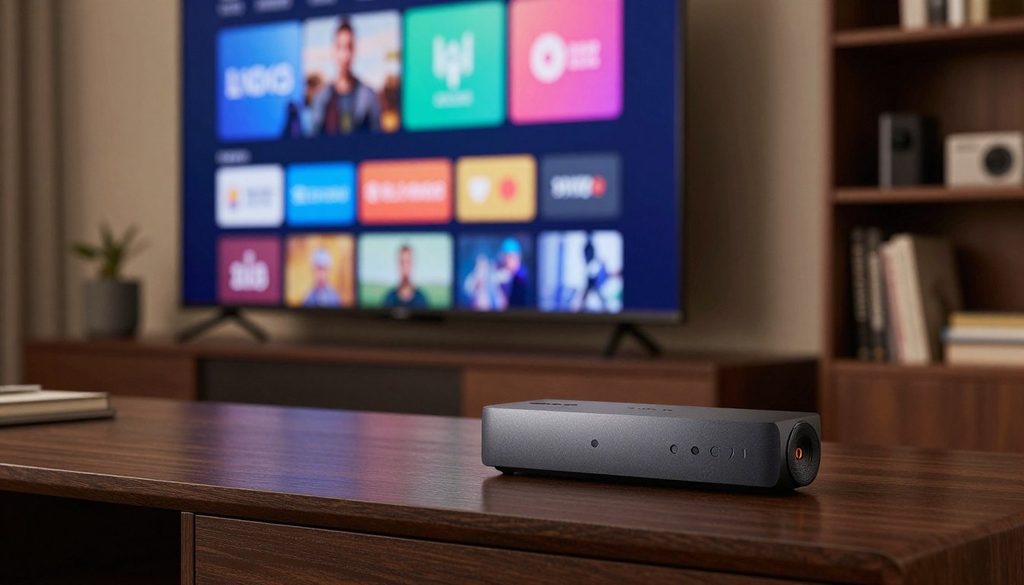
IPTV for Firestick
The shortlist is a starting point, not a performance test. The sections below explain how IPTV works on this device and how viewers can judge claims carefully.
Key Takeaways
- Firestick playback needs a compatible app, a playlist, and a working internet connection.
- ChromaIPTV’s price, offer, and trial terms are not stated here.
- Licensed live-TV apps and free streaming apps provide other viewing choices.
- A player app does not supply channels or prove content rights.
- Viewers should confirm terms, access, and compatibility before paying.
IPTV for Firestick: How the Setup Works
Firestick IPTV viewing joins two parts: a content service and a compatible player. IPTV sends live or on-demand video over an internet connection, while the Firestick runs the app that displays it.
An IPTV player is an app that loads and plays live or on-demand content from a provider’s playlist. The provider supplies the service and playlist; the player organizes that content for viewing. Installing a player does not provide channels or a subscription.
A Firestick needs both a content service and a compatible player, and the player alone does not supply channels.
Fire TV runs a version of Android, so many Android players can run on Firestick devices. Amazon’s Appstore offers fewer options than the wider Android app market, and availability can vary by app and device.
After the provider gives the customer login credentials, the player loads the playlist. That playlist is the channel and on-demand list. The app can then show live channels or available on-demand titles.
The service controls which content appears and whether the account can access it. The app controls how the playlist appears and plays. Different viewers may prefer a paid subscription, a licensed live-TV app, or a free service.
The useful next step is to compare those three types of viewing choices by fit, while keeping unverified performance claims separate from known facts.
How the Top 3 Firestick Choices Compare
A trustworthy ranking separates suitability from unverified claims about reliability. These three choices suit different viewing needs, but the information here does not establish a measured quality winner.
ChromaIPTV is the featured subscription to investigate, not a proven best IPTV service in 2026. No verified price, trial terms, channel details, or independent performance results are stated here. Its offer details need direct confirmation before anyone pays.
| Rank and choice | Access model | Price or trial information available | Best fit |
| 1. ChromaIPTV | Featured subscription to investigate | Price and trial terms not supplied | Viewers seeking a dedicated subscription |
| 2. YouTube TV, Hulu + Live TV, or Sling TV | Licensed live-TV subscriptions with official apps | Current plans and terms vary | Viewers who value a named provider and official app |
| 3. Pluto TV or Tubi | Free ad-supported streaming apps | Free access; current content can vary | Viewers who do not need a paid IPTV subscription |
The licensed services and free apps are alternatives, not endorsements of an IPTV provider. Their official apps and content rights may suit users who want a direct relationship with a named service.
“Best IPTV” can mean a suitable match, not a verified claim about uptime or picture quality. A playlist’s size also does not establish whether its channels work consistently or come from authorized sources.
For a viewer who still wants a dedicated IPTV subscription, the sensible choice is to evaluate the provider’s offer before paying. The next step is a repeatable check of the details that matter.
What to Check Before Choosing an IPTV Provider
A provider may list thousands of channels without showing whether a household’s preferred local station or sports channel is available. Exact access matters more than a large count. Ask for clear terms and details about the channels the household will actually watch.
A practical review also checks whether the app can run on the Firestick and whether the service works with that player. A polished sales page does not answer those questions.
Content rights and channel availability
Confirm that the provider is authorized to distribute its content. Ask whether the exact channels and on-demand titles are included in the offer. A long channel count alone proves neither channel accuracy nor permission to distribute content.
Channel names can change, and a listing may not match what plays. A viewer should check key channels instead of relying on a broad claim about the best IPTV package.
Compatibility, playlist format, and connection limits
Check that the IPTV provider supports the customer’s Firestick model and chosen IPTV player. Ask whether the playlist uses an M3U URL or Xtream Codes credentials, since player support can differ.
Find out how many devices can stream at once. An IPTV subscription that allows one connection may not suit a household where two people watch separate screens.
Support, renewal terms, and cancellation
Get the full price, billing interval, renewal amount, cancellation process, and refund terms in writing. These details help users compare an IPTV service with other options without guessing at the final cost.
Test customer support before payment with a specific question about setup or access. A clear answer can show whether the provider explains its terms well. It cannot guarantee future service quality.
- Confirm content rights and the channels the household wants.
- Verify Firestick and IPTV player compatibility.
- Get price, renewal, cancellation, and refund terms in writing.
- Check the allowed number of simultaneous connections.
- Ask customer support a specific question before paying.
These checks help distinguish a useful offer from a long list of claims. A prospective ChromaIPTV customer should also confirm whether a requested trial exists and what it includes.
What to Confirm About ChromaIPTV and a Free Trial
The free-trial duration and terms are not stated here, so they must be checked before anyone relies on an offer. Trial details can affect both access and billing. ChromaIPTV’s current trial availability is not established.
The offer information does not specify who qualifies, how long a trial lasts, which content it includes, or whether payment details are required. A user should confirm every point directly with ChromaIPTV before signing up.
Trial availability and eligibility
A free IPTV trial may have limits, such as an eligibility rule or an end time. The customer should ask when access starts, when it ends, and whether it converts to a paid subscription automatically.
Users should also ask what happens when a trial ends. Clear answers can prevent confusion about charges, cancellation, or continued access to the playlist.
What a trial can and cannot prove
A short trial can help a viewer check login, channel loading, and playback at usual viewing hours. It can reveal whether a chosen IPTV player works with that account on the household’s device.
One brief test cannot show long-term uptime or prove future content rights. A strong first evening does not ensure that every channel will remain available or stable.
Once the offer is clear, the viewer can choose an app that loads the provider’s playlist. The player affects navigation, not the subscription’s content rights.
Which IPTV Player Works Best on Firestick?
The right IPTV player depends on whether a beginner-friendly layout or deeper guide control matters more. Simple access can favor IPTV Smarters Pro, while TiviMate offers more guide features. None of these apps is a channel provider.
Features and availability can vary by app version and device. A user should check the current listing and interface before choosing an IPTV app for daily use.
IPTV Smarters Pro for a simple start
IPTV Smarters Pro supports M3U playlists and Xtream Codes login. Those common options make it a useful starting point for users whose provider offers either format.
IPTV Smarters and Smarters Pro are player names, not separate content subscriptions. The app still needs provider login credentials and a working playlist before it can show channels.
TiviMate for guide and playlist control
TiviMate focuses on guide and playlist control. Its premium version adds features such as recording, and those premium features require payment.
Viewers who mainly want to browse an electronic program guide, or EPG, may prefer TiviMate. The provider must supply compatible program data for guide details to appear.
XCIPTV and VLC for other needs
XCIPTV includes a built-in player and supports external players. That choice may help users who want to compare playback options without changing the source playlist.
VLC is available in the Amazon Appstore and can test whether a stream URL works. It lacks a TV-style guide, so it is more useful for stream diagnosis than channel browsing.
| Player | Best fit | Relevant feature | Trade-off |
| IPTV Smarters Pro | Simple start | M3U and Xtream Codes support | Needs a provider playlist |
| TiviMate | Guide control | EPG features and premium recording | Premium features require payment |
| XCIPTV | Flexible playback | Built-in and external players | Features can vary by version |
| VLC | Testing a stream URL | Available in Amazon Appstore | No TV-style guide |
A viewer can choose an app based on navigation needs, playlist support, and cost. The next step is installing that player safely on Firestick.
How to Install an IPTV App on Firestick
A Firestick installation can be completed on the device itself, without a computer. Careful setup helps avoid unsafe downloads. Use the app developer’s official site when the player is not in Amazon’s Appstore.
Downloader is available in Amazon’s Appstore. Fire OS menu names can vary by version, but the basic sequence is similar across many Firestick devices.
Install Downloader and allow app installation
First, open Settings and select My Fire TV, then About. Select the Fire TV Stick entry seven times to unlock Developer Options if they are hidden.
Install Downloader from the Amazon Appstore. In Developer Options, open Install Unknown Apps and enable permission for Downloader specifically. Permission is set per app.
Get the app from an official source
Use the developer’s official download URL in Downloader and follow the on-screen install prompt. Check the web address carefully before entering it.
Random APK aggregators can host altered or unsafe files. A familiar app name does not prove that a download is genuine.
Remove the installer after setup
After installation, Downloader can delete the downloaded APK file. Removing that installer file helps keep the device tidy and reduces the chance of opening it by mistake.
- Open Settings, My Fire TV, and About; select the Fire TV Stick entry seven times.
- Install Downloader from the Amazon Appstore.
- Allow Install Unknown Apps for Downloader only.
- Enter the app developer’s official download URL and follow the prompt.
- Delete the downloaded APK after installation.
Menu wording differs across Fire OS versions, so the labels may not match exactly. The steps place the player on the device; they do not activate an account or create a playlist.
After installation, the viewer needs account activation. The provider’s login format determines which fields the IPTV app asks for.
How to Activate IPTV With M3U or Xtream Codes
A new customer may receive either an M3U URL or Xtream Codes details. The format matters because the player asks for different information. Use only the login credentials in the provider’s official account message.
Exact field names depend on the chosen player. The app may label an M3U link as a playlist URL or ask for Xtream Codes API details.
Add an M3U playlist
For an M3U setup, copy the full URL into the playlist field. Check that no characters are missing, including punctuation at the end of the link.
The player uses that link to load the playlist, which contains the channel and on-demand list. A broken or expired link may prevent the list from loading.
Enter Xtream Codes credentials
Xtream Codes login typically uses a server address, username, and password. Enter each value in its matching field, then save the account in the player.
Copy credentials exactly, including letter case and symbols. A player cannot create an IPTV subscription or repair expired access, so account problems need the provider’s help.
Once the playlist loads, playback depends on both the service and the home connection. Connection quality can affect how smoothly the content plays.
What Internet Speed and Connection Does IPTV Need?
Internet speed recommendations vary by stream, so one minimum should not be treated as a guarantee. Headroom helps when several devices share a connection. These ranges are guidance, not promises of smooth streaming.
A fast speed test cannot rule out weak Wi-Fi, a busy network, or a fault at the content source. The internet connection needs enough capacity, but stability also matters.
Match speed expectations to video quality
HD guidance often ranges from 15-25 Mbps, while 4K recommendations range from 30 Mbps to 50+ Mbps. Full HD may need more room than basic HD, especially on a busy network.
| Quality | Suggested speed range | Practical note |
| HD | 15-25 Mbps | Allow headroom if other devices are streaming |
| Full HD | 25-50 Mbps | Use the higher end for congestion or demanding streams |
| 4K | 30-50+ Mbps | Use 50+ Mbps as the conservative target |
These Mbps ranges are useful starting points, not guarantees. A provider’s stream, home network, and simultaneous viewing can change the result.
Reduce congestion and weak Wi-Fi
Ethernet or strong 5 GHz Wi-Fi can improve stability. If the Firestick sits far from the router, moving the router or reducing obstacles may help.
Several household streams can compete for the same connection. A speed test taken when the network is quiet may not reflect a busy evening.
When a connection appears strong but playback still stutters, the device itself may be the limit. Hardware checks can help separate those problems.
Which Firestick Models Can Run IPTV?
Many Firestick models can run IPTV players, but older or basic hardware has less headroom. Model choice matters most when storage, app compatibility, or heat affects daily use. Check the specific player’s support for the device before upgrading.
Basic Firestick models ship with 8 GB of storage, with under 6 GB usable after Fire OS. An HDMI extender can move the stick away from the television’s chassis and improve airflow.
| Model | IPTV suitability | Storage or performance consideration | Best use |
| Basic Firestick | Can run compatible players | 8 GB shipped; under 6 GB usable after Fire OS | Basic viewing with modest app needs |
| Firestick 4K or 4K Max | Supported model options | Check player compatibility and available storage | Viewers seeking a 4K-capable Fire TV device |
| Fire TV Cube | Larger Fire TV alternative | Check the chosen app and device setup | Viewers considering another Fire TV form |
Heat-related stutter can begin after about 15-20 minutes of sustained use. That pattern differs from network buffering, which may change with Wi-Fi strength or household traffic.
An HDMI extender can keep the stick from sitting directly against the TV chassis, where airflow may be limited. It does not increase storage or fix a weak internet connection.
Device support does not show whether a requested channel is available. The next check is whether an authorized service carries the sports and channels the viewer wants.
Can IPTV Stream Sports and DAZN on Fire TV?
A playlist may show a sports channel without guaranteeing lawful access to a specific match. Event rights matter, and channel names alone do not settle them. Do not assume a third-party subscription includes DAZN or any particular event.
Sports and channel availability depend on the provider’s rights and current offer. Neither is established for ChromaIPTV here, so viewers should ask what the service is authorized to carry.
Confirm the rights to each event
A sports channel in a playlist is not proof that its distributor may offer that channel. A viewer should check the provider’s rights and the specific event before relying on the listing.
Access can vary by event, location, and current offer. Users should not treat an IPTV Fire TV Stick app as evidence that a stream is authorized.
Check the official DAZN app separately
DAZN access should be checked through the official DAZN app. Viewers should review current US availability and subscription terms directly, since plans and event access can vary.
Checking the official app separates DAZN’s own terms from claims made by a third-party service. A separate app may be the clearer route for a viewer seeking a specific event.
Even when the device can play a stream, access does not establish steady picture or sound. Viewers can judge quality by testing the channels they use.
How to Judge Channel Quality and Reliability
A stream can look fine during a quiet daytime check and behave differently during a live event. Test at real viewing times, not only when the network is calm. No independently verified ChromaIPTV performance results are supplied.
Check the exact channels watched, EPG accuracy, channel-change delay, and picture and audio stability. Then repeat playback during both quiet and peak viewing hours.
Fast channel changes can matter to viewers who often switch between live channels. A slow guide or a mismatched program listing can also make a service harder to use.
Claims such as “anti-freeze,” “4K,” or a large channel count do not prove quality. Test them on the viewer’s own Firestick and connection instead of relying on slogans.
A short test gives a snapshot, not a guarantee of future uptime. Once the viewer has assessed quality, the next question is the full cost of a monthly or annual plan.
How Much Does an IPTV Subscription Cost?
The cost cannot be stated accurately until ChromaIPTV’s current US price and terms are confirmed. The total commitment depends on the billing period and required fees. No ChromaIPTV monthly, annual, renewal, or trial price is stated here.
Do not use prices in pounds from a different provider as a US comparison. Ask for the amount due today and the later renewal amount in the same currency.
Compare the full monthly commitment
Compare billing interval, refund terms, connection limits, and any separate player purchase. A low first payment may not show what a household will pay later.
A free IPTV player does not make its content subscription free. The app may cost nothing while the provider charges for playlist access.
Calculate a 12-month total
For a confirmed monthly rate, multiply that amount by 12, then add mandatory fees. For an annual rate, include required fees and note when renewal is due.
Users comparing the best IPTV service should use the full 12-month commitment, not just the first payment. Clear renewal terms make that calculation more useful.
Once costs are clear, viewers can weigh them against separate questions about authorized access and account safety.
Is IPTV Legal and Safe in the United States?
Installing an IPTV app and authorizing the streams it plays are separate questions. The content source determines whether a provider has the right to distribute its channels. Technology alone does not prove that a stream is authorized.
Viewers should check applicable US law and the provider’s content rights. Sideloading software is not the same as permission to distribute every item in a playlist.
Separate the technology from the content source
An IPTV player is software for loading a playlist. The viewer should assess the provider’s rights, rather than treating an app or device as proof of lawful access.
Searches for “IPTV hacks for Firestick” do not replace safe installation or content-rights checks. A shortcut cannot confirm that a source may distribute its streams.
Protect the Firestick and account
Safer setup starts with trusted downloads and careful handling of login credentials. A VPN is not a performance fix and may reduce throughput.
- Use official app stores or the developer’s site.
- Avoid cracked or modified APKs.
- Use a unique account password.
- Do not share login credentials.
- Avoid entering account details on unknown sites.
These steps reduce avoidable account and device risks, but they do not confirm a provider’s content rights. A trial and a support exchange may help a viewer judge an offer before commitment.
How to Test a Trial and Evaluate Customer Support
A viewer who normally watches in the evening should test a service at that same time. Real conditions count because playback may differ when household use peaks. ChromaIPTV’s trial and support details are not established here.
Ask ChromaIPTV directly about trial eligibility, cancellation, support hours, and contact method. No support channel or response-time claim is stated, so viewers should get those details before paying.
Test the channels and setup that matter
A useful free IPTV trial, if available, should let the viewer test the setup and channels that matter at home. The customer should confirm its end time before starting.
Keep notes on what loaded and when. A specific record makes it easier to explain a problem to customer support than a general report of poor playback.
Ask support specific questions
A focused question can show whether support understands the player and account setup. The answer should address the issue, not just repeat a broad promise about service quality.
- Confirm the trial is genuinely available and note its end time.
- Test the household’s key channels and devices.
- Check playback at the usual viewing hour.
- Record the support response and resolution of one setup question.
If answers or trial terms remain unclear, viewers can choose a licensed or free alternative instead of making a long commitment.
When a Licensed or Free Streaming App Is the Better Fit
A viewer who needs a named official app may prefer a licensed live-TV service over a broad playlist. Clear access terms can matter more than the size of a channel list. No paid IPTV subscription is needed when a free app meets the household’s needs.
YouTube TV, Hulu + Live TV, and Sling TV are examples of licensed live-TV apps. Pluto TV and Tubi are examples of free ad-supported apps, not endorsements or claims about current lineups.
A named official app or a free service may fit better than a broad playlist when clear access terms matter most.
Viewers can use these choices to decide what best IPTV firestick setup fits their needs. The following checks help match the app type to the household.
- Choose a licensed paid live-TV app when defined provider terms matter most.
- Choose free ad-supported live-TV apps when a limited free selection is enough.
- Keep an existing cable or live-TV account’s official app if it meets household needs.
- Use an IPTV player only with a playlist the user is entitled to access.
- Do not pay for a long plan before confirming that it fits.
A current app listing can help users check device support, while the provider sets access terms. Prices and channel lineups can change, so examples should not replace a direct check.
For an IPTV service Firestick setup, an official alternative can be simpler when the household already has an account. The viewer can either confirm ChromaIPTV’s terms or use an official app that meets the need.
Conclusion
A provider should be judged by verifiable terms and the channels the household actually watches. Firestick compatibility alone does not establish content rights, service quality, or value.
ChromaIPTV’s trial and subscription terms still need direct confirmation. The next step is to ask ChromaIPTV for its current US price, trial eligibility and duration, renewal terms, supported player, and content-rights information before paying.
FAQ
What is the best IPTV app for Firestick?
IPTV Smarters Pro suits a simpler start, TiviMate offers guide control and paid premium features, and VLC can test a stream URL. Each is a player, not a channel provider. The right choice depends on the provider’s playlist format and the viewer’s needs. App features and Firestick availability can vary by version, so check the current listing.
How much is IPTV per month?
ChromaIPTV’s monthly price is not stated here, so its current US rate must come directly from the provider. The viewer should ask for the amount due now, the renewal amount, billing interval, and required fees. A low first payment may not reflect the full commitment. Compare those terms with other services before choosing a subscription.
Is IPTV blocked on Firestick?
No universal block prevents Firestick devices from running many IPTV players, but app availability and stream access can vary. Some players appear in Amazon’s Appstore, while others may require a safe sideload. Installing a player does not guarantee that a provider’s playlist will load. The provider, app version, device, and account status all affect access.
How do I get IPTV on Firestick?
Install a compatible player from the Amazon Appstore or sideload it safely with Downloader from the developer’s official site. Then add the provider’s login credentials or M3U playlist in the app. The player needs an active account and a working playlist to show content. A player by itself does not supply channels or create a subscription.
Does Firestick still work for IPTV?
Yes, many Firestick models run compatible IPTV players, though support varies by app and device. A basic model has 8 GB of storage, with under 6 GB usable after Fire OS. Heat may also cause stutter after about 15-20 minutes of sustained use. Checking the player’s compatibility can help before a viewer replaces a working device.
How to activate IPTV?
Enter the provider’s M3U URL or Xtream Codes server address, username, and password in the chosen player. The credentials must come from an active provider account, and field names differ between apps. Copy each value exactly, including punctuation and letter case. If access has expired or the playlist fails to load, the player cannot restore it.
Is IPTV blocked in the USA?
No single rule makes every IPTV service unavailable across the United States. Access, provider availability, and content authorization vary, so viewers should check applicable US rules and the provider’s rights. A player is only software, not proof that a content source is authorized. Viewers should also confirm the service’s current terms before paying.
Can I install IPTV myself?
Yes, a viewer can install a player directly on Firestick without a computer. The app may come from Amazon’s Appstore or, when needed, the developer’s official download site. For sideloading, enable Install Unknown Apps for Downloader specifically. Avoid random APK sites, since an app name alone does not show that a file is safe.
How much does an IPTV subscription for 12 months cost?
ChromaIPTV’s annual price is not stated here, so the viewer should ask for its current US monthly or annual rate. To estimate a year, multiply a confirmed monthly price by 12, or use the confirmed annual rate. Add mandatory fees and check renewal terms. A free player does not mean the content subscription is free.

