
A household that wants live sports on one screen and on-demand shows on another needs to assess both the stream and the source of its programming. IPTV life can offer flexible entertainment, but advertised features and actual access are not interchangeable.
Viewers can compare live programming, movies, and shows while checking whether their devices support the service. They also need confidence in the company supplying the streams. A clear description of the offer matters more than a long list of promises.
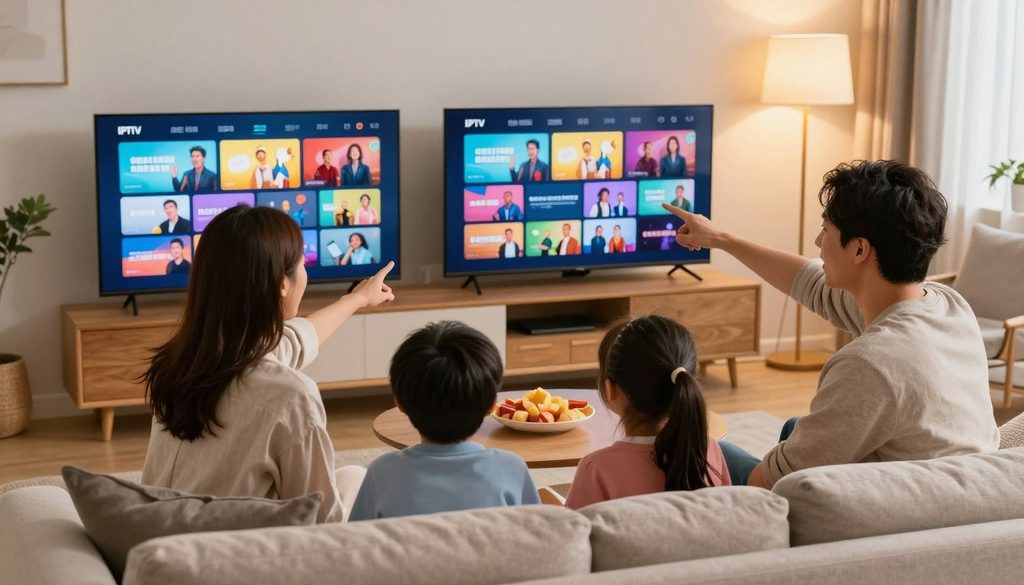
iptv life
The useful choice depends on what the household watches and what the provider can show about access. A player app may display television, yet still require a separate playlist. The basic service types help explain the difference between a licensed TV service and a player that needs a playlist.
Key Takeaways
- Different TV services supply different things: programming, an app, or both.
- A large channel list does not prove that a provider has distribution rights.
- Check the exact programs, devices, billing terms, and support route before paying.
- A player needs stream details from elsewhere to load programming.
- Test playback on the screen and network the household plans to use.
- Save the written terms and payment records.
What Does IPTV Life Look Like for US Viewers?
A player app and a TV subscription can look similar on a device but provide different things. The key difference is whether the service supplies programming or only plays streams supplied elsewhere.
Free ad-supported services, licensed paid services, and player software each work in a different way. A M3U playlist is a file or URL containing entries for media streams that a compatible player can load.
A player app does not prove that a TV subscription or licensed programming comes with it.
Free, ad-supported live TV
Pluto TV and Samsung TV Plus offer free viewing supported by ads. Viewers can watch programming through those services without buying a paid live-TV subscription. The available shows and channels come from the service itself.
Licensed paid live-TV services
YouTube TV, Hulu + Live TV, Fubo, and Sling are examples of paid live-TV services. Subscribers pay for access to programming under each service’s offer. Lineups and features differ, so the service details matter.
Players that need a playlist
IPTV Smarters and similar software are IPTV players. They can load streams, but they do not themselves supply TV programming. The user needs a playlist or login from an IPTV provider.
The service type also shapes the payment model and rights check. A free, ad-supported app is not the same as an unverified stream shared through a player.
| Service type | Where content comes from | Typical payment model | Rights check |
| Free ad-supported services | Pluto TV or Samsung TV Plus | No subscription fee; ads | Check the named service and its catalog |
| Licensed paid live-TV services | YouTube TV, Hulu + Live TV, Fubo, or Sling | Paid subscription | Review the service’s own lineup and terms |
| Player software with user-supplied playlist | A playlist or login from another provider | Player may be separate from content fees | Check the stream provider’s distribution rights |
The phrase iptv live free may describe a legal ad-supported app or an unverified stream. The word free alone proves nothing about who supplies the content or holds its rights. Viewers need to identify the service behind the programming before deciding what the offer includes.
Those basic distinctions make it easier to assess a specific offer. The next useful step is checking whether its operator has the right to distribute its content.
What Separates Licensed TV Services From Unverified IPTV Offers?
A recognizable player logo does not establish who owns or licenses the stream. Rights belong to the content arrangement, not to the app that displays the video.
Viewers should check five details before relying on an IPTV provider:
- Identify the operating company and its business name.
- Find clear information about licensing or distribution rights.
- Check the channel lineup on the provider’s own service details.
- Read the written refund and cancellation terms.
- Look for a clear, usable route to customer support.
A familiar app can play a stream from many different sources. Its presence does not show that the source has permission to carry a channel or program.
A large channel list also proves little about distribution rights. Names and totals can be copied into an offer without showing which company supplies each stream or how the rights apply.
That is why the operator’s identity and service terms deserve attention. A useful listing connects the company, its programming, and its support contact in clear language.
These checks help separate a named player from the company supplying content. Buyers can now compare the everyday terms that shape a subscription.
What Should Viewers Check Before Choosing an IPTV Provider?
A large advertised lineup matters little if the viewer’s local channels or key programs are missing. Fit matters more than size when a household chooses a subscription.
Before paying, viewers should confirm five details that affect everyday use:
- Whether the needed channels are available in the viewer’s area.
- Whether playback works on the device the household intends to use.
- How many connections can stream at the same time.
- What written cancellation and refund terms apply.
- How to reach technical support when playback fails.
A free IPTV trial can help test playback, but only if the provider offers one. The viewer should understand its length, renewal date, and any payment details before starting.
A trial does not prove that every channel will work well over time. It can show whether the app loads, the stream starts, and the intended screen handles playback.
The word guarantee should also have clear terms behind it. Buyers need to know which problems qualify and what steps they must follow to seek a refund.
Those checks set expectations for the offer itself. The viewing format also matters, since live TV, on-demand apps, and cable packages serve different habits.
IPTV vs Netflix vs Cable: What’s the Difference?
Someone who mainly watches a series library has different needs from someone who follows live local news. The viewing format determines what each subscription can provide.
IPTV services can carry live channels over the internet, while Netflix-style services focus on on-demand viewing. Cable and satellite packages deliver TV through their own service and equipment arrangements.
Internet-delivered live television
IPTV means internet-delivered television. An IPTV provider may offer live channels, on-demand movies, shows, or a mix of them. The exact lineup and included features depend on the offer.
On-demand streaming subscriptions
Netflix-style subscriptions focus on films and series viewers choose when to watch. They do not automatically provide a live channel lineup. An IPTV provider’s VOD library also does not automatically include separate Netflix, Hulu, or Amazon Prime subscriptions.
Cable and satellite packages
Cable and satellite services deliver television through a cable connection or satellite signal. Packages often combine live channels with provider features, though each offer differs. Internet-delivered television depends on an internet connection.
| Format | Delivery method | Live channel access | On-demand viewing | Billing relationship |
| IPTV services | Internet connection | Included when the offer lists live channels | May include a VOD library | Paid through the IPTV provider |
| Netflix-style on-demand subscriptions | Internet connection | Generally focused on on-demand titles | Films and series available to select | Paid to the streaming service |
| Cable or satellite | Cable line or satellite signal | Included in the chosen TV package | May include provider on-demand options | Paid to the cable or satellite company |
The table shows broad differences, not a promise about every package. A household should check the offer for the channels, movies, and shows it wants.
Once the format is clear, advertised prices become easier to judge. Two subscriptions can look similar by month while charging different totals.
How Much Does an IPTV Subscription Cost and What Changes Its Value?
A low monthly equivalent can hide a much larger upfront payment. The billing period matters as much as the advertised rate.
Advertised plan examples include €10, €20, and €50, but those amounts have no stated plan duration. Another offer lists a starting rate of $4.66 per month when prepaid for two years.
The $4.66 monthly equivalent requires two years of prepayment, so it is not the same as paying month by month. The euro amounts cannot be compared fairly without knowing how many months each covers.
For an IPTV subscription, buyers should compare the total charged at checkout, not just a monthly figure. The renewal basis shows whether the same amount will be charged again and when.
Connection count and included features can change the value of a plan. Taxes or fees may also affect the final amount when the checkout page discloses them.
A money-back guarantee matters only with written terms. Buyers should check the time limit, qualifying reasons, and steps for making a claim.
Price labels alone cannot show whether a plan fits a household. The channel and on-demand catalog determine whether the subscription is useful.
Which IPTV Channels and VOD Details Should Buyers Verify?
A channel total cannot tell a US household whether its local station or preferred event is actually available. Specific titles matter more than a headline number.
Advertised live-channel counts range from 15,500+ to 25,000+ in examples, with another listing at 18,000+. Advertised VOD libraries range from 50,000+ to 140,500 movies, series, and TV shows.
Those totals are advertised claims, not independently confirmed inventories. A large count does not confirm a specific local station, language, league, or event.
Buyers should check sample channel names and search for titles they expect to watch. They can also ask when content updates happen and whether those updates cover the programs they follow.
Some listings claim daily content updates. That claim does not say which titles change or how quickly a missing show will appear.
One listing advertises 300+ adult channels. That figure does not establish whether the service has parental controls, so households should check that feature separately.
After identifying the desired content, viewers can test how it loads on a device. A Firestick setup pairs a player with valid stream details.
How to Set Up IPTV on Firestick Step-by-Step Guide
A Firestick can play IPTV only after a compatible player has been paired with valid stream credentials. The player is not the provider and does not supply channels by itself.
Use the provider’s details only in the compatible player named for that access. No specific ChromaIPTV login details or app are provided here.
Prepare the Firestick and choose a player
Choose a reputable IPTV player that supports the Firestick and the login method supplied. Menu labels can vary between app versions, so the names on screen may differ.
Enter an M3U playlist or Xtream Codes login
An M3U playlist contains entries for media streams that a compatible IPTV player can load. Xtream Codes is another login method some providers support. Viewers should enter only the details supplied for their account.
Do not put credentials into an unrelated app. The player may handle the playlist, but the separate IPTV provider supplies the streams.
Test a channel and troubleshoot playback
A basic setup follows four steps:
- Install a reputable IPTV player that supports Firestick.
- Get valid login details or a playlist from the provider.
- Enter the M3U or Xtream Codes information carefully.
- Test live playback and check the EPG.
If a channel fails, check the entered details and try another listed stream. A free IPTV trial may help with testing only if the provider actually offers one.
Once playback works, viewers can check whether other screens support the same type of access. App and device compatibility can differ across a household.
Which IPTV Apps and Devices Work With Playlists?
A player that works on one screen may not use the same login method on another. Compatibility depends on both the device and the player.
Named IPTV player examples include IPTV Smarters Pro, TiviMate, and Smart IPTV. An iptv live app is player software, not proof that programming is included.
Players for TV screens and streaming boxes
Firestick, Android TV, Samsung and LG Smart TVs, MAG, Formuler, and BuzzTV appear among listed device types. A buyer should match the chosen player to the device and supported login method.
Apps for phones, tablets, and computers
iOS devices, Windows, Mac, and web browsers also appear in compatibility listings. Someone looking for an IPTV player for smart live TV on Windows should check whether the app supports that service’s login method.
| Device group | Named examples | Compatibility detail |
| Firestick or Android TV | IPTV Smarters Pro, TiviMate | Check player support for the device and login |
| Samsung or LG Smart TVs | Smart IPTV | Check the TV model and supported playlist method |
| Mobile devices | iOS devices | Check the app and the provider’s login type |
| Windows or Mac computers | Windows, Mac, web browsers | Check app or browser support for the login type |
A TV King guide should prompt a simple check: is the named product a player or a content provider? The name alone does not confirm its features or what programming it supplies.
After confirming device fit, viewers can consider how the EPG and other playback features work during ordinary viewing.
What Do EPG, Catch-Up, and Live Streaming Features Actually Do?
An EPG is useful when a viewer wants to find a program without browsing channel names one by one. It displays a schedule of programs for listed channels.
Catch-up may let viewers replay programs that aired earlier, when the service offers that feature. Live streaming carries a current broadcast over the internet.
4K, FHD, and SD describe advertised picture formats, not a guarantee that every channel has that resolution. The actual format can differ by channel and stream.
Some listings promote anti-freeze or anti-buffering technology. Those phrases are marketing claims, not independently verified measures of playback quality.
One listing claims 99.9% uptime. That figure is also a promotional claim, not a promise that every viewer will avoid interruptions.
Network quality, device limits, and the stream itself can affect the viewing experience. A feature label cannot guarantee the same result on every screen.
Those labels need context when viewers assess an offer. Trust, privacy, and service risks also shape whether the stream is dependable.
Can IPTV Be Trusted, and What Risks Should Users Assess?
A polished app interface does not guarantee that the service behind its playlist is dependable or authorized. Trust depends on the operator and the terms tied to its streams.
Users should look for five warning signs before sharing payment details:
- The company behind the offer has no clear identity.
- The service gives no clear rights information.
- Broad claims appear without a sample lineup.
- Refund and renewal terms are unclear.
- The provider offers no usable support route.
Trust in player software and trust in an IPTV provider are separate questions. A player may work as designed while the service supplying its streams remains unclear.
An advertised badge cannot promise anonymity or uninterrupted service. It also does not guarantee a refund without clear conditions and a process the buyer can use.
Viewers should keep account and payment details private and use the stated contact route if problems arise. A service without a working support path leaves basic issues unresolved.
Service reliability is only part of the concern. The network provider may see connection data, and access can sometimes be interrupted.
Can an ISP Track or Block IPTV Streaming?
Streaming uses an internet connection, so it is not invisible to the network carrying it. An ISP can observe connection data, though that does not mean it identifies every program watched.
Encryption affects which content details may be visible. Network connection data can still show that a device connected to online services.
An ISP may manage or restrict traffic under its policies, but not every ISP identifies a particular program. The amount of detail visible depends in part on encryption and network setup.
What an internet provider may observe
An internet provider may see connection details, such as traffic between a household and online services. Encryption can limit the content details visible in that traffic, but it does not make the connection invisible.
Why an IPTV stream may stop working
A stream can fail because of the service, app, device, or home network. Access restrictions can also interrupt viewing, so not every failure points to the same cause.
Some listings describe service use while traveling and VPN compatibility. Those claims are not guarantees of access in every place or on every connection.
A VPN can change how traffic travels, but it does not create content rights or guarantee uninterrupted access. It cannot turn an unauthorized stream into an authorized one.
Network privacy is only one part of the decision. Buyers should also understand payment, delivery, renewal, and refund terms.
How Do IPTV Payment, Renewal, and Refund Terms Work?
A refund badge matters only if the buyer can find the conditions and follow the stated process. Written terms count more than a short claim beside a checkout button.
Advertised terms vary by listing. One describes a 7-day money-back guarantee, while another gives a 60-day refund period.
Gift cards, PayPal by contacting the provider, delivery times, and refund windows are specific advertised terms, not universal rules. They are not confirmed ChromaIPTV terms.
| Term | Advertised example | What to confirm |
| Payment method | Gift cards or PayPal by contacting the provider | Accepted payment route and written checkout record |
| Delivery timing | Usually within 5 hours, up to 24 hours | When account details should arrive and whom to contact |
| Refund or renewal terms | 7-day or 60-day refund; bonus months on longer plans | Refund steps, renewal basis, and cancellation effect |
One promotion describes three extra months with a 1-year plan and six extra months with a 2-year plan. Other listings describe non-recurring payment, no contracts, or cancel-anytime terms.
Those terms apply to specific advertised offers, not every IPTV service. Buyers should save the checkout terms and confirm whether cancellation stops renewal.
Delivery timing can also vary. One listing says delivery usually takes within five hours but may take up to 24 hours.
Once the billing details are clear, a household can check how many screens and how much network capacity the subscription must support.
How Many Connections and What Internet Setup Are Needed?
A household that watches two different channels at once needs to verify simultaneous connections, not just device compatibility. Concurrent viewing determines how many streams can run together.
One listing includes one connection and offers checkout options for two, three, four, five, or six connections. A connection count may limit simultaneous streams, not the number of devices with an installed app.
Viewers should count people who may watch different programs at the same time. A phone or tablet used alone is different from a shared TV that several people rely on.
Some service descriptions name phones, tablets, TVs, laptops, and streaming boxes as device types. That broad list does not show how many can stream at once under a particular plan.
Households should test playback on their actual Wi-Fi or wired connection. The room, router placement, and other network use can affect how a stream behaves.
No single minimum internet speed applies to every offer in the details here. The household’s actual network and the chosen streams determine whether playback works well.
It helps to test at the time the household usually watches. A stream that works on an idle network may behave differently when several people are online.
Once household fit is clear, viewers can focus on support and specific live programming, including local feeds and sports.
What Should Viewers Check About Sports, Local Channels, and Support?
A sports fan should verify the event and local feed, not rely on a league name in a long channel list. Specific availability matters for live viewing.
Listings advertise sports such as NBA, NHL, NCAA March Madness, MLB, U.S. Soccer, NFL, and MLS. They may also name ESPN, Bally channels, or PPV.
A league or network name does not guarantee every game, local feed, or pay-per-view event. Buyers should check the exact event, local market, and any blackout or availability conditions.
Local stations need the same careful check. A channel name alone may not confirm that the right regional feed is available to a household.
Some service listings advertise 24/7 technical assistance. That is a claim, so viewers should check the actual contact route and expected response times.
Before relying on support, a buyer can try the listed email, chat, or other contact method with a basic question. A working route is more useful than a label alone.
With event access and help routes understood, buyers can make a lower-risk choice before entering payment details.
How Can a Viewer Start an IPTV Subscription With Less Risk?
Before paying, a viewer can reduce uncertainty by checking the provider and the exact terms shown at checkout. A careful decision starts with the company behind the streams.
Five steps can help a viewer decide whether to proceed:
- Confirm the service’s rights and the operator’s identity.
- Check that must-have channels and programs appear in its details.
- Test the intended device and login type.
- Read the full billing, renewal, and cancellation terms.
- Save payment records and the provider’s support details.
A free IPTV trial can help only when the service offers one and its length is clear. The viewer should also know whether the trial renews into a paid plan.
ChromaIPTV is a name a viewer can research alongside other providers. The name alone does not confirm its lineup, rights, price, trial, or refund terms.
Saving the offer page and checkout details gives the buyer a record of what appeared at the time of payment. Support contact details can help if access or billing questions arise.
A viewer should pay only when the content, legal rights, device fit, and written terms are clear.
Choose a service only when its content, legality, device fit, and payment terms are clear.
Conclusion
A good IPTV choice is one the viewer can verify before relying on it. Authorized content, compatible devices, and clear terms matter more than a feature list alone.
Viewers can start with the channels they need and check whether the service clearly explains its rights and support. They should also read cancellation terms before entering payment details.
That small step can prevent confusion about access or renewal later. Confirm the provider’s licensing and written plan terms before subscribing.
FAQ
Is IPTV legal in the USA?
IPTV technology is legal in the USA, but a specific stream is lawful only when the provider has rights to distribute its content. The delivery method itself does not establish those rights. Viewers should identify the company supplying the programming and look for clear information about its authorization before relying on a stream.
Which IPTV providers are legal in the USA?
Licensed options include YouTube TV, Hulu + Live TV, Fubo, and Sling. Free ad-supported services include Pluto TV and Samsung TV Plus. These named services offer programming through their own platforms, but viewers should still check each service’s current lineup and terms. A player app, by itself, is not a programming provider.
Can IPTV be trusted?
IPTV can be trusted only after the viewer checks the operator, content rights, payment terms, refund conditions, and support contact. A player app alone proves none of these details. The software may load streams as intended, while the separate service supplying those streams may have unclear ownership, rights, or billing practices.
What is the risk of using IPTV?
Key risks include unauthorized content, sudden service shutdowns, unreliable streams, unclear billing, and exposure of payment or account details. The level of risk depends on the provider and the offer. Viewers can lower uncertainty by checking the company, reading the terms, and avoiding services that hide their support route.
Can IPTV be tracked?
An internet service provider can observe network connection data, but encryption can limit visibility into content details. That does not make a connection invisible. The exact information visible can depend on encryption and network setup, and viewers should not assume that a VPN removes every trace or makes a stream lawful.
What happens if you use illegal IPTV?
Unauthorized streams can lead to service loss and legal or account consequences. The specific result depends on the conduct and circumstances, so there is no single outcome for every viewer. A provider’s claim that a stream is available does not establish that it has permission to distribute the program or channel.
Can your internet provider block your IPTV?
Access can be restricted by network policies or service-side interruptions, but an ISP blocking every IPTV service is not a universal rule. A failed stream may also come from the app, device, provider, or home network. Viewers should consider those possible causes before treating an interruption as an ISP block.
What is the punishment for illegal streaming?
There is no single penalty that applies to every case. Consequences depend on the applicable law, the content, and the person’s conduct. A viewer should not treat a free stream or a familiar player as proof of authorization. Checking the service’s rights and operator before watching helps avoid relying on unclear access.

