
Many viewers in the United States face issues with buffering and poor resolution. They often rely on advertised internet speeds, which can be misleading. To get a smooth viewing experience, a professional iptv test is key before signing up for a long-term plan.
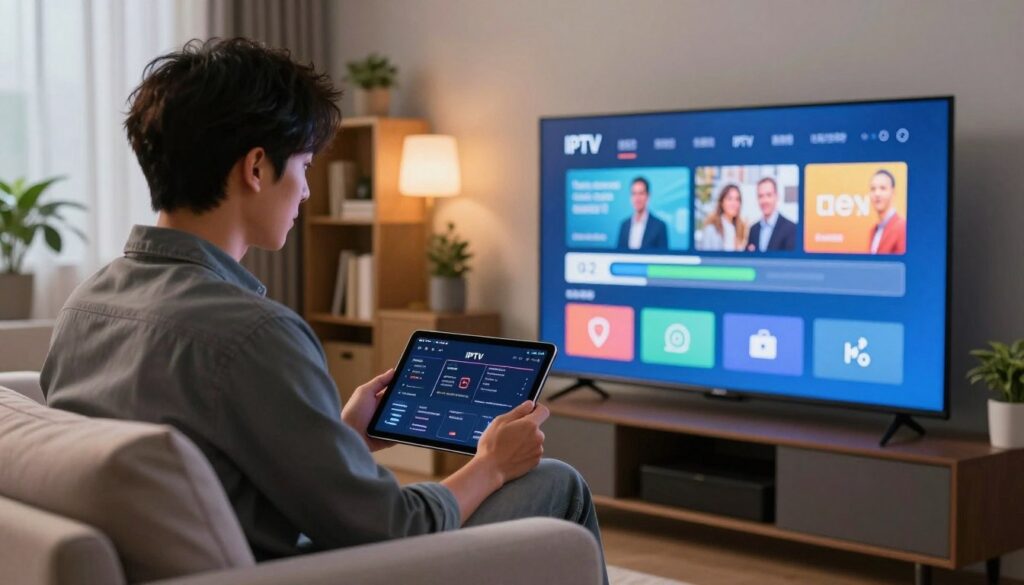
iptv test
This test helps users check important aspects like connection stability and channel availability. By testing on the device and network you use every day, you get accurate insights into how it performs. A detailed iptv test lets you compare services based on real-world data, not just guesses.
This guide will show you how to check picture quality, playback features, and service transparency. By taking these steps, you can make sure your home entertainment setup is up to your standards for quality and reliability.
Key Takeaways
- Assess streaming quality using your own home network and devices.
- Prioritize connection stability over advertised internet speeds.
- Evaluate channel variety and overall service transparency before subscribing.
- Use repeatable observations to compare different streaming providers.
- Check for consistent picture quality and responsive playback features.
Why an iptv test matters before choosing a streaming provider
An IPTV test is like a reality check before you spend your money. Many people start a subscription without checking if their network can handle it. With a free iptv trial, you can see if a service fits your needs before you commit.
What the test can reveal about streaming quality
A good test shows what a provider’s infrastructure really is like. It shows how fast channels load and if the stream stays clear during busy times. Reliability is more important than the number of channels.
Testing shows if the service is stable or if the picture quality changes a lot. You can see if the stream stays sharp or drops in quality. This is key for a great viewing experience.
How testing reduces buffering, freezing, and channel-access surprises
Testing ahead of time cuts down on buffering and freezing. It helps you find out if there are problems with channel delivery before they bother you every day. This way, you avoid being disappointed by missing channels or crashes.
Testing also checks if the EPG (Electronic Program Guide) is right and if the channels work. This makes sure you’re not paying for a service that doesn’t deliver. It helps you make a smart choice.
Why advertised speeds do not guarantee reliable IPTV playback
Many people think fast internet means perfect streaming. But streaming quality is more than just speed. A fast connection might be good for browsing but not for live TV.
Differences between internet speed, network stability, and streaming performance
It’s important to know the difference between internet speed, network stability, and streaming performance. Speed is how fast data can be transferred. Stability is how consistent that connection is. Streaming performance is how well your device handles the data.
| Metric | Definition | Impact on IPTV |
| Internet Speed | Maximum bandwidth capacity | Determines max resolution |
| Network Stability | Consistency of data flow | Prevents buffering/freezing |
| Streaming Performance | Overall playback quality | Ensures smooth viewing |
Even with a free iptv trial, remember that steady delivery is key. A stable connection is better than fast one with packet loss. Always choose stability for uninterrupted entertainment.
Prepare the connection and devices for accurate IPTV testing
Start by getting your devices and network ready. This ensures the free iptv trial data shows how it will work in real life. Being consistent helps you make smart choices about your streaming future.
Check internet speed on the intended streaming network
First, test your internet speed on the network you’ll use for streaming. Use a trusted online tool to check your download speed and latency. High-definition streaming needs a fast and stable connection.
Use the television, streaming stick, or media player that will handle regular viewing
Don’t test on a fancy computer if you’ll use a budget streaming stick. Different devices have different performance levels. Testing on your main device makes the free iptv trial results more meaningful.
Test both wired Ethernet and Wi-Fi when both options are available
If you can use a wired connection, compare it to Wi-Fi. A wired connection usually gives a stable and consistent stream. Testing both helps find out if your network is the problem.
How router placement, congestion, and VPN use can affect results
Environmental factors greatly impact your stream’s quality. A router in a bad spot or with lots of interference can cause issues. Also, too much household traffic or using a VPN can slow down your free iptv trial experience.
| Connection Type | Stability | Speed Potential | Best Use Case |
| Wired Ethernet | Excellent | Maximum | Primary Media Player |
| 5GHz Wi-Fi | Good | High | Modern Streaming Sticks |
| 2.4GHz Wi-Fi | Fair | Moderate | Mobile Devices |
Run an IPTV test to measure playback quality
Running a iptv test is the best way to see if a provider fits your viewing needs. By following a set procedure, you can get reliable data. This data helps you tell if a service is high-quality or not.
Open the provider’s test playlist, application, or trial account
Start by accessing the service through the vendor’s method. Use a dedicated app, an M3U playlist, or a trial account. Make sure your login details are correct and stable. Proper preparation helps avoid mistakes during the test.
Evaluate startup time, channel loading, and stream resolution
After connecting, watch how fast the service responds. A good iptv test checks how quickly a channel starts. Also, see if the stream’s quality stays the same or changes.
Watch several channels instead of judging performance from one stream
Don’t judge a service by just one channel. Try different types like sports, news, and international shows. This shows if problems are just with one channel or a bigger issue.
Record buffering frequency, freezes, audio delays, and unexpected disconnections
Keep a log of your findings to track the service’s stability. Note any buffering, freezes, or audio delays. These signs can show network or server problems. This helps you compare different providers fairly.
| Metric | Excellent Performance | Poor Performance |
| Startup Time | Under 2 seconds | Over 8 seconds |
| Buffering | None observed | Frequent interruptions |
| Resolution | Stable 1080p/4K | Constant pixelation |
| Audio Sync | Perfectly aligned | Noticeable lag |
Check channel access and content reliability during the test
Speed tests are just the start. The real value of a service is in its ability to deliver content without breaks. Checking if channels are available is key to seeing if the service meets your needs.
Confirm that listed channels open and remain available
A good provider keeps every channel connected. During a free iptv trial chromaiptv, try different channels to see if they work well. Consistency is key, as a channel that works then doesn’t is a sign of trouble.
Compare local, national, international, sports, news, and entertainment channels
Don’t judge a service by just one stream. A good test checks many types of content. Make sure to check local, national, international, sports, news, and entertainment channels for a full experience.
- Local and National networks for regional news and weather.
- International channels to verify global feed stability.
- Sports and Entertainment to check for high-bitrate performance during live events.
Look for missing channels, incorrect listings, and frequent stream substitutions
EPG errors can show channels that don’t exist or lead to wrong broadcasts. This is a sign of poor service management. Watch for these issues during testing:
- Channels that are listed but return a “404” or “Not Found” error.
- Program descriptions that do not match the actual video content.
- Frequent, unannounced changes to the channel lineup.
Distinguish temporary channel errors from consistent provider-side problems
Not every glitch is a sign of a failing service. Sometimes, a quick network hiccup or server update can cause a brief issue. But if a channel keeps failing during a free iptv trial chromaiptv, it’s likely a bigger problem. Knowing the difference helps avoid bad services.
Measure IPTV performance during peak and off-peak hours
Checking how your network performs at different times can reveal hidden issues. To keep your streams stable, watch how your connection handles different demands throughout the week.
Repeat the test when household and regional internet traffic is high
Internet usage spikes in the evenings when everyone is home. Testing your connection during these times gives a true picture of your peak-hour IPTV performance.
“The true test of a network is not how it performs when idle, but how it maintains integrity under the pressure of heavy traffic.”
Compare daytime, evening, and weekend playback results
Logging your results at different times can help spot trends. You might find that streams are smooth on Tuesdays but not on Sundays.
By comparing these results, you can tell if the problem is temporary or a service limitation. Consistency is key when collecting this data to make informed decisions.
Identify whether slowdowns come from the home network or the IPTV service
Not every problem is the provider’s fault. Sometimes, IPTV buffering is due to local hardware or network traffic.
If your speed tests show high latency on certain devices, it might be Wi-Fi congestion. Checking your router or switching to a wired connection can often fix these issues.
Use consistent devices, channels, and test conditions for meaningful comparisons
To get accurate results, keep your testing environment the same. Always use the same device and channels for every test.
Changing things mid-test makes it hard to find the cause of a drop in performance. By keeping consistent test conditions, your assessment of the service will be fair and reliable.
Evaluate picture, sound, and playback features that affect viewing
A great streaming experience needs more than just fast internet. It’s about how well the service shows media and controls it. Fast internet is key, but how content is delivered matters more for today’s entertainment.
Assess HD, Full HD, and 4K picture consistency
Checking IPTV picture quality means looking at motion and color. A good HD IPTV service keeps images sharp, without pixelation or resolution drops in fast scenes.
For 4K IPTV, keeping the image stable and clear is crucial. The stream should stay high quality, without dropping to lower quality. Consistency is what makes a premium provider.
Check audio synchronization, language tracks, subtitles, and volume stability
Poor IPTV audio sync can ruin a show. Make sure dialogue matches actor lip movements on screen.
Also, check if language tracks and subtitles work right. Volume should stay the same when switching channels. Stable audio output shows a well-run streaming platform.
Test pause, rewind, catch-up, electronic program guide, and recording functions
Today’s viewers want more than live TV. Test the catch-up feature to see if past shows load and play right. The electronic program guide (EPG) should be up-to-date for all channels.
Also, check if pause and rewind work well on live streams. If recording is available, test it to see if it saves and plays back correctly.
Consider device compatibility, application responsiveness, and remote-control usability
The interface should be easy to use on your device. It should work fast on smart TVs, streaming sticks, or media boxes without lag.
See how the service works with your remote. Seamless navigation is key for a smooth experience. If the app crashes or doesn’t respond, it might be poorly made, even with great stream quality.
Compare a free IPTV trial with long-term provider performance
Trying a provider through a trial gives a peek into their real performance. These short tests are useful but only show a moment in time. They don’t promise long-term service quality.
What a free IPTV trial can confirm before payment
A free iptv trial lets you check a service’s technical base. It shows how the app works daily and if streams stay steady.
- Channel Availability: Make sure your favorite channels are there.
- Playback Quality: See if the video quality is what you expect for HD.
- Application Behavior: Check if the app is easy to use and works well on your device.
How to assess trial duration, available channels, and feature limitations
Not all trials are the same. It’s key to look closely. Some might limit channels or video quality to save bandwidth.
Always read the fine print about the duration of the trial. A short trial might not show how the service handles busy times. Some features, like catch-up or recording, might not work during trials.
Review the free IPTV trial ChromaIPTV experience without assuming trial results guarantee long-term service
When you try the free iptv trial chromaiptv, see it as a starting point. Remember, server loads can change a lot when more people join. A smooth trial doesn’t mean the service will stay perfect all year.
Check whether ChromaIPTV trial access reflects the plan and device they intend to use
To get accurate results, test on the device you plan to use. If you’ll use a streaming stick or smart TV, test on that. Testing on a computer and then using a streaming box can give wrong ideas about performance.
“A trial is a diagnostic tool, not a promise of future stability. Always test under the conditions you expect to use daily.”
— Streaming Industry Best Practices
Use an iptv test to assess ChromaIPTV and other providers fairly
When you do an iptv test chromaiptv or any other service, it’s important to be consistent. This ensures you get a fair view of their performance. By keeping things the same, you can see how good the service really is, without outside influences.
Apply the same connection, device, and channel checks to every provider
To get accurate results, use the same hardware for all tests. Testing one service on a fast wired connection and another on slow Wi-Fi can skew your data. Always use the same device, like a smart TV or media player, to keep things fair.
Also, test the same types of channels on all platforms. Check local news, sports, and international entertainment. This way, you can see which services offer the most stable and varied content.
Evaluate the iptv test ChromaIPTV results against measurable criteria
Once your setup is ready, focus on specific performance metrics. Look at the startup time for channels and how fast HD streams load. A top provider should start quickly and rarely buffer or lose quality.
True service quality isn’t just about the number of channels. It’s about how reliable and consistent the stream is, especially during busy times.
— Streaming Technology Analyst
Compare reliability, customer support, app usability, and subscription transparency
Don’t just look at speed. Check how easy the app is to use. A good interface makes watching more enjoyable. Also, test how fast customer support responds to issues.
It’s also important to know about subscription terms clearly. When you try a free iptv trial chromaiptv, read the fine print on auto-renewal and cancellation. A good provider will always be upfront about these details before you sign up for a long term.
| Feature | ChromaIPTV | Standard Provider |
| Startup Speed | Fast | Variable |
| App Usability | High | Moderate |
| Support Response | 24/7 | Limited |
| Transparency | Clear Terms | Opaque |
Verify that the provider offers authorized content and clear service terms
Make sure the service has authorized content. Legitimate providers have clear agreements and respect copyright laws. If a provider can’t explain their content licensing, it might not be stable long-term. Always choose services that are open and professional in their business practices.
Troubleshoot common IPTV test problems before rejecting a service
Effective IPTV troubleshooting means finding the main cause of playback errors. Many people give up on a provider too soon. By changing one thing at a time, you can see if the problem is with your network or the service.
Fix buffering caused by weak Wi-Fi or network congestion
To fix IPTV buffering, check your local connection first. High-definition streams need steady bandwidth. This can be hard when many devices are using the same signal.
Moving your streaming device closer to the router helps. Or, try using a wired Ethernet connection. This often fixes the problem.
Network congestion gets worse in the evenings when everyone is online. If your stream stutters, try turning off other devices. Consistent, high-quality playback usually comes back when the network is less busy.
Address application crashes, outdated software, and device compatibility issues
At times, the problem is with the software, not the network. An old app might struggle with new stream formats. Always update your streaming app to the latest version.
Device compatibility is also key. Older devices might not handle high-bitrate streams well. Try streaming on a newer device to see if it’s the problem.
Resolve DNS, router, firewall, and VPN-related playback interruptions
DNS IPTV issues can stop a stream from loading. Try changing your DNS settings to a public provider. Also, strict firewall settings might block streaming traffic.
VPN IPTV problems can happen if the server is too far or if encryption slows down your connection. Try disabling your VPN to see if it’s the cause. If streaming works without the VPN, try a server closer to you.
Know when repeated failures indicate a provider-side problem
If you’ve tried different devices, checked your network, and turned off security filters without success, it’s likely a provider issue. Repeated failures across different channels and times show a service problem. If you can’t get it to work, it’s time to look for a different provider.
Choose a trustworthy IPTV service after reviewing test results
Choosing the right service provider is easier with a standardized scorecard. This way, you avoid guesswork and make a data-driven decision. Your choice will match your viewing habits and technical needs.
Create a practical scorecard for speed, stability, access, and playback features
A good scorecard balances technical categories. Assign numbers to startup time, buffering frequency, and channel availability. When you do an iptv test chromaiptv, record these numbers to compare services.
Your scorecard should also consider the electronic program guide and playback controls. A service with high resolution but a poor interface is not ideal. A reliable provider offers consistent performance across these areas.
Prioritize consistent performance over a large but unreliable channel list
Many choose providers based on channel count, not quality. But, a big list often has dead links and inconsistent streams. It’s better to have fewer channels that work well.
Focus on channels you watch, like local news or sports networks. If these channels are stable, the service is likely good. Reliability is more important than the number of channels.
Review pricing, cancellation terms, customer support, and payment protections
Business practices matter too. Check the pricing and cancellation policies. A good provider is clear about these.
Customer support is key. Test their response during your trial. Choose providers with secure payment methods to protect your info.
Make a decision based on legal access, transparent policies, and repeatable results
Your choice should be based on your free iptv trial and performance checks. Make sure the service has clear policies and respects content standards. This way, you can trust your streaming setup will stay stable.
| Evaluation Metric | High Priority | Low Priority |
| Stream Stability | Zero Buffering | Occasional Freezing |
| Channel Quality | Full HD/4K | Standard Definition |
| Support Response | Under 24 Hours | No Response |
| Pricing Model | Transparent/Monthly | Hidden/Annual Only |
Conclusion
Choosing a good streaming service is more than just looking at channels. A detailed iptv test helps avoid problems like buffering or poor quality. It lets users check if a provider really delivers before paying.
Smart viewers focus on steady performance, not just many channels. They test the service on their home network to see how it handles busy times. This way, they make sure the service is stable and has good picture quality.
Testing on different devices and connections shows a service’s true strength. It points out any issues with hardware or network problems early. Making choices based on real data leads to a better viewing experience.
Look for providers that are open about their terms and have legal content. Quality and reliable support are key signs of a good partnership. Use these tips to set up a streaming system that works perfectly every day.
FAQ
Why is it important to perform an IPTV test before subscribing to a service?
An IPTV test is key because it lets viewers check the streaming quality and channel access at home. Internet speeds often don’t match the smooth playback needed for HD and 4K. Testing ensures the service works well without buffering or freezing before you pay.
Does a high-speed internet plan guarantee a lag-free experience during a free IPTV trial?
Not always. High bandwidth is good, but network stability and latency matter more. Router placement, network congestion, and how data is routed can affect performance more than internet speed.
Which devices should be used when conducting an iptv test chromaiptv?
For best results, test on the devices you’ll use daily, like Amazon Fire Stick or Apple TV. Smartphones or laptops might show different results, especially with wired vs. Wi-Fi connections.
What specific playback issues should be monitored during a free IPTV trial chromaiptv?
Watch for buffering, startup delays, audio issues, and disconnections. Also, check if the Electronic Program Guide (EPG) is right and if catch-up TV and recording work well.
How does testing during peak hours improve the accuracy of an IPTV test?
Testing during busy times shows how the service handles high traffic. It helps figure out if slowdowns are from your network or the provider’s servers, giving a clearer view of reliability.
Can local network settings interfere with the results of a free IPTV trial?
Yes, outdated software, DNS, and firewall settings can harm streaming. Try troubleshooting by switching to a wired connection or testing with a VPN to see if issues are local.
How can a viewer fairly compare ChromaIPTV against other streaming providers?
Compare by using the same criteria for each provider, like channel loading times and image resolution. A scorecard during the trial ensures a fair decision based on data, not just marketing.
What are the signs of a trustworthy IPTV provider after the testing phase is complete?
A trustworthy provider offers clear service terms, authorized content, and consistent performance. If ChromaIPTV shows reliable streams and clear cancellation policies, it’s a better choice than providers with unclear details.

