
A TiviMate channel list comes from a playlist provider, not from the player. The app gives viewers a TV-style interface for browsing content their provider makes available. A viewer still needs a playlist and a compatible device to get started.
TiviMate does not sell or include channels, and a playlist does not prove that its provider has distribution rights. The provider controls the available content, while the app helps organize and play it. An electronic program guide (EPG) is a schedule of programs matched to channels in a playlist.
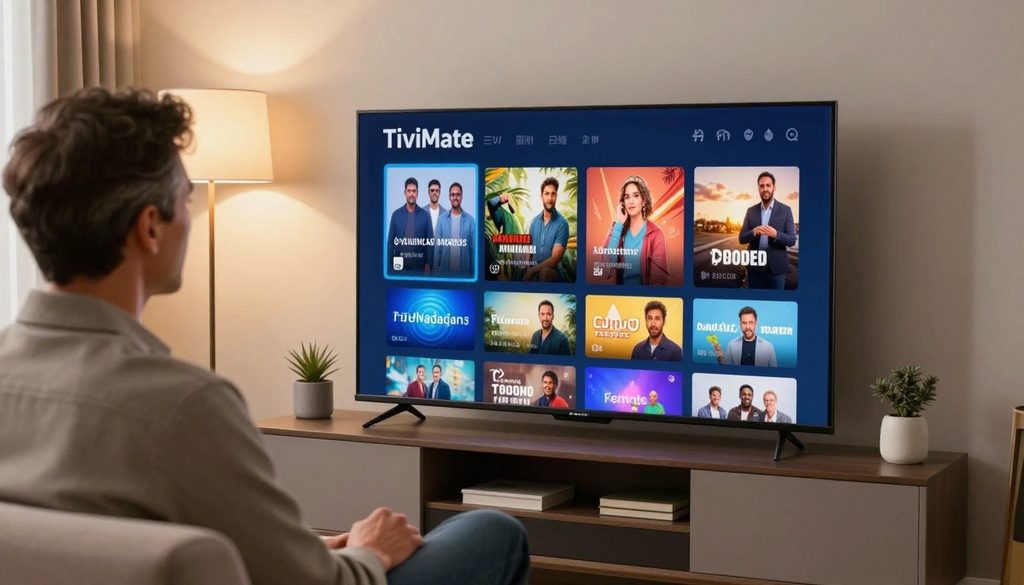
tivimate channel list
Key Takeaways
- TiviMate is a player, not a channel service.
- A playlist provider supplies the viewing content.
- Playlist access and content rights depend on the provider.
- An EPG matches program schedules to playlist channels.
- Viewers need a supported device to use the app.
It helps to know what the app does and does not provide before choosing a playlist or setting up the player.
Does TiviMate Come With Channels?
A newly installed TiviMate app has no channels or content to browse. It also includes no subscription or service, so a viewer must connect a playlist from a provider to see a lineup.
The playlist determines which channels and other content appear. Depending on the provider, that may include regional or international channels, news, sports, entertainment, and other content. The playlist can also shape the order and groups shown in the app.
TiviMate starts without channels or content; the playlist provider determines what appears.
What a playlist adds to the app
A playlist links the player to streams and, in some cases, guide data. Its channel list can be large or small, and its content depends on the provider’s offer. A TiviMate channel list free search does not change that arrangement.
The app does not supply a free lineup or public access codes. A viewer should connect only a playlist they are authorized to access. The legality of viewing depends on whether the playlist provider has permission to distribute its content.
Free lists, codes, and provider choice
Free lists shared online may lack permission, stop working, or include channels with incomplete details. A viewer should not treat a working stream as proof that its distribution is authorized.
Which IPTV service is best in 2026 depends on lawful content rights, supported playlist formats, EPG quality, and device compatibility. No single provider fits every viewer, and the app does not endorse a particular service.
Once a provider grants access, it usually supplies one of two connection formats: an M3U URL or an Xtream Codes login.
How to Add a Playlist to TiviMate
A provider may supply a playlist URL for an M3U connection, or a server URL, username, and password for an Xtream Codes login. Each format requires its own fields, so viewers should match the details to the connection method.
An M3U setup usually needs a separate XMLTV EPG URL for guide data. With Xtream Codes, the guide usually arrives through the same connection. This difference matters when a playlist loads but program details do not.
| Connection method | Information to enter | EPG setup |
| M3U | Playlist URL | Usually a separate XMLTV EPG URL |
| Xtream Codes | Server URL, username, and password | Guide usually arrives through the same connection |
To add playlist details, the viewer can follow these steps:
- Open Playlists in TiviMate.
- Choose Add playlist.
- Select M3U or Xtream Codes, matching the provider’s details.
- Enter the supplied URL or credentials in the correct fields.
- Save the connection and let the channel import finish.
Add a playlist with an M3U URL
An M3U connection uses the playlist URL supplied by the provider. If the provider also gives an XMLTV URL, the viewer can enter it for the EPG. TiviMate playlist download does not mean the app provides a playlist file.
Sign in with Xtream Codes
An Xtream Codes login uses a server URL, username, and password. IPTV URL links and credentials should come from a provider the viewer is authorized to use. Placing an M3U URL in an Xtream Codes field, or the reverse, can trigger an authorization error. Leaving out a required server port can also block login.
After the lineup loads, channel favorites and groups can make it easier to navigate.
How to Find and Organize a TiviMate Channel List
A long provider-supplied lineup can make a regular channel hard to find. Favorites offer a quick route to frequently watched channels, while group controls can cut down scrolling.
Long-press OK on a channel to open its channel options. Choose Add to Favorites to place it in the favorites list. The exact remote button can vary by device, but the channel’s options provide the action.
Pin frequently watched channels as favorites
Favorites work well for channels used often, such as a local news channel or a regular sports choice. They do not change the provider’s playlist or remove other channels. They give the viewer a faster way to reach selected entries.
To favorite channels on TiviMate, the viewer can highlight a channel, long-press OK, and select Add to Favorites. The app then keeps that channel in the favorites area for easier access.
Hide and arrange channel groups
Groups can separate news, sports, movies, or regional channels, depending on the playlist. A viewer can simplify navigation with three steps:
- Mark useful channels as favorites.
- Hide groups that are irrelevant to the household.
- With Premium, create or reorder groups to fit household viewing habits.
Premium lets viewers create, rename, reorder, and hide channel groups. A hidden group remains in the playlist but disappears from the main interface. Hiding a group can reduce clutter, but it does not lock or secure its channels like parental controls.
Once the lineup feels easier to scan, guide data can show what programs are on each channel.
How Does the EPG and TV Guide Work?
Channel schedules require EPG data in addition to the channel stream. The electronic program guide (EPG) is a program schedule matched to channels in a playlist, so guide details depend on the data supplied with that connection.
Xtream Codes usually supplies guide data through the same connection, while M3U usually needs a separate XMLTV URL. The table shows the first place to check when listings do not appear.
| Playlist setup | Where guide data usually comes from | First check if guide data is missing |
| Xtream Codes | Usually the same connection | Check the account connection |
| M3U | Usually a separate XMLTV URL | Check the EPG URL |
“No Information” can mean guide data is missing or incomplete. It does not always mean the channel stream has failed. Premium permits several EPG sources for one playlist, which can help when one source lacks listings.
If program times appear shifted from local time, a per-source time offset is the relevant adjustment. The guide data itself may also be incomplete. With the schedule in place, the next check is whether the app runs on the viewer’s device.
Which Devices Can Run TiviMate?
TiviMate runs on Android TV devices, including Fire TV, NVIDIA Shield, Chromecast with Google TV, Mi Box, and Android TV boxes. Android TV and Google TV users can install the app through the Play Store.
TiviMate does not run on iPhone, iPad, Apple TV, Roku, Windows, macOS, or web browsers. Fire TV does not list it in Amazon’s store, so that device uses a sideload route instead.
Android TV, Google TV, and Fire TV options
On Android TV or Google TV, a viewer can search for TiviMate in Google Play Store and install it from the listing. The Play Store route suits devices that run those TV systems, including NVIDIA Shield and Chromecast with Google TV.
Fire TV users can sideload the app with Downloader and the device’s installation-from-unknown-sources setting. The APK should come only from the developer’s own site. A viewer should avoid APK files from unfamiliar download pages.
Platforms the app does not support
The app is built for Android TV devices, not phones, computers, or browser use. A viewer should not count on a workaround for unsupported platforms. Before seeking a playlist, the viewer can check three things:
- Identify the device’s operating system.
- Use the matching store or Fire TV sideload route.
- Verify that the app launches before adding a playlist.
That quick check helps separate an installation issue from a playlist problem. Once the app opens, the free version may be enough, or Premium may offer useful extra controls.
What Does TiviMate Premium Add?
The free version supports one playlist and limited EPG data, while Premium adds more controls and playback tools. Premium is a paid feature upgrade, not a channel subscription.
The table compares the main limits and additions. Catch-up still depends on whether the playlist provider supports it.
| Feature | Free version | Premium |
| Playlists | One | Multiple |
| EPG | Limited, about two days | Full, with multiple sources per playlist |
| Recording | No | Yes, including scheduled recording |
| Catch-up | No | Yes, when the provider supports it |
| Groups and backup | View-only groups, no backup | Editable groups, backup and restore |
Premium also removes ads. Its features include recording, scheduled recording, catch-up when supported, and tools to back up and restore settings.
Mid-2026 listings showed $9.99 per year or $33.99 for a lifetime license covering up to five devices. Published prices differ, so the app’s purchase screen shows the price offered to a viewer. One playlist without recording needs may not justify an upgrade.
Premium adds player features, but it cannot repair a playlist, guide, or stream problem.
How to Troubleshoot Missing Channels and Guide Data
A channel list may look incomplete if its first import was interrupted. Large playlists can take a minute or more to load, so viewers should check the connection first before changing other settings.
TiviMate cannot supply bandwidth, repair an unreliable source, or decode a codec the device cannot handle. A focused check can help separate an app setting from a provider or stream issue.
The app cannot fix weak bandwidth, an unreliable playlist source, or a codec the device cannot decode.
Use this four-item checklist:
- Confirm the URL or credentials sit in the correct fields and include any required server port.
- Let a large playlist finish loading, since its first import can take a minute or more.
- Check the EPG source or per-source time offset when guide entries are missing or mistimed.
- Test whether stuttering affects one stream before changing that channel’s hardware or software decoder.
If only one stream stutters, the issue may be limited to that channel rather than the whole device. A decoder change may help with a device or stream mismatch, but it cannot improve an unstable source.
TiviMate controls playback and organization; the playlist provider controls the content and stream access.
Conclusion
The practical takeaway is that TiviMate and its playlist are separate choices. The player organizes a lineup, but the playlist source determines the available content and the viewer’s access.
A new user can start with one authorized playlist and confirm that it works before considering paid features. That test can show whether the app, device, and connection fit the household’s needs.
Before adding a playlist, verify its source and the connection details the provider supplied.
FAQ
What is the difference between TiviMate and TiviMate Premium?
TiviMate is the player, while Premium is a paid feature upgrade, not a channel subscription. The free version handles one playlist. Premium adds multiple playlists and features such as recording, scheduled recording, and editable groups. Neither version supplies channels or grants access to a provider’s content. A viewer needs a separate playlist provider for the lineup.
What channels are available on Fire Stick TV?
The channels available on Fire TV depend on the playlist connected to TiviMate, not on the Fire TV device itself. A playlist provider may offer regional or international channels, sports, news, entertainment, or other content. The device only runs the player. Viewers should check the provider’s lineup and rights before relying on a channel list.
How to favorite channels on TiviMate?
To favorite a channel, highlight it, long-press OK on the remote, and choose Add to Favorites. The channel then appears in the favorites area for quicker access. The exact remote layout can differ by device, but the action is in the channel options. Favorites do not delete other channels or change the provider’s playlist.
What all can I watch on IPTV?
IPTV content depends on the playlist and provider a viewer uses. A lineup may include live regional or international channels, sports, news, entertainment, or other content. The player does not choose or supply that lineup. Viewers should check that the provider has the right to distribute the content they offer.
Is IPTV blocked in the USA?
There is no single blanket answer that applies to every IPTV stream or player in the United States. TiviMate is a player, while the playlist source supplies the content. Whether viewing is lawful depends on the provider’s authorization to distribute that content. A viewer should assess the source and its rights rather than assume every playlist is allowed or blocked.
Where can I find a list of available IPTV code?
There is no universal public code list for TiviMate. A provider the viewer is authorized to use supplies an M3U URL or Xtream Codes login. Publicly shared codes may not work and do not prove that the content is licensed. Viewers should get connection details directly from their chosen provider.
What is the PIN code for adult content on IPTV?
TiviMate does not supply one universal PIN for adult content. If a PIN is required, it depends on the relevant app or provider settings. A viewer can check the settings used for that playlist or ask the provider about its access rules. A PIN does not change the provider’s rights to distribute content.
Where can I find a free M3U list for free TV channels?
TiviMate does not provide a free M3U list. A viewer should use only a playlist they are authorized to access, whether it costs money or is offered at no charge. A publicly shared URL may be incomplete, unsafe, or unauthorized. The provider’s rights determine whether its channels can lawfully be distributed.

